







Question: Part 1-Creating a new database tables using ORACLE S?L DEVELOPER We are going to create tables for a company to track employees, the departments they
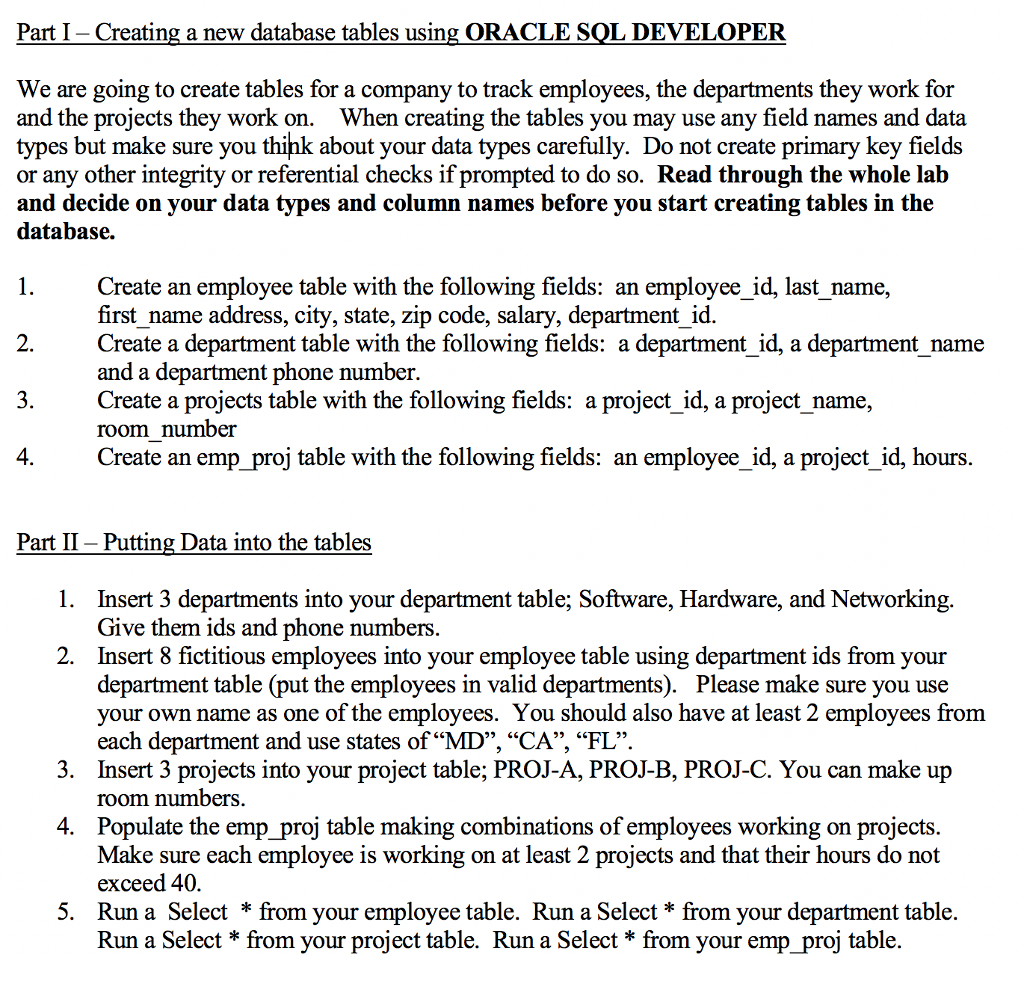
Part 1-Creating a new database tables using ORACLE S?L DEVELOPER We are going to create tables for a company to track employees, the departments they work for and the projects they work on. When creating the tables you may use any field names and data types but make sure you thihk about your data types carefully. Do not create primary key fields or any other integrity or referential checks if prompted to do so. Read through the whole lalb and decide on your data types and column names before you start creating tables in the database. Create an employee table with the following fields: an employee id, last name, first name address, city, state, zip code, salary, department _id. Create a department table with the following fields: a department id, a department name and a department phone number. Create a projects table with the following fields: a project id, a project name, room number Create an emp _proj table with the following fields: an employee id, a project id, hours 2 4 Part II - Putting Data into the tables 1. Insert 3 departments into your department table; Software, Hardware, and Networking Give them ids and phone numbers Insert 8 fictitious employees into your employee table using department ids from your department table (put the employees in valid departments). Please make sure you use your own name as one of the employees. You should also have at least 2 employees from each department and use states of "MD", "CA", "FL". Insert 3 projects into your project table: PROJ-A. PROJ-B. PROJ-C. You can make up room numbers 2. 3. 4. Populate the emp proj table making combinations of employees working on projects Make sure each employee is working on at least 2 projects and that their hours do not exceed 40 Run a Select * from your employee table. Run a Select* from your department table. Run a Select * from your project table. Run a Select *from your emp proi table. 5
Step by Step Solution
There are 3 Steps involved in it

Get step-by-step solutions from verified subject matter experts
 Study Help