







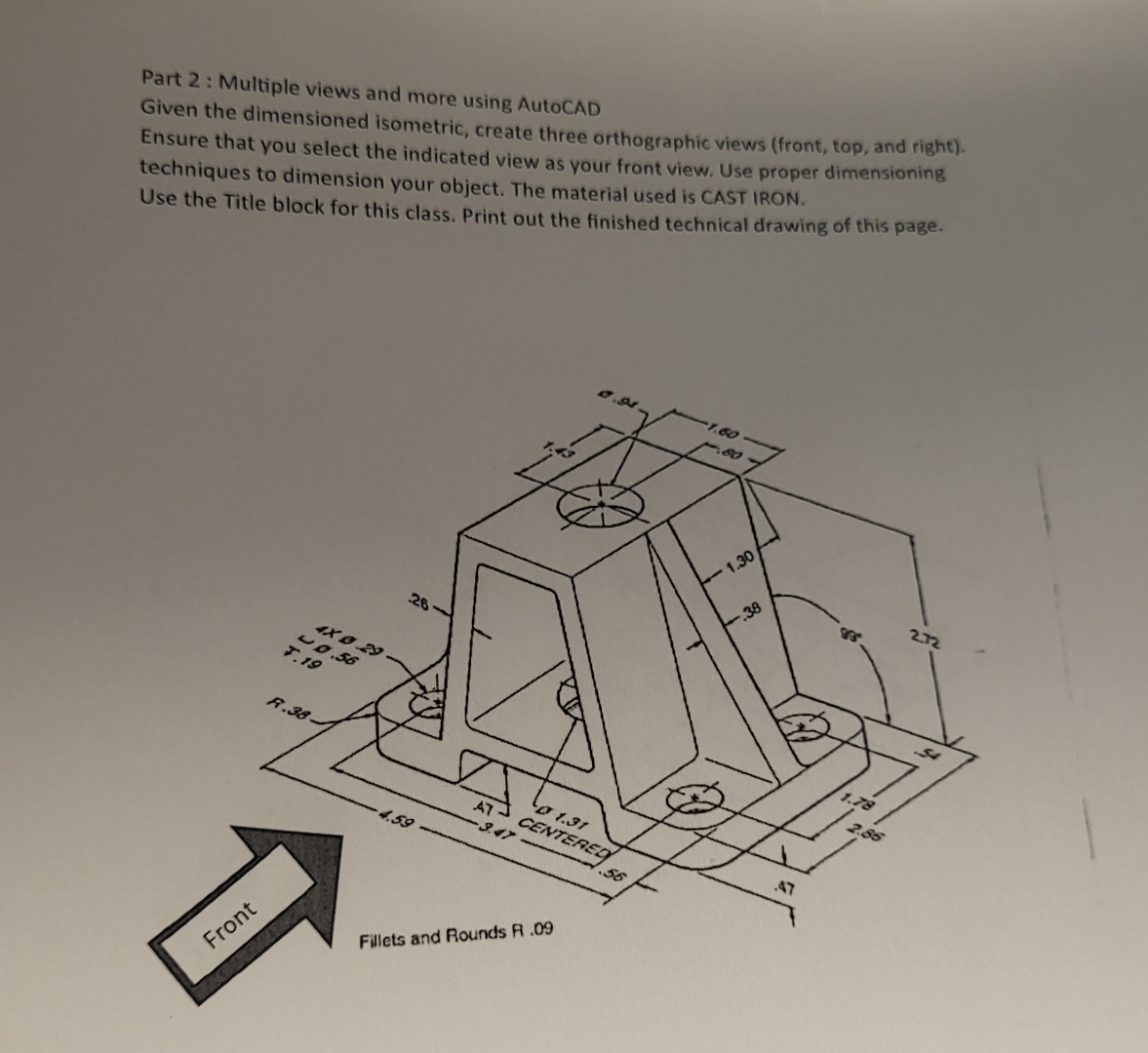
Question: Part 2 : Multiple views and more using AutoCAD Given the dimensioned isometric, create three orthographic views ( front , top, and right ) .
Part : Multiple views and more using AutoCAD
Given the dimensioned isometric, create three orthographic views front top, and right Ensure that you select the indicated view as your front view. Use proper dimensioning techniques to dimension your object. The material used is CAST IRON.
Use the Title block for this class. Print out the finished technical drawing of this page.
Step by Step Solution
There are 3 Steps involved in it
1 Expert Approved Answer
Step: 1 Unlock

Question Has Been Solved by an Expert!
Get step-by-step solutions from verified subject matter experts
Step: 2 Unlock
Step: 3 Unlock
 Study Help