







Question: Part 2: Processing Strings (Individual work) Processing user-entered data to follow a specific format is a common task. Often this involves using string functions to
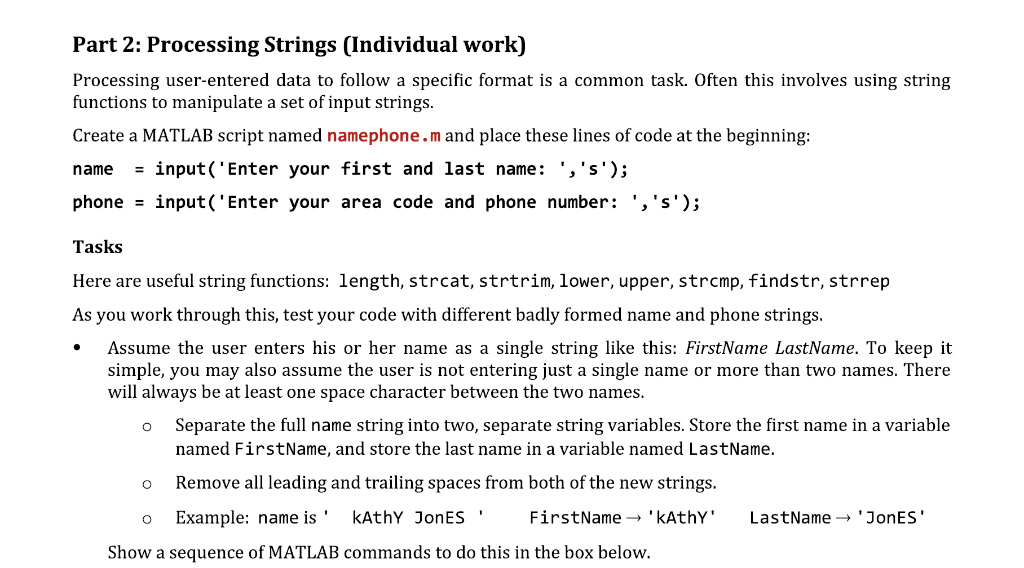
Part 2: Processing Strings (Individual work) Processing user-entered data to follow a specific format is a common task. Often this involves using string functions to manipulate a set of input strings Create a MATLAB script named namephone.m and place these lines of code at the beginning: name input ('Enter your first and last name: ', 's'); phone-input ( Enter your area code and phone number: ','s); Tasks Here are useful string functions: length, strcat, strtrim, lower, upper, strcmp, findstr, strrep As you work through this, test your code with different badly formed name and phone strings. Assume the user enters his or her name as a single string like this: FirstName LastName. To keep it simple, you may also assume the user is not entering just a single name or more than two names. There will always be at least one space character between the two names. o Separate the full name string into two, separate string variables. Store the first name in a variable named FirstName, and store the last name in a variable named LastName. o Remove all leading and trailing spaces from both of the new strings. o Example: name is 'kAthY JonES FirstName 'kAthY' LastName 'JonES Show a sequence of MATLAB commands to do this in the box below
Step by Step Solution
There are 3 Steps involved in it

Get step-by-step solutions from verified subject matter experts
 Study Help