







Question: Part 2 Simulate the above motor in MATLAB SIMULINK. Create a blank model, then add an Asynchronous Machine (SI Units)', a Three-Phase Source, a Bus
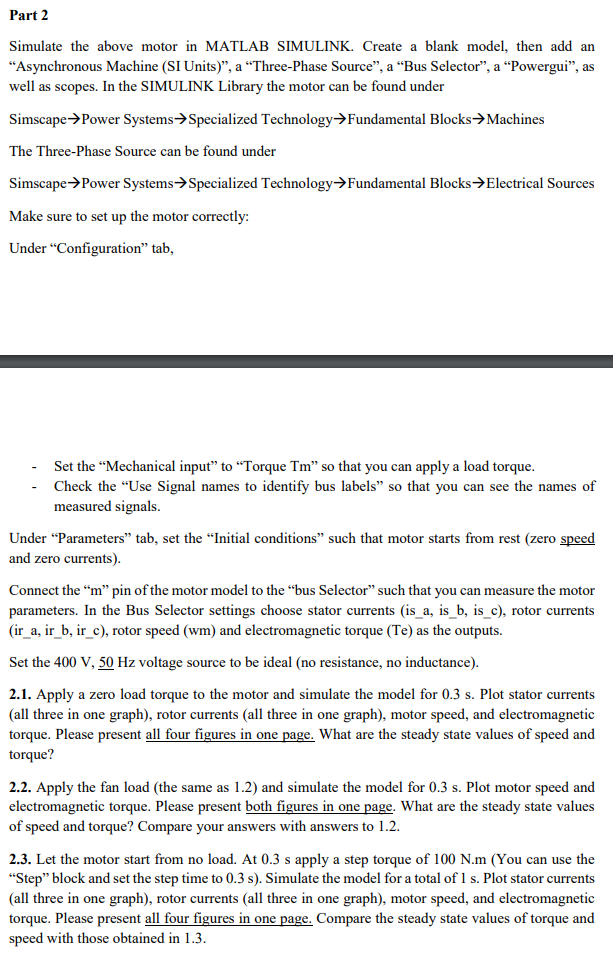
Part 2 Simulate the above motor in MATLAB SIMULINK. Create a blank model, then add an "Asynchronous Machine (SI Units)', a "Three-Phase Source", a "Bus Selector", a "Powergui", as well as scopes. In the SIMULINK Library the motor can be found under Simscape->Power Systems->Specialized Technology->Fundamental Blocks>Machines The Three-Phase Source can be found under Simscape? Power Systems? Specialized Technology? Fundamental Blocks. Electrical Sources Make sure to set up the motor correctly: Under "Configuration" tab Set the "Mechanical input" to "Torque Tm" so that you can apply a load torque Check the "Use Signal names to identify bus labels" so that you can see the names of measured signals. Under "Parameters" tab, set the "Initial conditions" such that motor starts from rest (zero speed and zero currents) Connect the "m" pin of the motor model to the "bus Selector" such that you can measure the motor parameters. In the Bus Selector settings choose stator currents (is_a, is_b, is_c), rotor currents (ir a, ir b, ir c), rotor speed (wm) and electromagnetic torque (Te) as the outputs. Set the 400 V, 50 Hz voltage source to be ideal (no resistance, no inductance) 2.1. Apply a zero load torque to the motor and simulate the model for 0.3 s. Plot stator currents (all three in one graph), rotor currents (all three in one graph), motor speed, and electromagnetic torque. Please present all four figures in one page. What are the steady state values of speed and torque? 2.2. Apply the fan load (the same as 1.2) and simulate the model for 0.3 s. Plot motor speed and electromagnetic torque. Please present both figures in one page. What are the steady state values of speed and torque? Compare your answers with answers to 1.2. 2.3. Let the motor start from no load. At 0.3 s apply a step torque of 100 N.m (You can use the "Step" block and set the step time to 0.3 s). Simulate the model for a total of 1 s. Plot stator currents (all three in one graph), rotor currents (all three in one graph), motor speed, and electromagnetic torque. Please present all four figures in one page. Compare the steady state values of torque and speed with those obtained in 1.3 Part 2 Simulate the above motor in MATLAB SIMULINK. Create a blank model, then add an "Asynchronous Machine (SI Units)', a "Three-Phase Source", a "Bus Selector", a "Powergui", as well as scopes. In the SIMULINK Library the motor can be found under Simscape->Power Systems->Specialized Technology->Fundamental Blocks>Machines The Three-Phase Source can be found under Simscape? Power Systems? Specialized Technology? Fundamental Blocks. Electrical Sources Make sure to set up the motor correctly: Under "Configuration" tab Set the "Mechanical input" to "Torque Tm" so that you can apply a load torque Check the "Use Signal names to identify bus labels" so that you can see the names of measured signals. Under "Parameters" tab, set the "Initial conditions" such that motor starts from rest (zero speed and zero currents) Connect the "m" pin of the motor model to the "bus Selector" such that you can measure the motor parameters. In the Bus Selector settings choose stator currents (is_a, is_b, is_c), rotor currents (ir a, ir b, ir c), rotor speed (wm) and electromagnetic torque (Te) as the outputs. Set the 400 V, 50 Hz voltage source to be ideal (no resistance, no inductance) 2.1. Apply a zero load torque to the motor and simulate the model for 0.3 s. Plot stator currents (all three in one graph), rotor currents (all three in one graph), motor speed, and electromagnetic torque. Please present all four figures in one page. What are the steady state values of speed and torque? 2.2. Apply the fan load (the same as 1.2) and simulate the model for 0.3 s. Plot motor speed and electromagnetic torque. Please present both figures in one page. What are the steady state values of speed and torque? Compare your answers with answers to 1.2. 2.3. Let the motor start from no load. At 0.3 s apply a step torque of 100 N.m (You can use the "Step" block and set the step time to 0.3 s). Simulate the model for a total of 1 s. Plot stator currents (all three in one graph), rotor currents (all three in one graph), motor speed, and electromagnetic torque. Please present all four figures in one page. Compare the steady state values of torque and speed with those obtained in 1.3
Step by Step Solution
There are 3 Steps involved in it

Get step-by-step solutions from verified subject matter experts
 Study Help