







Question: Part 2: Solving a system of equations using matrix operations in MATLAB (11 points) Ax Fs Fa Fa Figure 1 A simple truss with forces
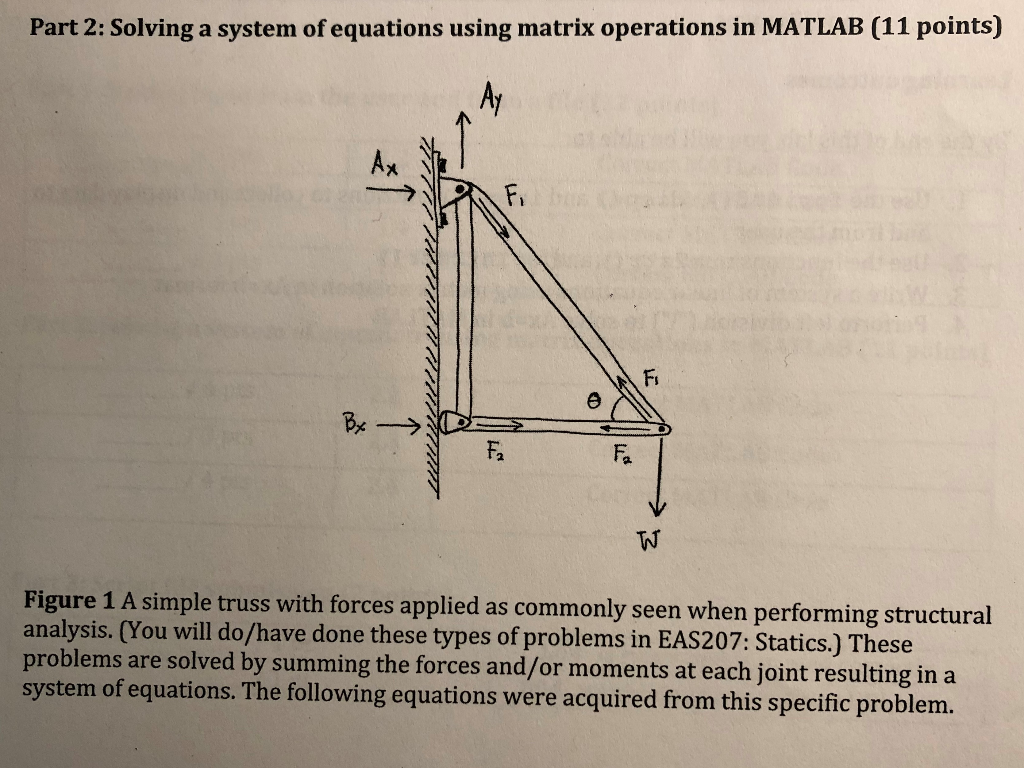
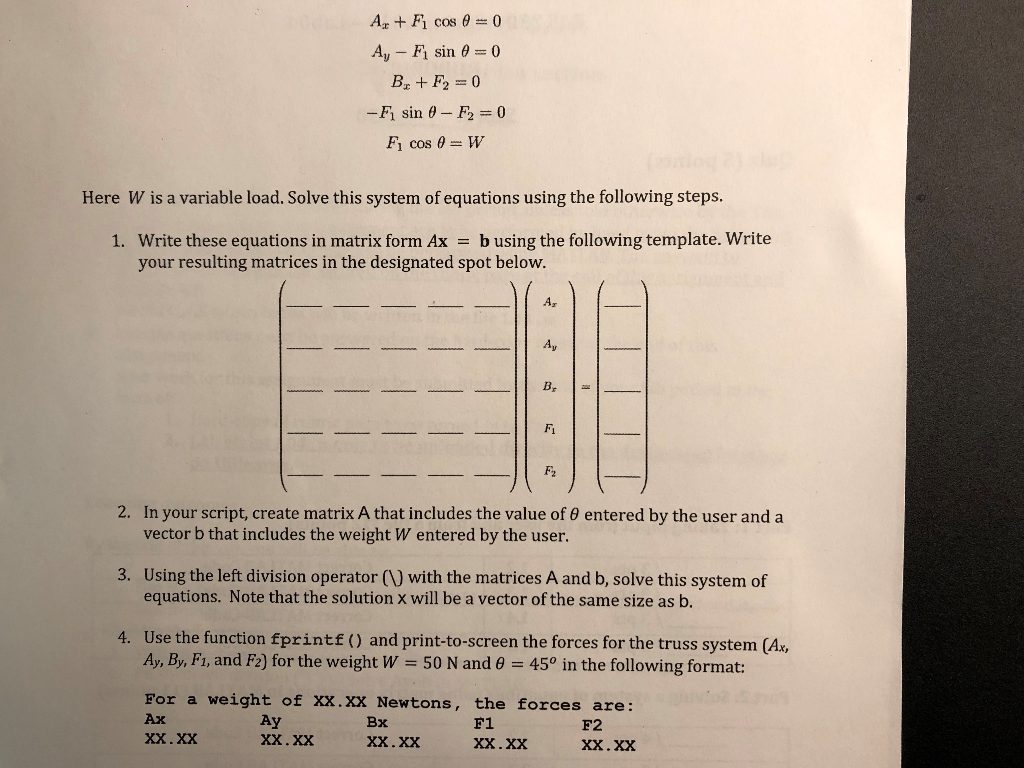
Part 2: Solving a system of equations using matrix operations in MATLAB (11 points) Ax Fs Fa Fa Figure 1 A simple truss with forces applied as commonly seen when performing structural analysis. (You will do/have done these types of problems in EAS207: Statics.) These problems are solved by summing the forces and/or moments at each joint resulting in a system of equations. The following equations were acquired from this specific problem. Ag+F1 cos =0 Ay-F1 sin =0 -Fi sin -Fr=0 F1 cos = W Here W is a variable load. Solve this system of equations using the following steps. Write these equations in matrix form Ax = b using the following template. Write your resulting matrices in the designated spot below. I. Ay F1 2. In your script, create matrix A that includes the value of entered by the user and a vector b that includes the weight W entered by the user. Using the left division operator (1) with the matrices A and b, solve this system of equations. Note that the solution x will be a vector of the same size as b. 3. 4. Use the function fprintf) and print-to-screen the forces for the truss system (Ax, Ay, By, F, and F2) for the weight W = 50 N and 450 in the following format: For a weight of xx. XX Newtons, the forces are: Ax Ay Bx F1 F2
Step by Step Solution
There are 3 Steps involved in it

Get step-by-step solutions from verified subject matter experts
 Study Help