







Question: Part 2 Using Access SQL Queries This is an introduction to using SQL in Access 2010 with SQL queries. Some things to note-Access 2010 refers
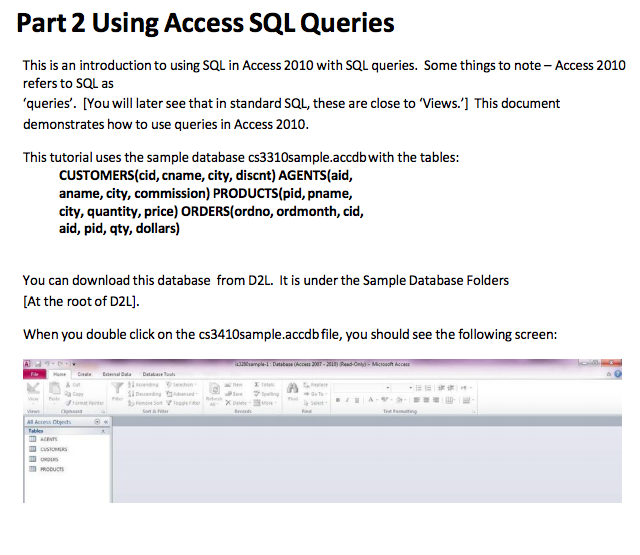
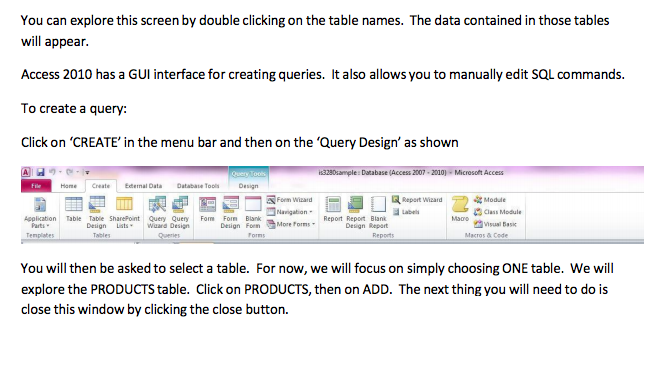
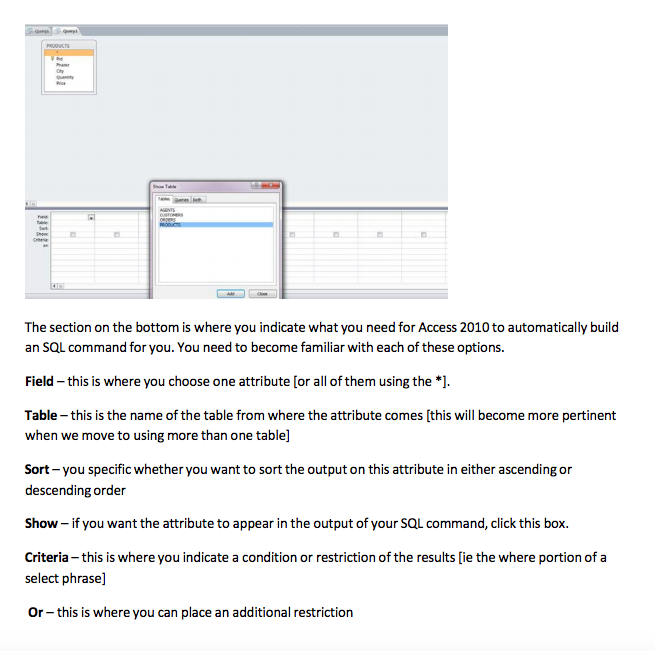
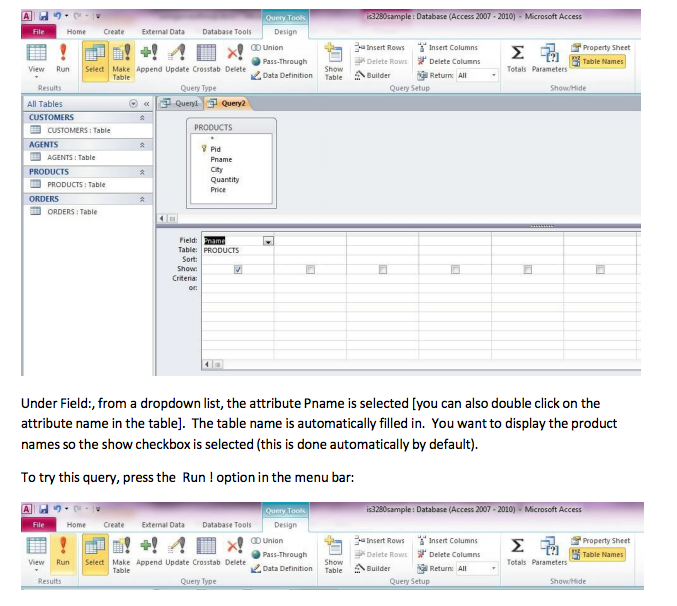
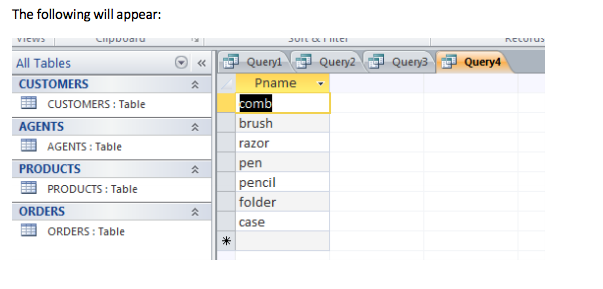
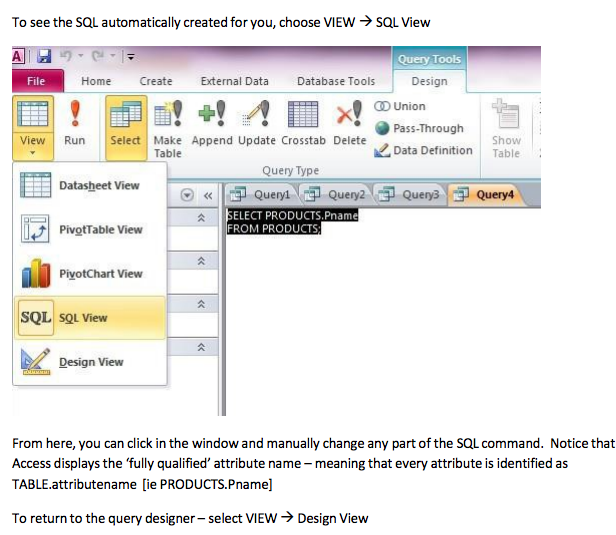
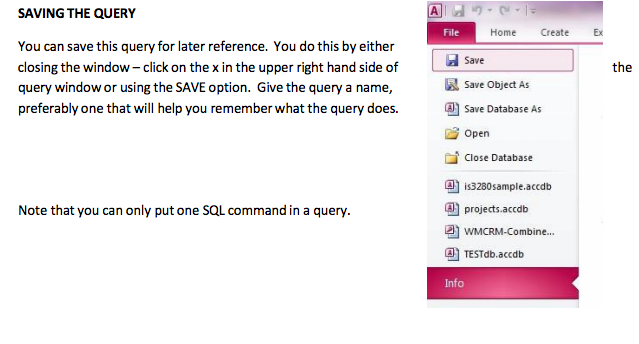
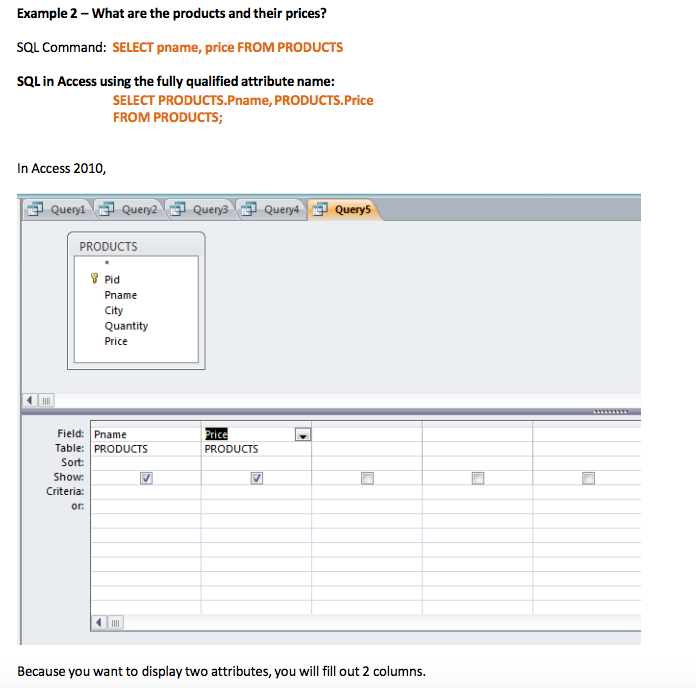
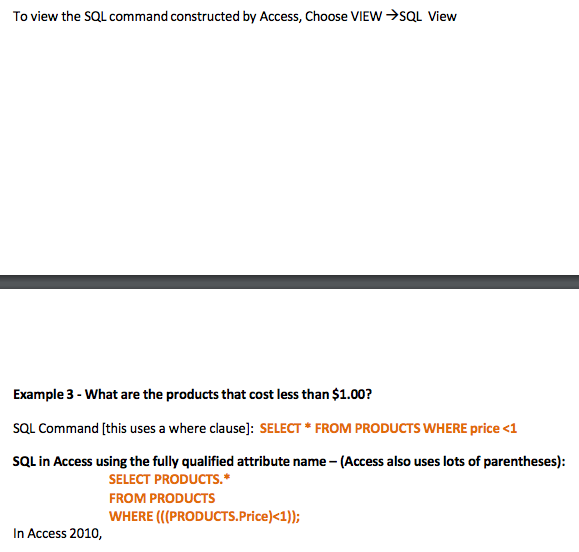
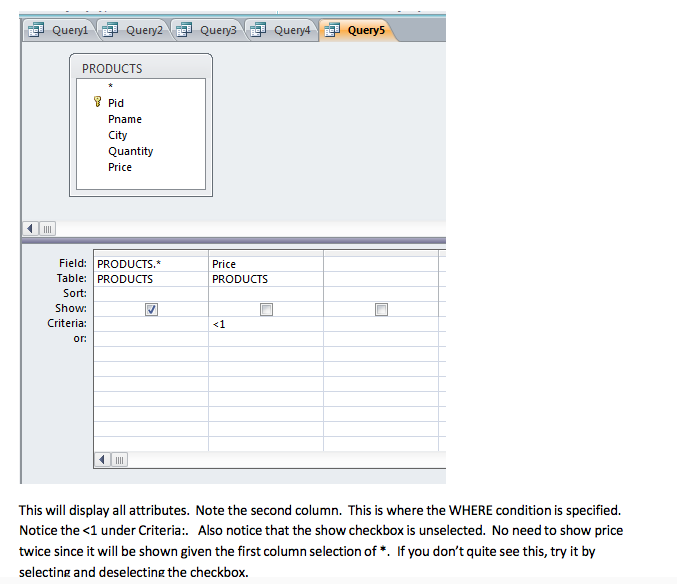
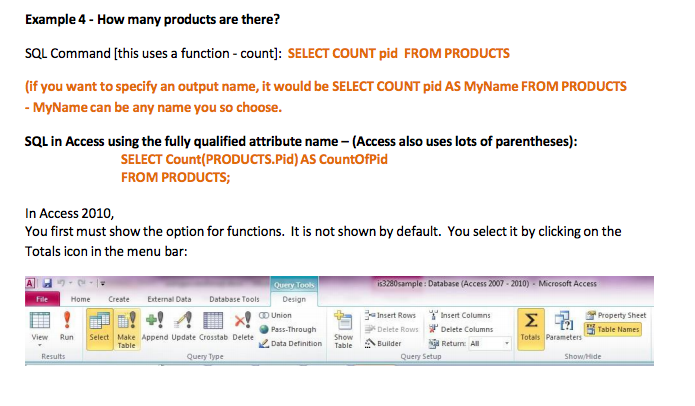
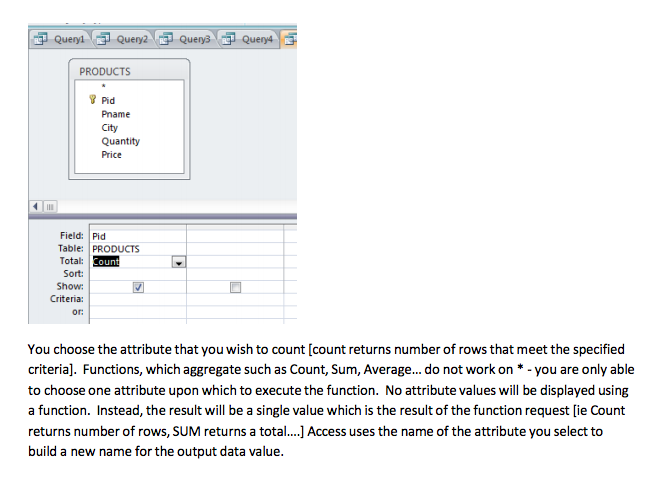
Part 2 Using Access SQL Queries This is an introduction to using SQL in Access 2010 with SQL queries. Some things to note-Access 2010 refers to SQL as queries'. [You will later see that in standard SQL these are close to 'Views. This document demonstrates how to use queries in Access 2010. This tutorial uses the sample database cs3310sample.accdbwith the tables: CUSTOMERS (cid, cname, city, discnt)AGENTS(aid, aname, city, commission) PRODUCTS(pid, pname, city, quantity, price) ORDERS(ordno, ordmonth, cid, aid, pid, qty, dollars) You can download this database from D2L. It is under the Sample Database Folders At the root of D2L When you double click on the cs3410sample.accdbfile, you should see the following screen
Step by Step Solution
There are 3 Steps involved in it

Get step-by-step solutions from verified subject matter experts
 Study Help