







Question: PART 2: Write a C# console application named midterm>, to solve the problem given below. For example, midtermLStaceyA. When complete, zip your entire project folder
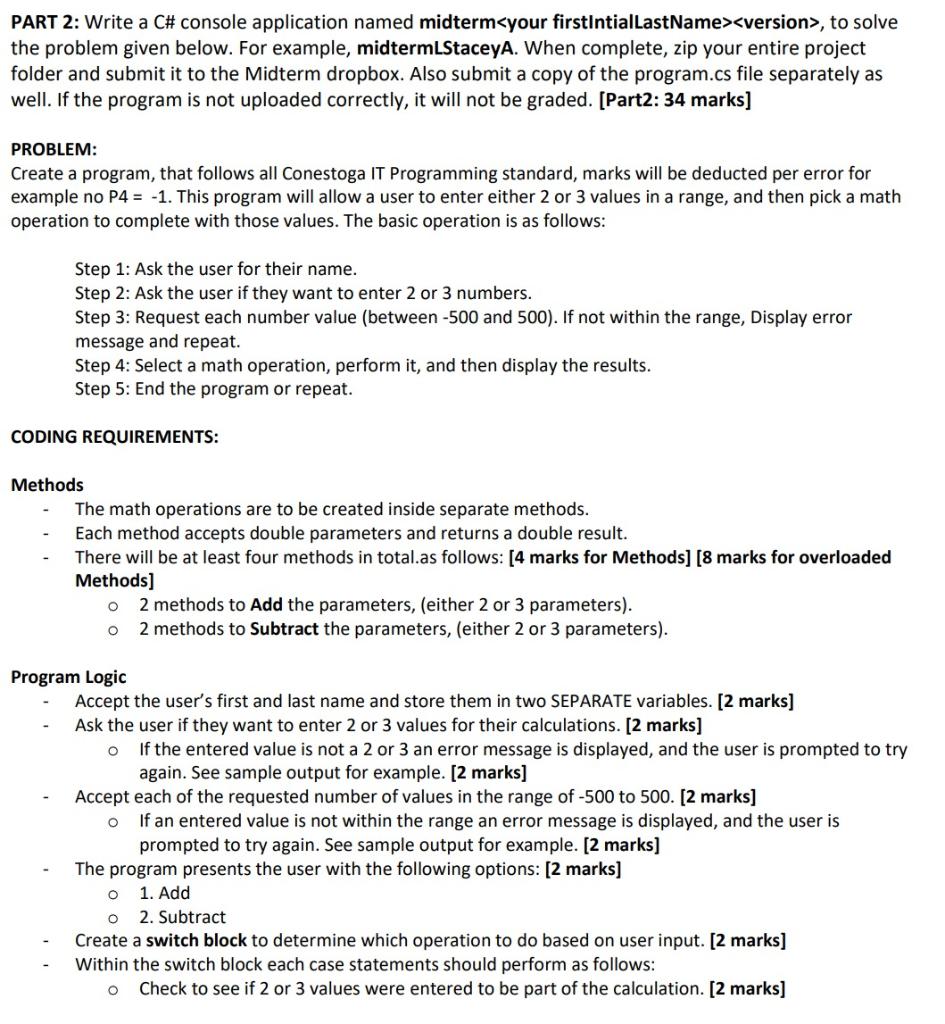
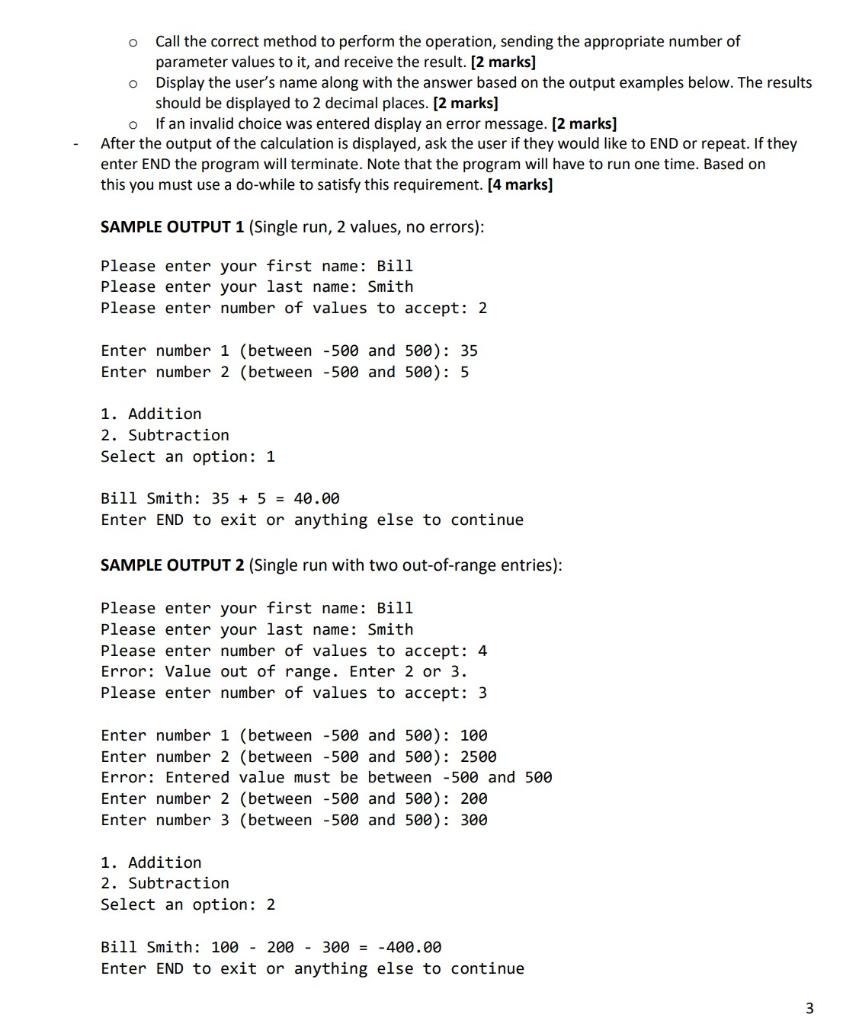
PART 2: Write a C\# console application named midterm>, to solve the problem given below. For example, midtermLStaceyA. When complete, zip your entire project folder and submit it to the Midterm dropbox. Also submit a copy of the program.cs file separately as well. If the program is not uploaded correctly, it will not be graded. [Part2: 34 marks] PROBLEM: Create a program, that follows all Conestoga IT Programming standard, marks will be deducted per error for example no P4=1. This program will allow a user to enter either 2 or 3 values in a range, and then pick a math operation to complete with those values. The basic operation is as follows: Step 1: Ask the user for their name. Step 2: Ask the user if they want to enter 2 or 3 numbers. Step 3: Request each number value (between 500 and 500 ). If not within the range, Display error message and repeat. Step 4: Select a math operation, perform it, and then display the results. Step 5: End the program or repeat. CODING REQUIREMENTS: Methods - The math operations are to be created inside separate methods. - Each method accepts double parameters and returns a double result. - There will be at least four methods in total.as follows: [4 marks for Methods] [ 8 marks for overloaded Methods] - 2 methods to Add the parameters, (either 2 or 3 parameters). - 2 methods to Subtract the parameters, (either 2 or 3 parameters). Program Logic - Accept the user's first and last name and store them in two SEPARATE variables. [2 marks] - Ask the user if they want to enter 2 or 3 values for their calculations. [2 marks] - If the entered value is not a 2 or 3 an error message is displayed, and the user is prompted to try again. See sample output for example. [2 marks] - Accept each of the requested number of values in the range of -500 to 500. [2 marks] - If an entered value is not within the range an error message is displayed, and the user is prompted to try again. See sample output for example. [ 2 marks] - The program presents the user with the following options: [ 2 marks] 1. Add 2. Subtract Call the correct method to perform the operation, sending the appropriate number of parameter values to it, and receive the result. [2 marks] Display the user's name along with the answer based on the output examples below. The resul should be displayed to 2 decimal places. [2 marks] - If an invalid choice was entered display an error message. [2 marks] - After the output of the calculation is displayed, ask the user if they would like to END or repeat. If they enter END the program will terminate. Note that the program will have to run one time. Based on this you must use a do-while to satisfy this requirement. [4 marks] SAMPLE OUTPUT 1 (Single run, 2 values, no errors): Please enter your first name: Bill Please enter your last name: Smith Please enter number of values to accept: 2 Enter number 1 (between 500 and 500 ): 35 Enter number 2 (between 500 and 500 ): 5 1. Addition 2. Subtraction Select an option: 1 Bil1 Smith: 35+5=40.00 Enter END to exit or anything else to continue SAMPLE OUTPUT 2 (Single run with two out-of-range entries): Please enter your first name: Bill Please enter your last name: Smith Please enter number of values to accept: 4 Error: Value out of range. Enter 2 or 3 . Please enter number of values to accept: 3 Enter number 1 (between 500 and 500): 100 Enter number 2 (between 500 and 500 ) : 2500 Error: Entered value must be between 500 and 500 Enter number 2 (between 500 and 500) : 200 Enter number 3 (between 500 and 500) : 300 1. Addition 2. Subtraction Select an option: 2 Bill Smith: 100200300=400.00 Enter END to exit or anything else to continue
Step by Step Solution
There are 3 Steps involved in it

Get step-by-step solutions from verified subject matter experts
 Study Help