







Question: Part 2.A) Modify, compile, install, and uninstall a Loadable Kernel Module (LKM) Start with the code provided to students in the chapter 2 folder in
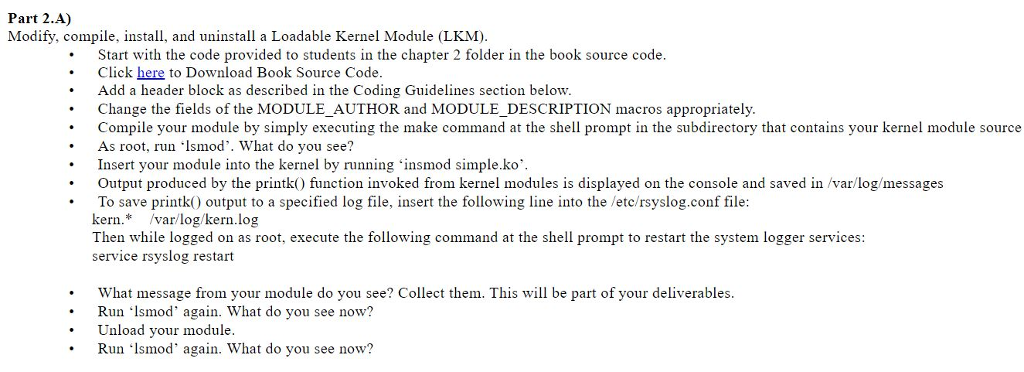
Part 2.A) Modify, compile, install, and uninstall a Loadable Kernel Module (LKM) Start with the code provided to students in the chapter 2 folder in the book source code . Click here to Download Book Source Code Add a header block as described in the Coding Guidelines section below .Change the fields of the MODULE_AUTHOR and MODULE_DESCRIPTION macros appropriately. Compile your module by simply executing the make command at the shell prompt in the subdirectory that contains your kernel module source As root, run Ismod'. What do you see? Insert your module into the kernel by running insmod simple.ko Output produced by the printk) function invoked from kernel modules is displayed on the console and saved in /var/log/messages To save printk) output to a specified log file, insert the following line into the /etc/rsyslog.conf file kern.* var/log/kern.log Then while logged on as root, execute the following command at the shell prompt to restart the system logger service:s service rsyslog restart What message from your module do you see? Collect them. This will be part of your deliverables. Run lsmod' again. What do you see now? nload your imodule. Run?lsmod, again, what do you see now? Part 2.A) Modify, compile, install, and uninstall a Loadable Kernel Module (LKM) Start with the code provided to students in the chapter 2 folder in the book source code . Click here to Download Book Source Code Add a header block as described in the Coding Guidelines section below .Change the fields of the MODULE_AUTHOR and MODULE_DESCRIPTION macros appropriately. Compile your module by simply executing the make command at the shell prompt in the subdirectory that contains your kernel module source As root, run Ismod'. What do you see? Insert your module into the kernel by running insmod simple.ko Output produced by the printk) function invoked from kernel modules is displayed on the console and saved in /var/log/messages To save printk) output to a specified log file, insert the following line into the /etc/rsyslog.conf file kern.* var/log/kern.log Then while logged on as root, execute the following command at the shell prompt to restart the system logger service:s service rsyslog restart What message from your module do you see? Collect them. This will be part of your deliverables. Run lsmod' again. What do you see now? nload your imodule. Run?lsmod, again, what do you see now
Step by Step Solution
There are 3 Steps involved in it

Get step-by-step solutions from verified subject matter experts
 Study Help