







Question: Part 3 - Create tblEmployees Table 13. Create a table named tblEmployees 14. Add a field named EmployeeID as the Primary Key (PK) and set
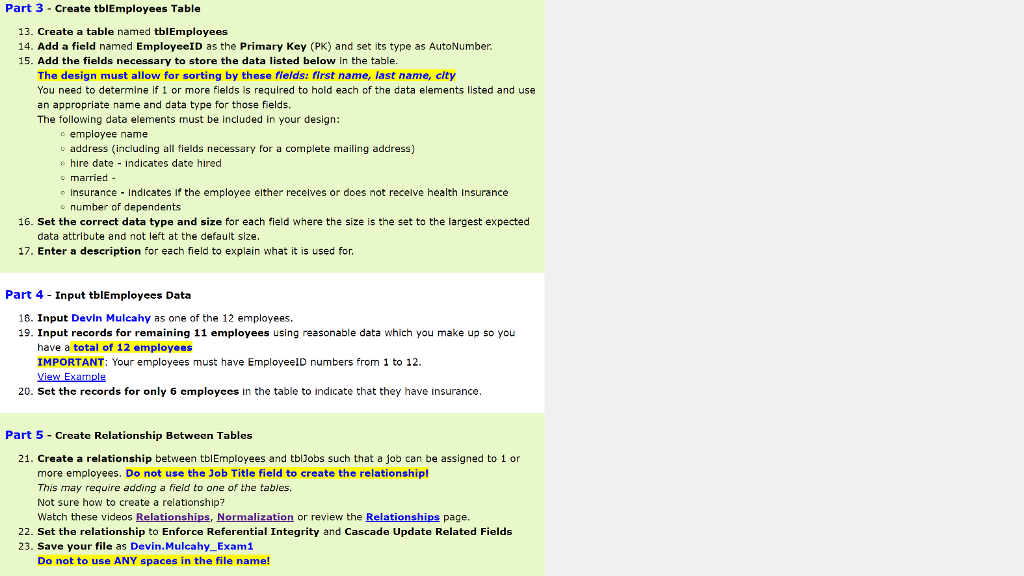
Part 3 - Create tblEmployees Table 13. Create a table named tblEmployees 14. Add a field named EmployeeID as the Primary Key (PK) and set its type as AutoNumber 15. Add the fields necessary to store the data listed below in the table The design must allow for sorting by these fields: first name, last name, city You need to determine if 1 or more fields is required to hold each of the data elements listed and use an appropriate name and data type for those fields. The following data elements must be included in your design: oemployee name o address (including all fields necessary for a complete mailing address) e hire date indicates date hired o married - e nsurance Indicates If the employee elther recelves or does not recelve health insurance o number of dependents 16. Set the correct data type and size for each field where the size is the set to the largest expected data attribute and not left at the default size 17. Enter a description for each field to explain what it is used for Part 4 - Input tblEmployees Data 18. Input Devin Mulcahy as one of the 12 employees. 19. Input records for remaining 11 employees using reasonable data which you make up so you have a total of 12 employees IMPORTANT: Your employees must have EmployeeID numbers from 1 to 12 20. Set the records for only 6 cmployces in the table to indicate that they have insurance Part 5-Create Relationship Between Tables 21. Create a relationship between tblEmployees and tblJobs such that a job can be assigned to 1 or more employees. Do not use the Job Title field to create the relationship! This may require adding a field to one of the tables Not sure how to create a relationship? Watch these videos Relationships, Normalization or review the Relationships page 22. Set the relationship to Enforce Referential Integrity and Cascade Update Related Fields 23. Save your file as Devin.Mulcahy_Exam1 Do not to use ANY spaces in the file name
Step by Step Solution
There are 3 Steps involved in it

Get step-by-step solutions from verified subject matter experts
 Study Help