







Question: Part 3 Use the Help feature to learn about the MEDIAN and STDEV functions. Save the workbook with the name 2-PBMSales3. Yolanda would like to
Part
3
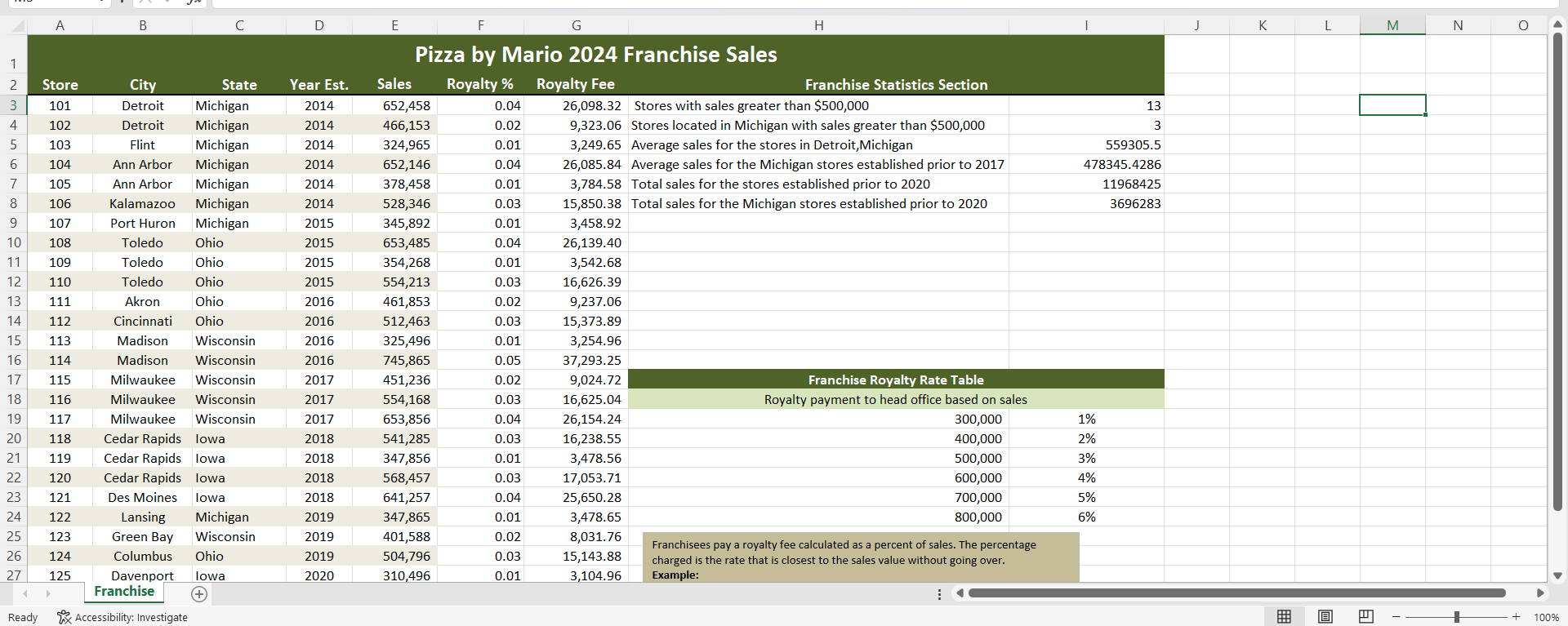
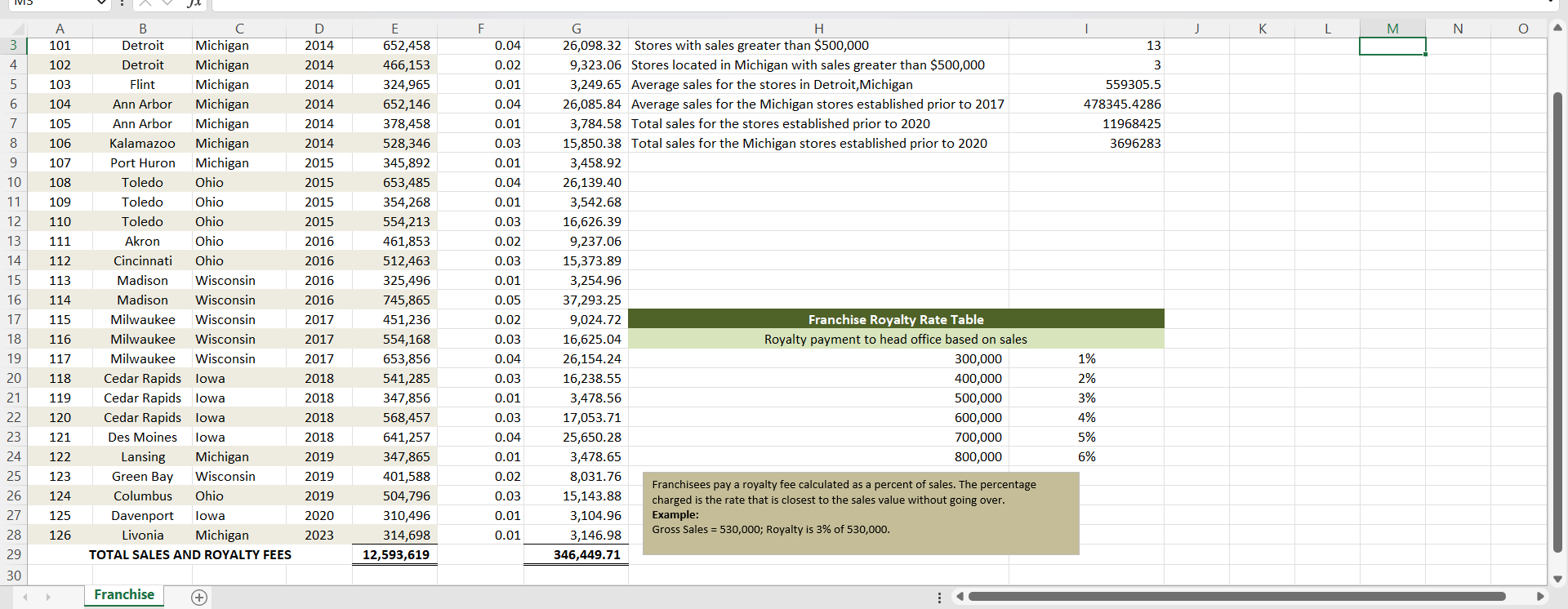
Use the Help feature to learn about the MEDIAN and STDEV functions. Save the workbook with the name 2-PBMSales3. Yolanda would like to calculate further statistics in a separate worksheet. Copy the range A2:E29 to a new sheet, keeping the source column widths, and rename the new sheet Statistics. Using the sales data in column E, calculate the following statistics:
Average sales
Maximum store sales
Minimum store sales
Median store sales
Standard deviation of the sales data
(You determine the layout, labels, and other formats.)
Create one text box below the statistics and write an explanation in the box to explain what the median and standard deviation numbers mean based on what you learned by researching in Help. Preview the worksheet, making sure that all the data fits on one page.
Part
4
Choose two states near Michigan, Ohio, Wisconsin, and/or Iowa and find statistics on the internet that Yolanda can use to prepare a marketing plan for expanding Pizza by Mario into these states. Save the workbook with the name 2-PBMSales4. For two cities in each new state, find population and income statistics. In a new worksheet within the Pizza by Mario franchise workbook, prepare a summary of your research findings. Rename the new sheet NewFran. Using named ranges you create and an AVERAGEIF function, calculate the average of the mean household income for each state. Include in the worksheet the URLs of the sites from which you obtained your data, in case Yolanda wants to explore the links for further details. Preview the worksheet, making sure that all the data fits on one page. Close the workbook.
 Please explain everything. Thanks!
Step by Step Solution
There are 3 Steps involved in it

Get step-by-step solutions from verified subject matter experts
 Study Help