







Question: Part 4 : Linear Regression Model In this part, we will create our linear regression model by calculating the model coefficients hat ( ) 0
Part : Linear Regression Model
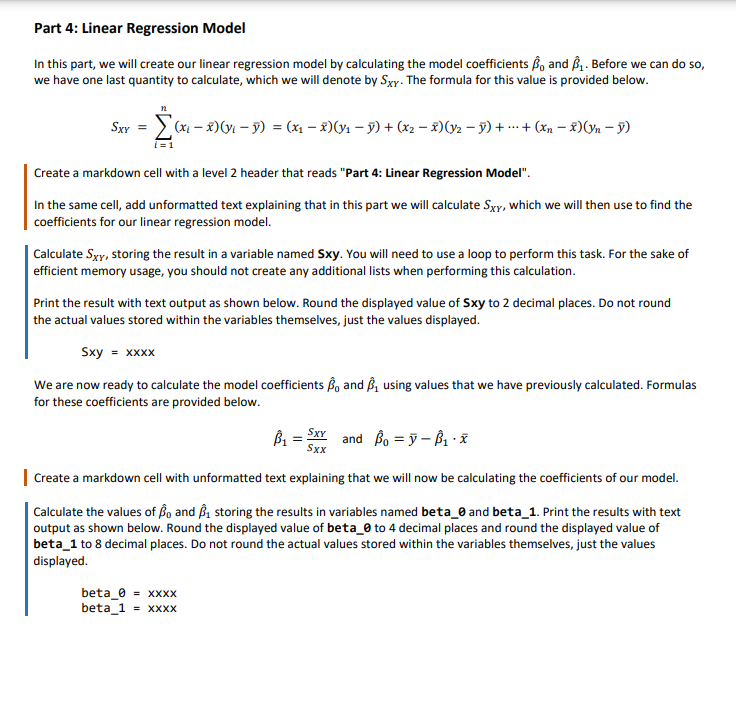
In this part, we will create our linear regression model by calculating the model coefficients hat and hat Before we can do so
we have one last quantity to calculate, which we will denote by The formula for this value is provided below.
cdots
Create a markdown cell with a level header that reads "Part : Linear Regression Model".
In the same cell, add unformatted text explaining that in this part we will calculate which we will then use to find the
coefficients for our linear regression model.
Calculate storing the result in a variable named Sxy You will need to use a loop to perform this task. For the sake of
efficient memory usage, you should not create any additional lists when performing this calculation.
Print the result with text output as shown below. Round the displayed value of Sxy to decimal places. Do not round
the actual values stored within the variables themselves, just the values displayed.
We are now ready to calculate the model coefficients hat and hat using values that we have previously calculated. Formulas
for these coefficients are provided below.
hat and hathat
Create a markdown cell with unformatted text explaining that we will now be calculating the coefficients of our model.
Calculate the values of hat and hat storing the results in variables named beta and beta Print the results with text
output as shown below. Round the displayed value of beta to decimal places and round the displayed value of
beta to decimal places. Do not round the actual values stored within the variables themselves, just the values
displayed.
Step by Step Solution
There are 3 Steps involved in it
1 Expert Approved Answer
Step: 1 Unlock

Question Has Been Solved by an Expert!
Get step-by-step solutions from verified subject matter experts
Step: 2 Unlock
Step: 3 Unlock
 Study Help