







Question: Part 4. PGM program: Using a text editor (not a C++ program) create a similar PGM file with your initials. Use the plain PGM file
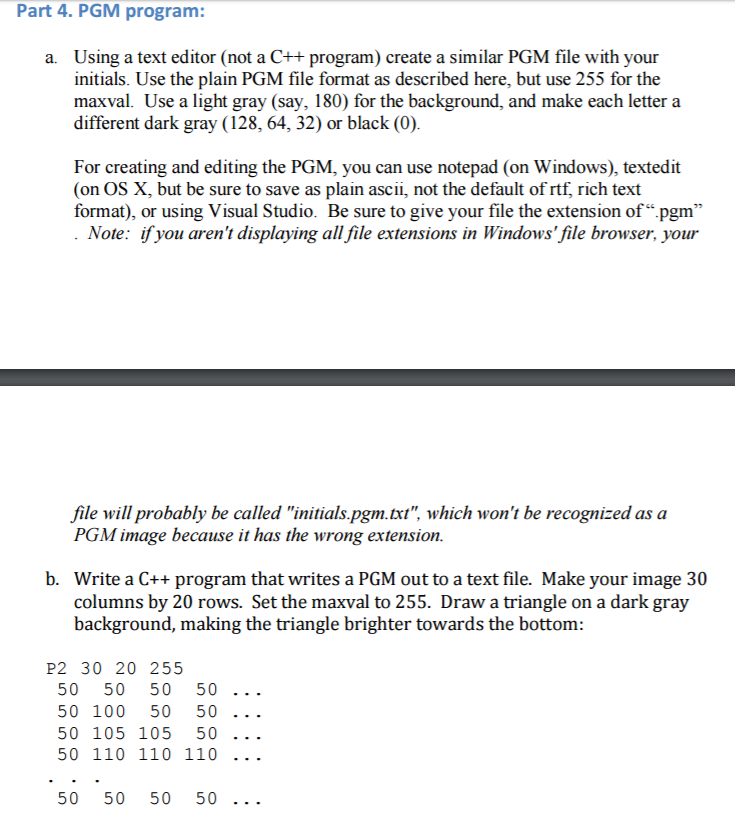
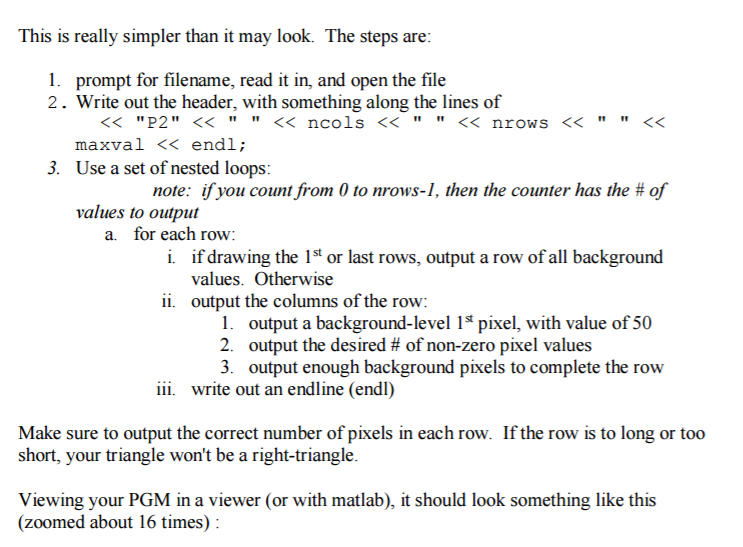
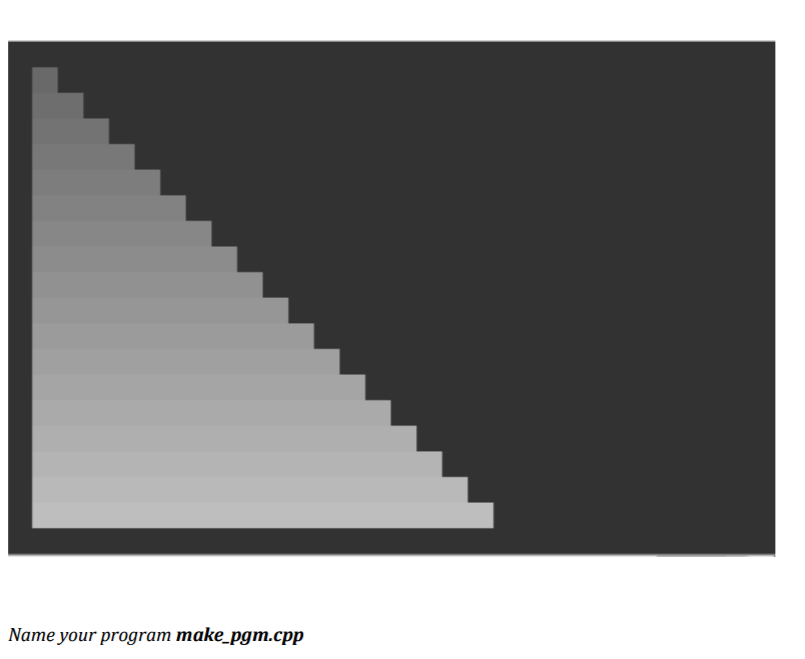
Part 4. PGM program: Using a text editor (not a C++ program) create a similar PGM file with your initials. Use the plain PGM file format as described here, but use 255 for the maxval. Use a light gray (say, 180) for the background, and make each letter a different dark gray (128, 64, 32) or black (0) a. For creating and editing the PGM, you can use notepad (on Windows), textedit (on OS X, but be sure to save as plain ascii, not the default of rtf, rich text format), or using Visual Studio. Be sure to give your file the extension of pgm" Note: ifyou aren't displaying all file extensions in Windows' file browser, your file will probably be called "nitials.pgm.txt", which won't be recognized as a PGM image because it has the wrong extension. b. Write a C++ program that writes a PGM out to a text file. Make your image 30 columns by 20 rows. Set the maxval to 255. Draw a triangle on a dark gray background, making the triangle brighter towards the bottom: P2 30 20 255 50 50 50 50 .. . 50 100 50 50 .. 50 105 105 50 50 50 50 50
Step by Step Solution
There are 3 Steps involved in it

Get step-by-step solutions from verified subject matter experts
 Study Help