







Question: PART 6 : CONFIGURING SPANNING TREE PROTOCOL While Spanning Tree Protocol is enabled on the switches by default, there are things we can optimize to
PART : CONFIGURING SPANNING TREE PROTOCOL
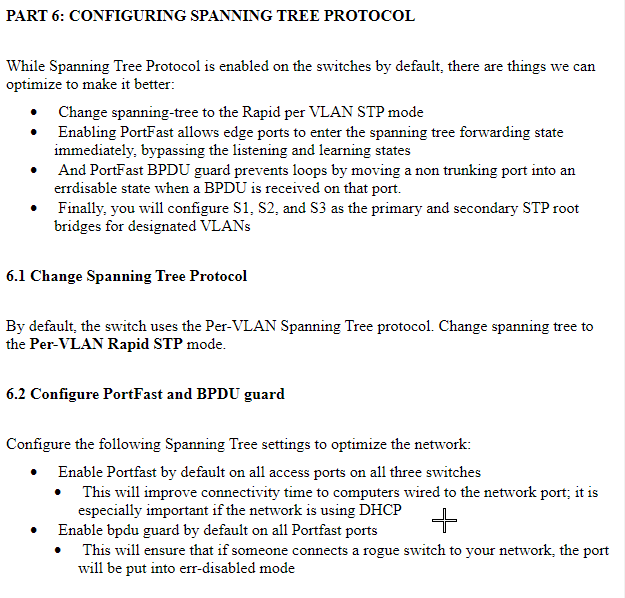
While Spanning Tree Protocol is enabled on the switches by default, there are things we can
optimize to make it better:
Change spanningtree to the Rapid per VLAN STP mode
Enabling PortFast allows edge ports to enter the spanning tree forwarding state
immediately, bypassing the listening and learning states
And PortFast BPDU guard prevents loops by moving a non trunking port into an
errdisable state when a BPDU is received on that port.
Finally, you will configure S S and S as the primary and secondary STP root
bridges for designated VLANs
Change Spanning Tree Protocol
By default, the switch uses the PerVLAN Spanning Tree protocol. Change spanning tree to
the PerVLAN Rapid STP mode.
Configure PortFast and BPDU guard
Configure the following Spanning Tree settings to optimize the network:
Enable Portfast by default on all access ports on all three switches
This will improve connectivity time to computers wired to the network port; it is
especially important if the network is using DHCP
Enable bpdu guard by default on all Portfast ports
This will ensure that if someone connects a rogue switch to your network, the port
will be put into errdisabled mode
Step by Step Solution
There are 3 Steps involved in it
1 Expert Approved Answer
Step: 1 Unlock

Question Has Been Solved by an Expert!
Get step-by-step solutions from verified subject matter experts
Step: 2 Unlock
Step: 3 Unlock
 Study Help