







Question: PART - E: Email Colloboration Labs are designed for learning experience and to collaborate with your section students to experience sending and receiving emails to
PARTE: Email Colloboration
Labs are designed for learning experience and to collaborate with your section students to experience sending
and receiving emails to and from their VMs Purpose of assigning different IPS is to gain the understanding of
working in a network, and partner sharing is highly expected in the lab.
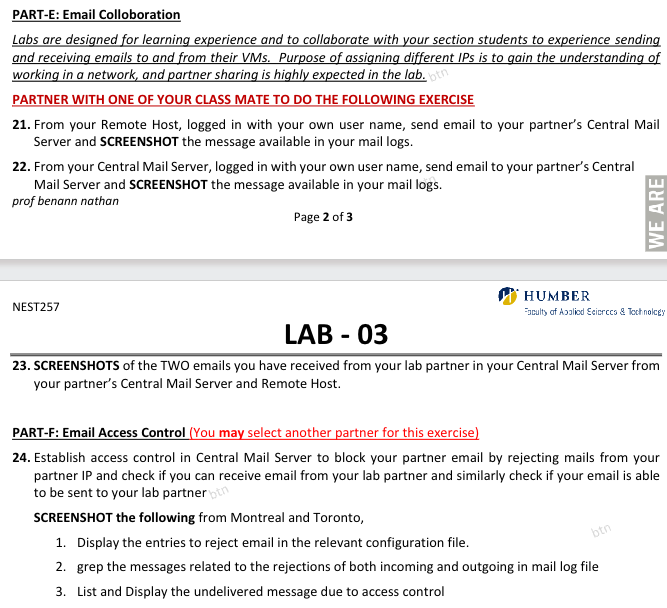
PARTNER WITH ONE OF YOUR CLASS MATE TO DO THE FOLLOWING EXERCISE
From your Remote Host, logged in with your own user name, send email to your partner's Central Mail
Server and SCREENSHOT the message available in your mail logs
From your Central Mail Server, logged in with your own user name, send email to your partner's Central
Mail Server and SCREENSHOT the message available in your mail logs
prof benann nathan
NEST
SCREENSHOTS of the TWO emails you have received from your lab partner in your Central Mail Server from
your partner's Central Mail Server and Remote Host.
PARTF: Email Access Control You may select another partner for this exercise
Establish access control in Central Mail Server to block your partner email by rejecting mails from your
partner IP and check if you can receive email from your lab partner and similarly check if your email is able
to be sent to your lab partner
SCREENSHOT the following from Montreal and Toronto,
Display the entries to reject email in the relevant configuration file.
grep the messages related to the rejections of both incoming and outgoing in mail log file
List and Display the undelivered message due to access control
Step by Step Solution
There are 3 Steps involved in it
1 Expert Approved Answer
Step: 1 Unlock

Question Has Been Solved by an Expert!
Get step-by-step solutions from verified subject matter experts
Step: 2 Unlock
Step: 3 Unlock
 Study Help