







Question: Part III: Set Associative Mapped Cache Execute the above program by setting the following Parameters: Number of sets ( Set Blocks ) : 2 way
Part III: Set Associative Mapped Cache
Execute the above program by setting the following Parameters:
Number of sets Set Blocks: way
Cache Type: Set Associative
Replacement: LRUFIFORandom
a Fill up the following table for three different replacement algorithms and state which replacement algorithm is better and why?
tableReplacement Algorithm: RandomBlock Size,Cache size,Miss,Hit,Hit ratioReplacement Algorithm: FIFOBlock Size,Cache size,Miss,Hit,Hit ratioReplacement Algorithm: LRUBlock Size,Cache size,Miss,Hit,Hit ratio
b Plot the graph of Cache Hit Ratio Vs Cache size with respect to different replacement algorithms. Comment on the graph that is obtained.
c Fill in the following table and analyse the behaviour of Set Associative Cache. Which one is better and why?
tableReplacement Algorithm: LRUBlock Size,,Set Blocks,Miss,Hit,Hit ratioCache size,,,, Way,,, Way,,, Way,,,r
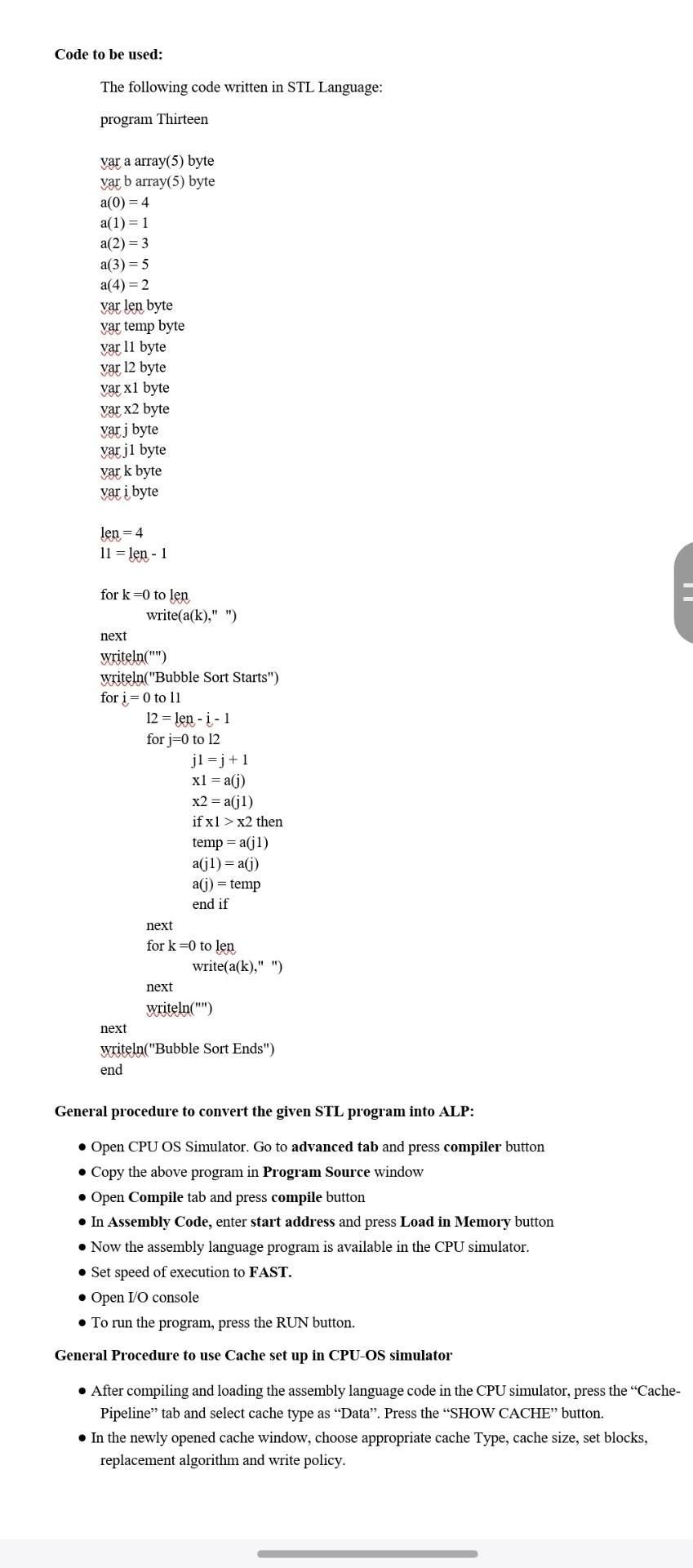
Code to be used:
The following code written in STL Language:
program Thirteen
var a array byte
var b array byte
var len byte
var temp byte
var byte
var byte
var byte
var byte
var j byte
var byte
vark byte
var i byte
len
len
for to len
writeak
next
writeln
writelnBubble Sort Starts"
for to
len
for to
if then
temp
temp
end if
next
for to len
writeak
next
writeln
next
writelnBubble Sort Ends"
end
General procedure to convert the given STL program into ALP:
Open CPU OS Simulator. Go to advanced tab and press compiler button
Copy the above program in Program Source window
Open Compile tab and press compile button
In Assembly Code, enter start address and press Load in Memory button
Now the assembly language program is available in the CPU simulator.
Set speed of execution to FAST.
Open IO console
To run the program, press the RUN button.
General Procedure to use Cache set up in CPUOS simulator
After compiling and loading the assembly language code in the CPU simulator, press the "CachePipeline" tab and select cache type as "Data". Press the "SHOW CACHE" button.
In the newly opened cache window, choose appropriate cache Type, cache size, set blocks, replacement algorithm and write policy.
Step by Step Solution
There are 3 Steps involved in it
1 Expert Approved Answer
Step: 1 Unlock

Question Has Been Solved by an Expert!
Get step-by-step solutions from verified subject matter experts
Step: 2 Unlock
Step: 3 Unlock
 Study Help