





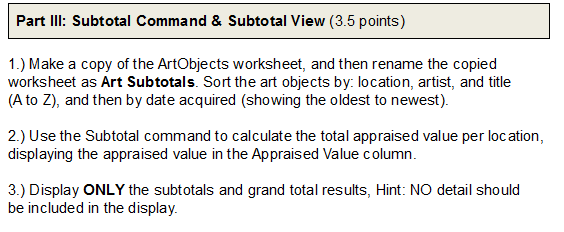
Question: Part III: Subtotal Command & Subtotal View ( 3.5 points) 1.) Make a copy of the ArtObjects worksheet, and then rename the copied worksheet as
Part III: Subtotal Command \& Subtotal View ( 3.5

Part III: Subtotal Command \& Subtotal View ( 3.5

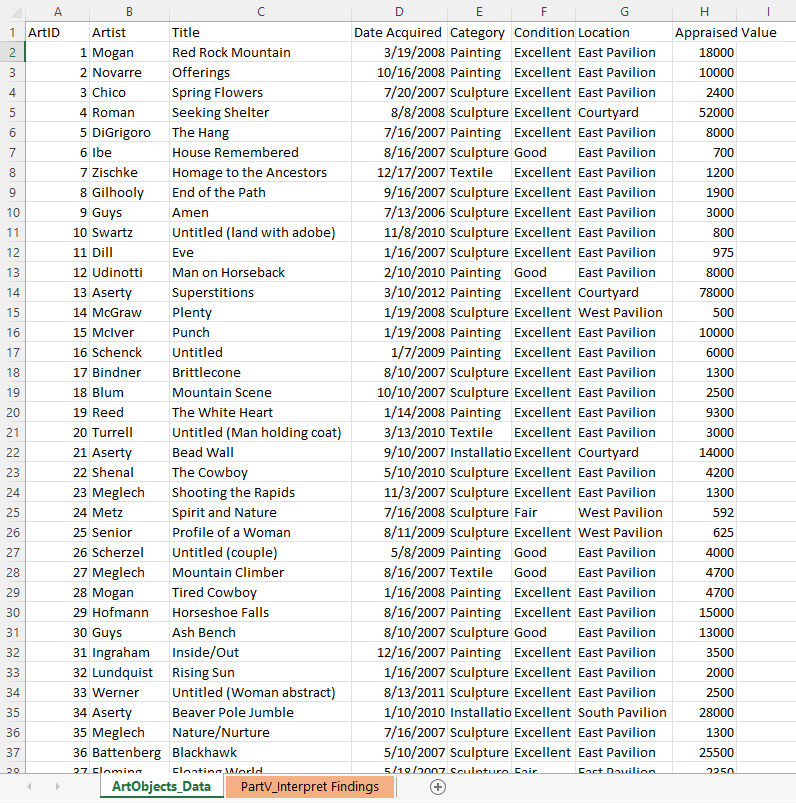
Part III: Subtotal Command \& Subtotal View ( 3.5 points) 1.) Make a copy of the ArtObjects worksheet, and then rename the copied worksheet as Art Subtotals. Sort the art objects by: location, artist, and title (A to Z ), and then by date acquired (showing the oldest to newest). 2.) Use the Subtotal command to calculate the total appraised value per loc ation, displaying the appraised value in the Appraised Value column. 3.) Display ONLY the subtotals and grand total results, Hint: NO detail should be included in the display. Part III: Subtotal Command \& Subtotal View ( 3.5 points) 1.) Make a copy of the ArtObjects worksheet, and then rename the copied worksheet as Art Subtotals. Sort the art objects by: location, artist, and title (A to Z ), and then by date acquired (showing the oldest to newest). 2.) Use the Subtotal command to calculate the total appraised value per loc ation, displaying the appraised value in the Appraised Value column. 3.) Display ONLY the subtotals and grand total results, Hint: NO detail should be included in the display

Step by Step Solution

There are 3 Steps involved in it

1 Expert Approved Answer
Step: 1 Unlock blur-text-image

Question Has Been Solved by an Expert!

Get step-by-step solutions from verified subject matter experts

Step: 2 Unlock
Step: 3 Unlock

Students Have Also Explored These Related General Management Questions!