







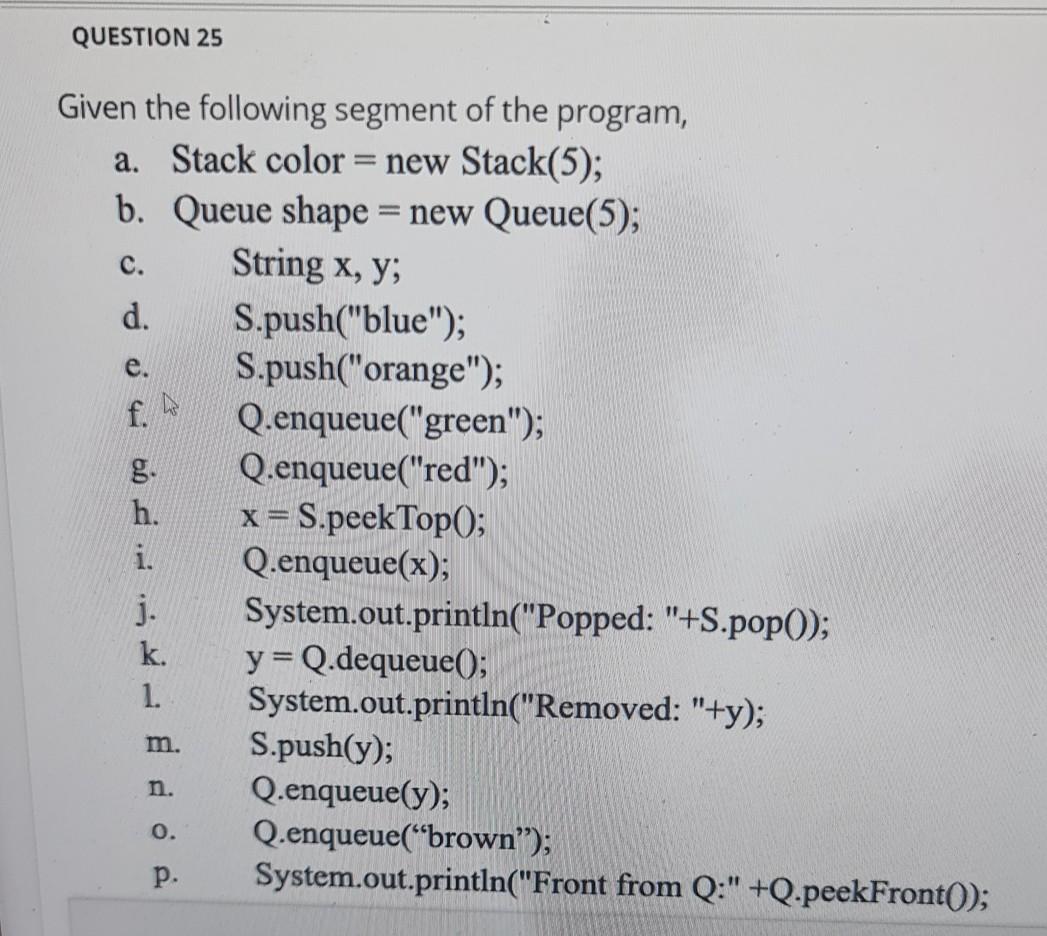
Question: part1 part2 QUESTION 25 C. e. Given the following segment of the program, a. Stack color = new Stack(5); b. Queue shape = new Queue(5);
part1
part2
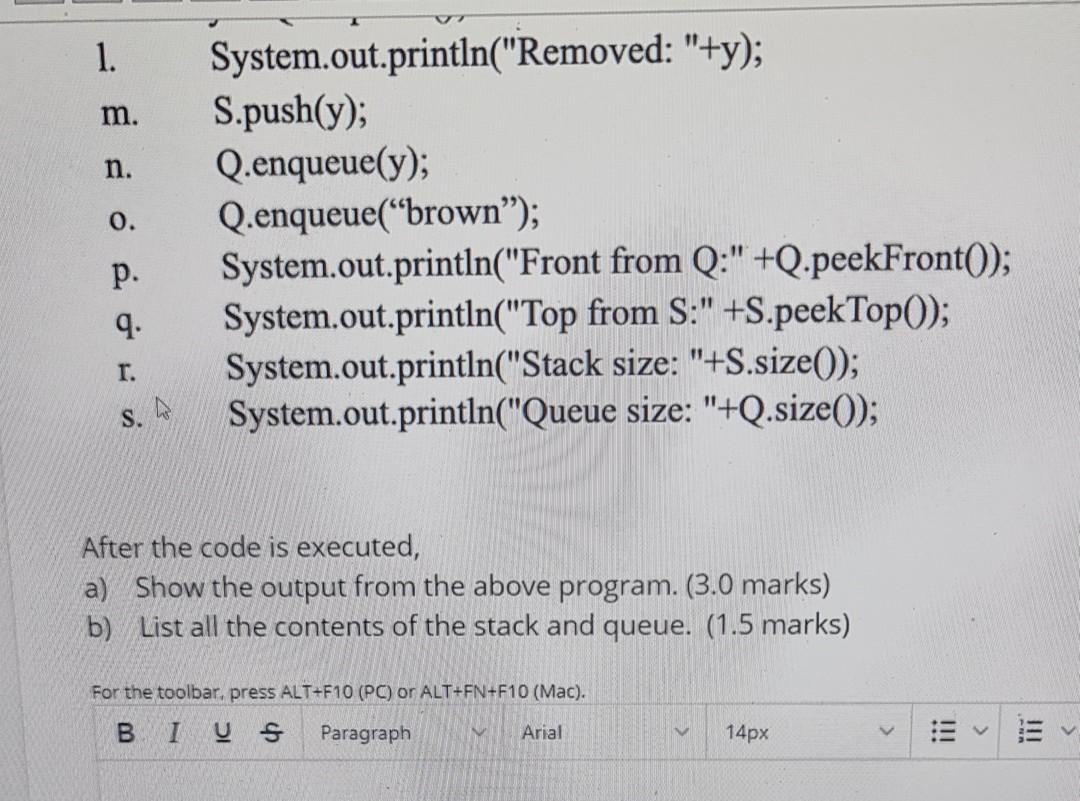
QUESTION 25 C. e. Given the following segment of the program, a. Stack color = new Stack(5); b. Queue shape = new Queue(5); String x,y; d. S.push("blue"); S.push("orange"); f. Q.enqueue("green"); Q.enqueue("red"); h. x= S.peekTopO; Q.enqueue(x); j. System.out.println("Popped: "+S.pop(); k. y=Q.dequeue(); 1. System.out.println("Removed: "+y); S.push(y); Q.enqueue(y); Q.enqueue(brown); p. System.out.println("Front from Q:" +Q.peekFronto); m. n. 0. 1. m. n. 0. System.out.println("Removed: "+y); S.push(y); Q.enqueue(y); Q.enqueue("brown); System.out.println("Front from Q:"+Q.peekFront(); System.out.println("Top from S:" +S.peek Top(); System.out.println("Stack size: "+S.size()); System.out.println("Queue size: "+Q.size(); p. 9. r. S. After the code is executed, a) Show the output from the above program. (3.0 marks) b) List all the contents of the stack and queue. (1.5 marks) For the toolbar, press ALT+F10 (PC) or ALT+FN+F10 (Mac). BI VS Paragraph Arial 14px
Step by Step Solution
There are 3 Steps involved in it

Get step-by-step solutions from verified subject matter experts
 Study Help