





Question: Perform the following tasks: 1. Install a new VM called server that is connected to the External virtual switch. Add a second NIC to serverl
Perform the following tasks: 1. Install a new VM
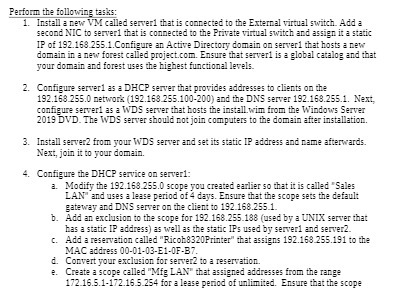
Perform the following tasks: 1. Install a new VM called server that is connected to the External virtual switch. Add a second NIC to serverl that is connected to the Private virtual switch and assign it a static IP of 192.168 255.1. Configure an Active Directory domain on server that hosts a new domain in a new forest called project.com. Ensure that serverl is a global catalog and that your domain and forest uses the highest functional levels. 2. Configure serverl as a DHCP server that provides addresses to clients on the 192.168 255.0 metwork (192.168 255.100-200) and the DNS server 192.163.255.1. Next, configure serverl as a WDS server that hosts the install wim from the Windows Server 2019 DVD. The WDS server should not join computers to the domain after installation. 3. Install server2 from your WDS server and set its static IP address and name afterwards. Next, join it to your domain. 4. Configure the DHCP service on server1: a. Modify the 192.168 255.0 scope you created earlier so that it is called "Sales LAN" and uses a lease period of 4 days. Ensure that the scope sets the default gateway and DNS server on the client to 192 168.255.1. b. Add an exclusion to the scope for 192 168.255.180 (used by a UNIX server that has a static IP address) as well as the static IP's used by serverl and server2. c. Add a reservation called "Ricoh8320Printer" what assigns 192.168 255.191 to the MAC address 00-01-03-E1-OF-B7. d. Convert your exclusion for server? to a reservation. e. Create a scope called "Mig LAN" that assigned addresses from the range 172 16.5.1-172.16.5 254 for a lease period of unlimited. Ensure that the scope

Step by Step Solution

There are 3 Steps involved in it

1 Expert Approved Answer
Step: 1 Unlock blur-text-image

Question Has Been Solved by an Expert!

Get step-by-step solutions from verified subject matter experts

Step: 2 Unlock
Step: 3 Unlock

Students Have Also Explored These Related Mathematics Questions!