







Question: Photo 31 Write a java code to generate the ilustrated GUI Write the code only for design GUI and follow the given instructions The size
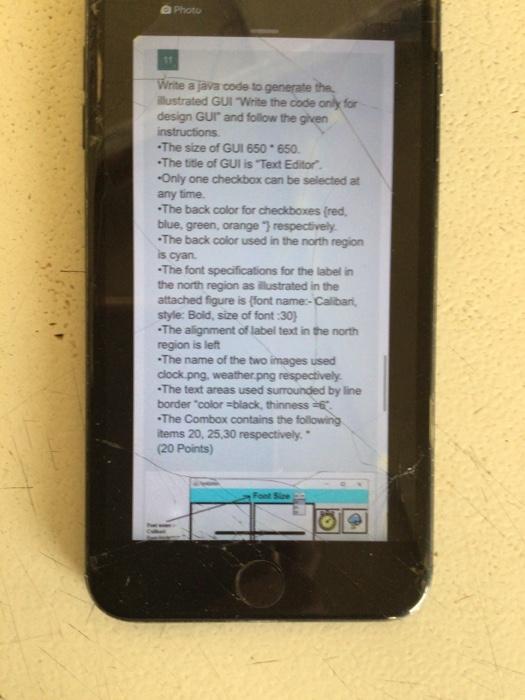
Photo 31 Write a java code to generate the ilustrated GUI Write the code only for design GUI and follow the given instructions The size of GUI 650 650 The title of GUI is 'Text Editor -Only one checkbox can be selected at any time. The back color for checkboxes (red. blue, green, orange respectively. The back color used in the north region is cyan "The font specifications for the label in the north region as ilustrated in the attached figure is (font name:- Calibari style: Bold, size of font:30) -The alignment of label text in the north region is let -The name of the two images used clock.png, weather.png respectively The text areas used surrounded by line border color black, thinness = The Combox contains the following items 20,25,30 respectively." (20 Points) Photo 31 Write a java code to generate the ilustrated GUI Write the code only for design GUI and follow the given instructions The size of GUI 650 650 The title of GUI is 'Text Editor -Only one checkbox can be selected at any time. The back color for checkboxes (red. blue, green, orange respectively. The back color used in the north region is cyan "The font specifications for the label in the north region as ilustrated in the attached figure is (font name:- Calibari style: Bold, size of font:30) -The alignment of label text in the north region is let -The name of the two images used clock.png, weather.png respectively The text areas used surrounded by line border color black, thinness = The Combox contains the following items 20,25,30 respectively." (20 Points)
Step by Step Solution
There are 3 Steps involved in it

Get step-by-step solutions from verified subject matter experts
 Study Help