







Question: PImage mario; int count = 0; float timer; float delay = 90; float wakeupTime; void setup() { mario loadImage (mario.jpg); size (mario.width, mario.height); timer
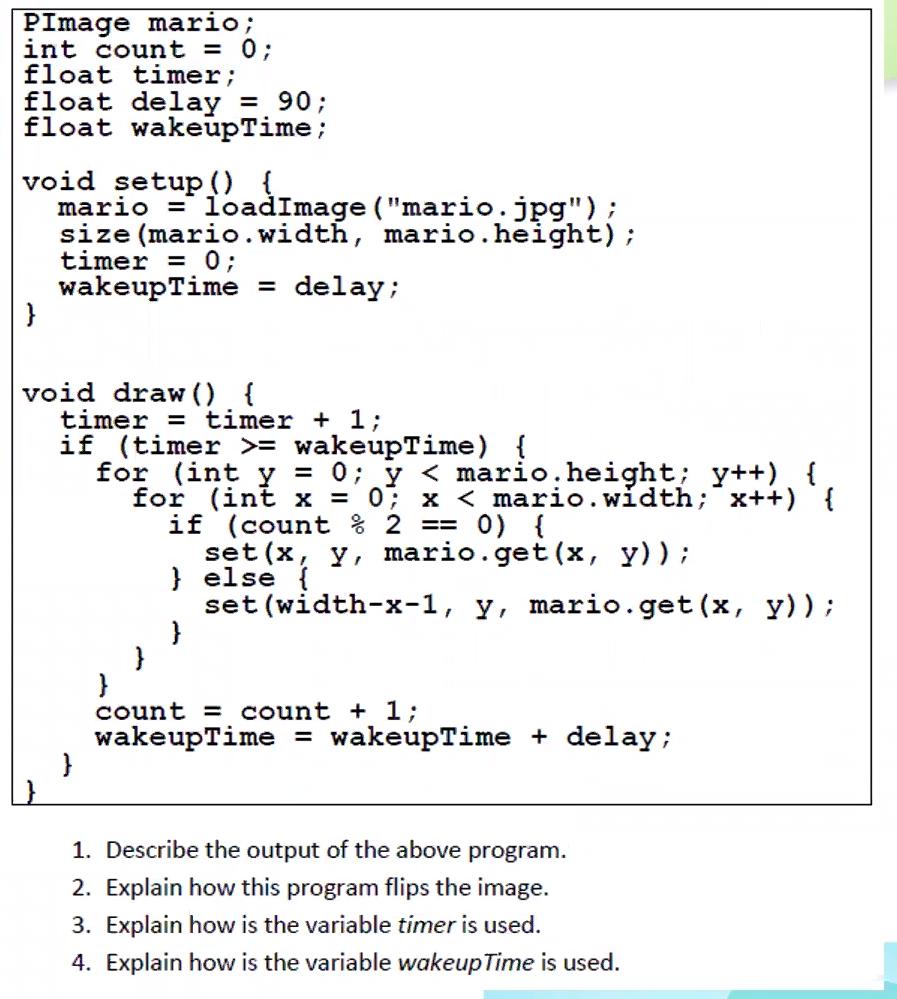
PImage mario; int count = 0; float timer; float delay = 90; float wakeupTime; void setup() { mario loadImage ("mario.jpg"); size (mario.width, mario.height); timer = 0; wakeupTime = delay; } void draw() { timer = timer + 1; if (timer >= wakeupTime) { } for (int y = 0; y < mario.height; y++) { for (int x = 0; x < mario.width; x++) { if (count % 2 == 0) { } } set(x, y, mario.get(x, y)); } else { } set (width-x-1, Y, mario.get(x, y)); count = count + 1; wakeupTime = wakeupTime + delay; 1. Describe the output of the above program. 2. Explain how this program flips the image. 3. Explain how is the variable timer is used. 4. Explain how is the variable wakeup Time is used.
Step by Step Solution
3.36 Rating (152 Votes )
There are 3 Steps involved in it
1 The output of the above program is an animation that continuously flips the image horizontally in ... View full answer

Get step-by-step solutions from verified subject matter experts
 Study Help