







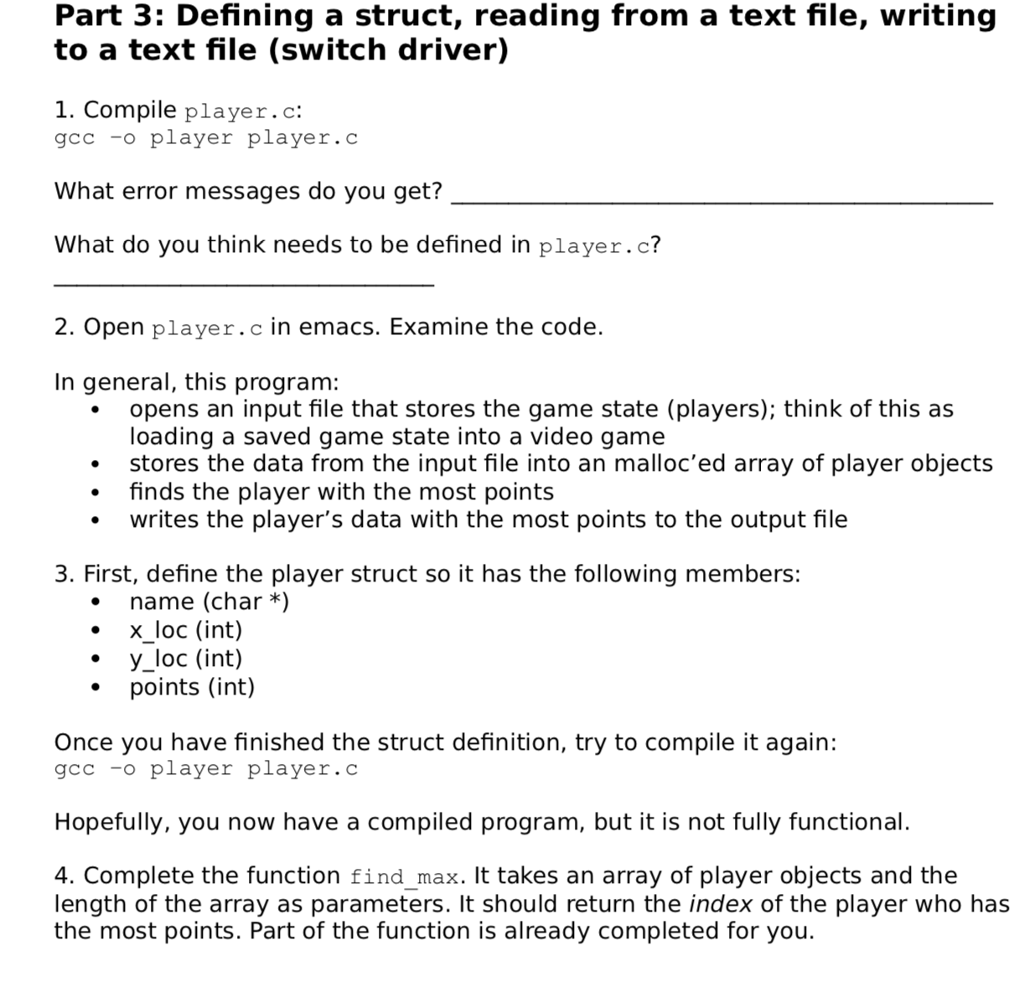
Question: Player.c Code : #include #include /* player struct */ struct player { /* lab exercise: define member variables here */ }; typedef struct player player;
Player.c Code :
#include
/* player struct */ struct player { /* lab exercise: define member variables here */
};
typedef struct player player;
/* returns the index of the player in game_state that has the * highest score; if there is a tie, the lowest index is * returned */ int find_max(player * game_state, int len) { int i = 0; int to_return = 0; if(len
return to_return; }
/* usage: player
// read first line size_t bytes_read = 0; ssize_t num_bytes = 0; char *first_line = NULL;
bytes_read = getline(&first_line, &num_bytes, fp); if(bytes_read == -1) { fprintf(stderr, "First line of file is invalid. Exiting program "); return 1; }
// convert string to int int count = atoi(first_line); // read rest of file: file contents are (per line) // name // x_loc // y_loc // points // // note: should really error check each call to getline // to exit gracefully, but for the purpose of this lab, // we are keeping the code short
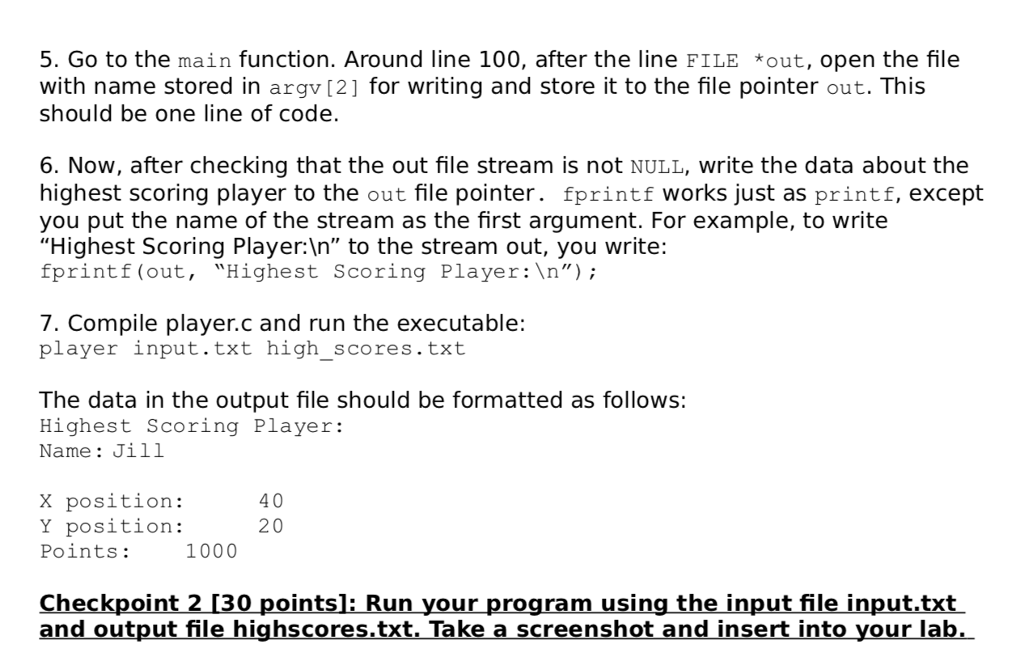
player * game_state = malloc(sizeof(player)*count); int i; char * name_read = NULL; char * x_loc_read = NULL; char * y_loc_read = NULL; char * points_read = NULL; for(i=0; i // find player with highest score int max = find_max(game_state, count); // print the player's information to an output file FILE *out; /* lab exercise: open argv[2] for writing and set it to out */ if(out == NULL) { fprintf(stderr, "Cannot open high_score.txt for writing. "); return 1; //error code } /* lab exercise: write highest score player to output file here */ /* use fprintf to print to file instead of printf */ // close output file fclose(out); return EXIT_SUCCESS; } ---------------------------------------------- index.txt content : 5 John 3 -10 500 Sally 40 20 1000 Jim 30 10 -400 Richard 0 50 20 Jill 5000 2 60
Step by Step Solution
There are 3 Steps involved in it

Get step-by-step solutions from verified subject matter experts
 Study Help