







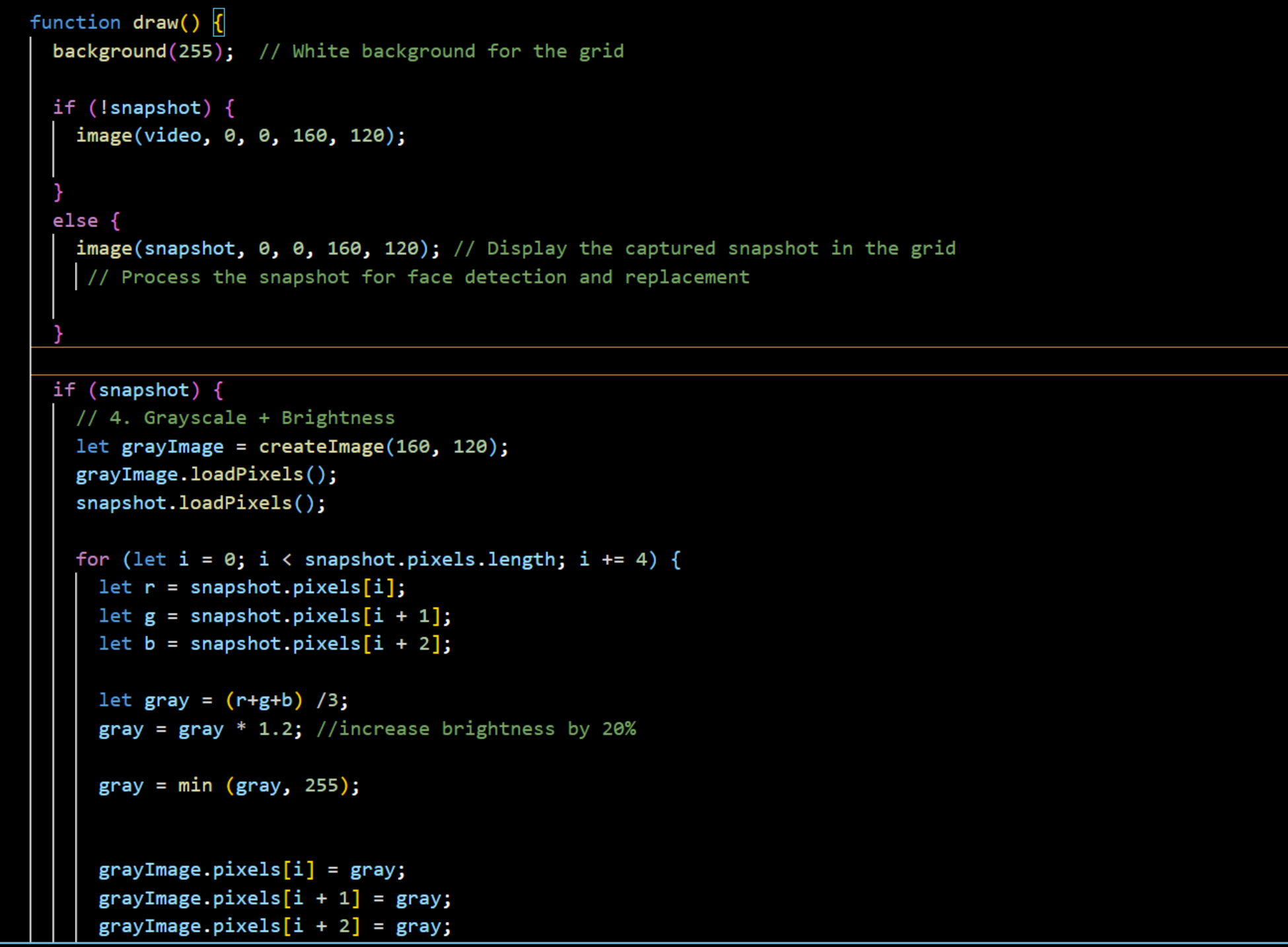
Question: Please add these code into my code. Can I get the face detection code that can join with my code. I added the picture of
Please add these code into my code. Can I get the face detection code that can join with my code. I added the picture of my code.
Please don't copy from other post.cuz this is my second time posting. The answer from first time is not working.
I want to do face detection by using keystrokes
ieetcand replace the detected face image
with:
aA greyscale image
bA blurred image adjust blurring so your face is not recognisable
cA colour converted image reuse code from task
dA pixelate image. To perform pixelation use the following approach
iRun step a so that your image is greyscale
iiSplit the detected face image into xpixel blocks
iii. Calculate the average pixel intensity of each block using image.getx
y; or use the pixel array to access each pixels intensity
ivPaint the entire block using the average pixel intensity. Utilise this
command: outimage.setxyavePixInt; or use the pixel array
vLoop through all blocks repeating steps iii and iv in the lowest row again.
I can only post photos that's why i add first page code in below.
let video;
let snapshot;
let sliderRed;
let sliderGreen;
let sliderBlue;
function setup
let canvas createCanvas; Create a canvas for the grid
canvas.parentcanvascontainer'; Append to the HTML container
video createCaptureVIDEO; Capture webcam feed
video.size; Set the webcam feed resolution to x
video.hide; Hide the live video feed well display snapshots instead
let snapshotButton select#snapshotbutton'; Capture snapshot on button press
snapshotButton.mousePressedtakeSnapshot;
snapshotButton.position;
sliderRed createSlider;
sliderRed.position; Position of the Red slider
sliderGreen createSlider;
sliderGreen.position; Position of the Green slider
sliderBlue createSlider;
sliderBlue.position; Position of the Blue slider
Step by Step Solution
There are 3 Steps involved in it
1 Expert Approved Answer
Step: 1 Unlock

Question Has Been Solved by an Expert!
Get step-by-step solutions from verified subject matter experts
Step: 2 Unlock
Step: 3 Unlock
 Study Help