







Question: Please Answer ASAP!! ONLY Questions 4 - 6 , I have provided my excel VBA Macro Code but it does not show the highlights of
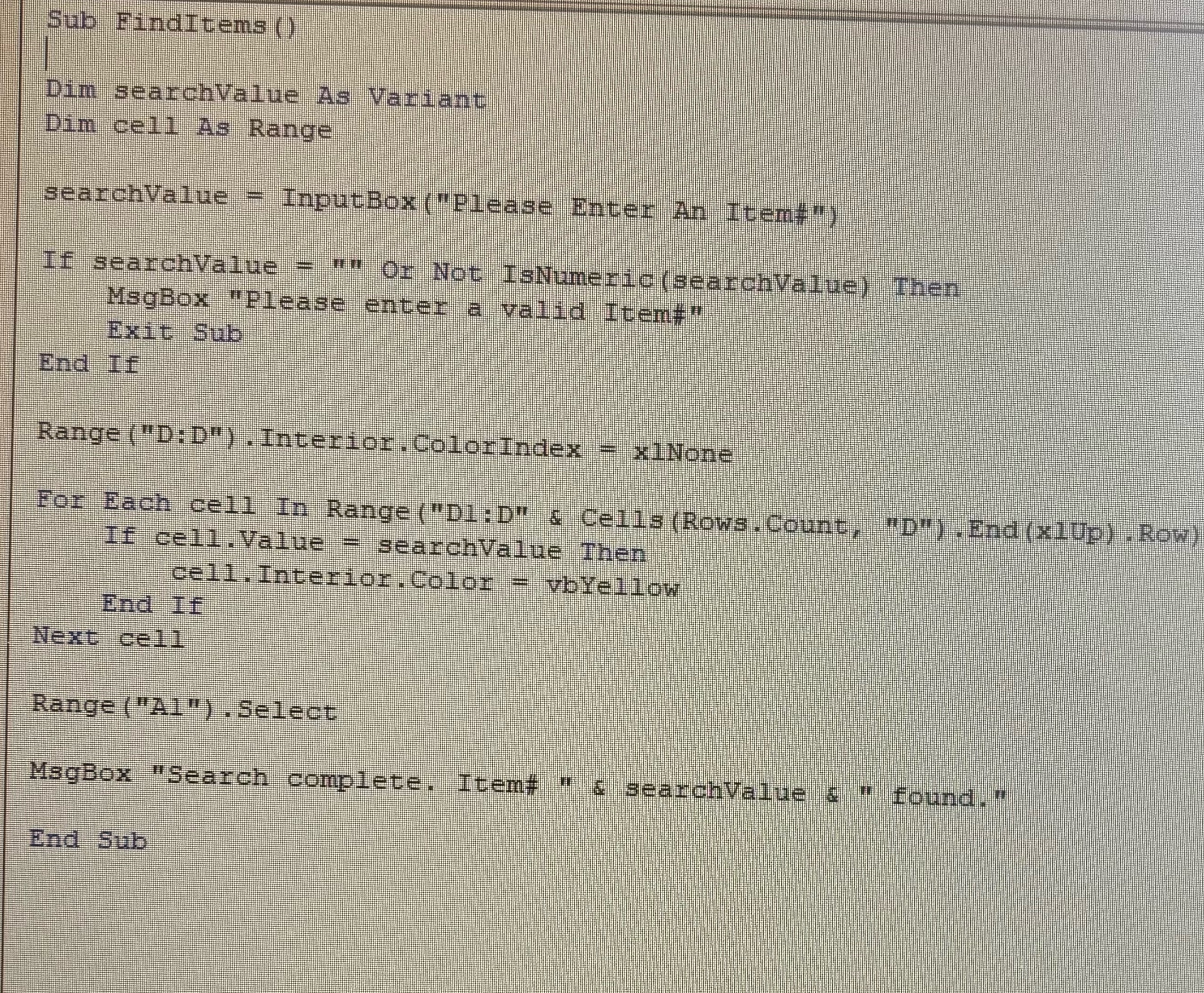
Please Answer ASAP!! ONLY Questions I have provided my excel VBA Macro Code but it does not show the highlights of the corresponding cell. Thank you in advance!!
Sub FindItems
Dim searchValue As Variant
Dim cell As Range
searchValue InputBox Please Enter An Item
If searchValue Or Not IsNumeric searchValue Then
MsgBox "Please enter a valid Item#
Exit Sub
End If
Range : Interior, ColorIndex None
For Each cell In Range D:D & Cells RowsCount, D End xUp Row If cell. Value searchValue Then
cel Interior, Color vbYellow
End If
Next cell
Range A Select
MsgBox "Search complete. Item# searchValue & found."
End Sub
Step by Step Solution
There are 3 Steps involved in it
1 Expert Approved Answer
Step: 1 Unlock

Question Has Been Solved by an Expert!
Get step-by-step solutions from verified subject matter experts
Step: 2 Unlock
Step: 3 Unlock
 Study Help