







Question: Please answer correctly and explain with comments. Also, test the code to make sure it works. Thanks a lot for your help! GUI.java -package code;
 Please answer correctly and explain with comments. Also, test the code to make sure it works. Thanks a lot for your help!
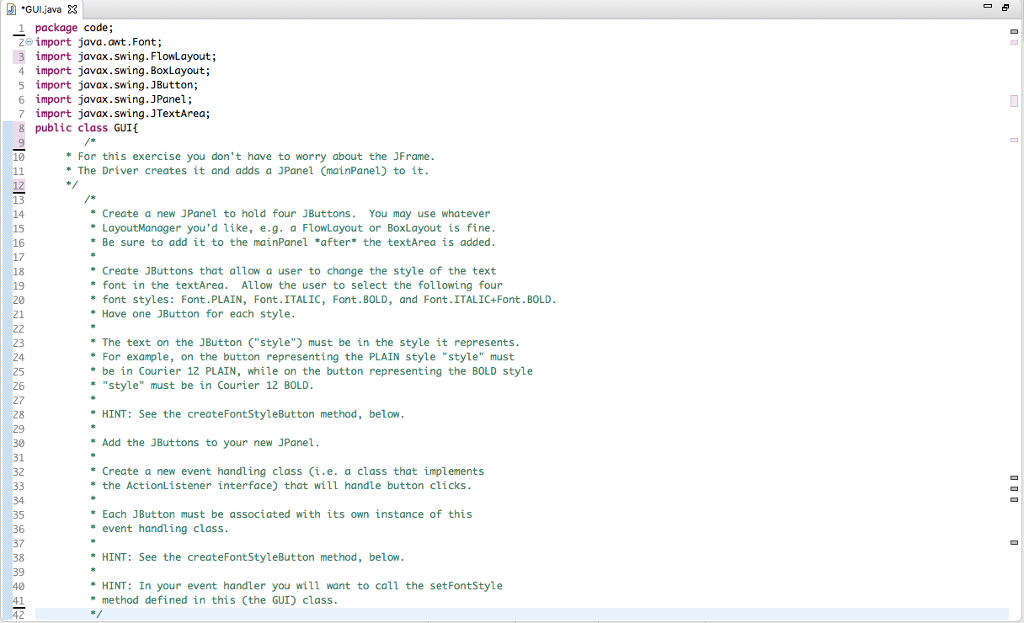
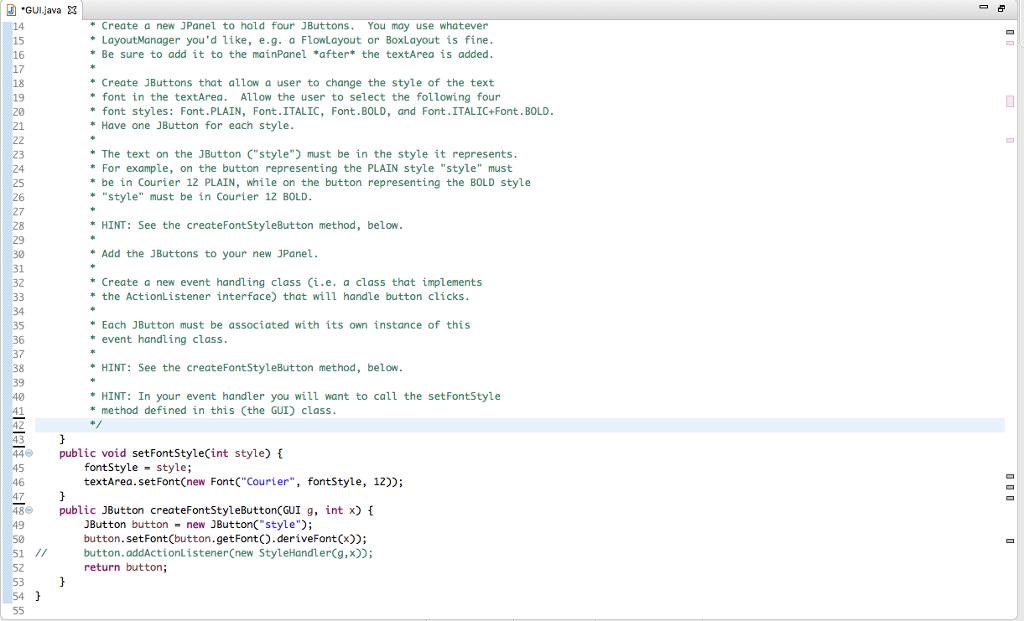
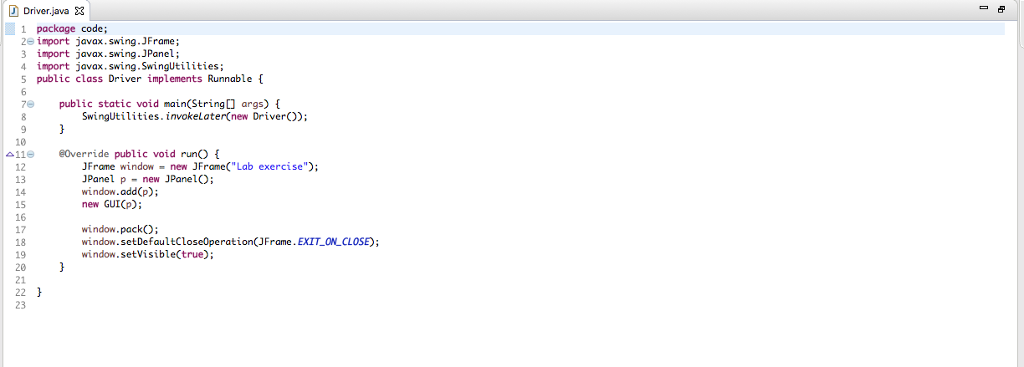
"GUI.java -package code; 2 import java.awt.Font; 3 import javax.swing. FlowLayout; 4 import javax.swing.BoxLayout; 5 import javax.swing. JButton; 6 import javax.swing. JPanel; 7 import javax.swing. JTextArea; 8 public class GUIE For this exercise you don't have to worry about the JFrame The Driver creates it and adds a JPanel CmainPanel) to ift 13 14 15 16 Create a new JPanel to hold four JButtons. You may use whatever LayoutManager you'd like, e.g. a FlowLayout or BoxLayout is fine *Be sure to add it to the mainPanel *after* the textArea is added Create JButtons that allow a user to change the style of the text 18 19 20 21 * font in the textArea. Allow the user to select the following four font styles: Font.PLAIN, Font. ITALIC, Font.BOLD, and Font.ITALIC+Font. BOLD Have one JButton for each style The text on the JButton C"style must be in the style it represents For example, on the button representing the PLAIN style "style" must "style" must be in Courier 12 BOLD HINT: See the createFontStyleButton method, below Add the JButtons to your new JPanel Create a new event handling class (i.e. a class that implements 24 25 26 *be in Courier 12 PLAIN, while on the button representing the BOLD style 28 30 31 32 *the ActionListener interface) that will handle button clicks 34 35 36 37 38 *Each JButton must be associated with its own instance of this event handling class HINT: See the createFontStyleButton method, below HINT: In your event handler you will want to call the setFontStyle method defined in this Cthe GUI) class 42
Step by Step Solution
There are 3 Steps involved in it

Get step-by-step solutions from verified subject matter experts
 Study Help