







Question: Please answer fully in detail At start ... (Structure/Style/Behaviour) Clear A2 .. Click 'Clear' button (NOT the 'Clear' option) Coro Clear A2 Show Elevation Show
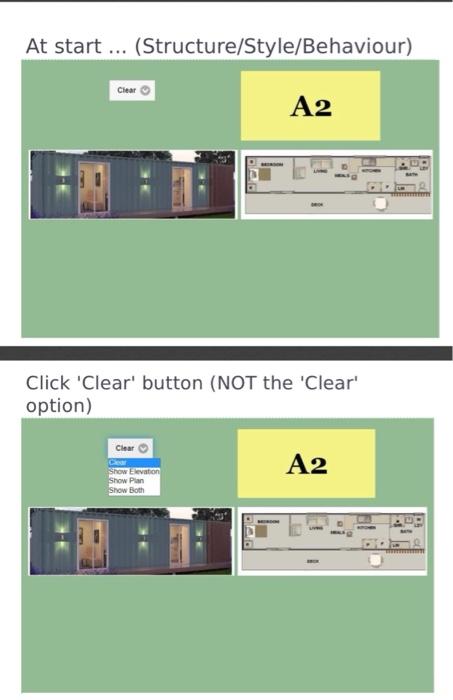
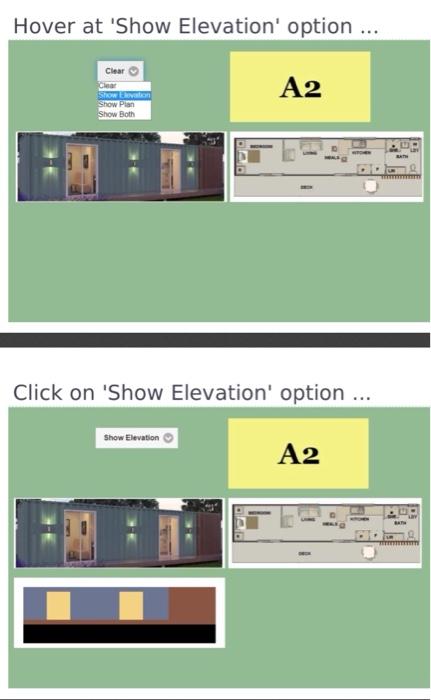
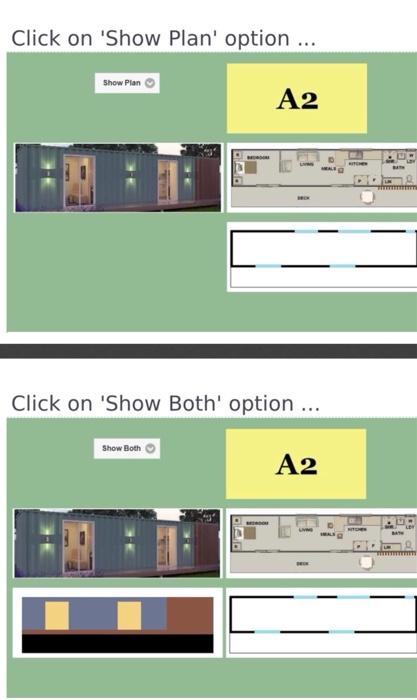
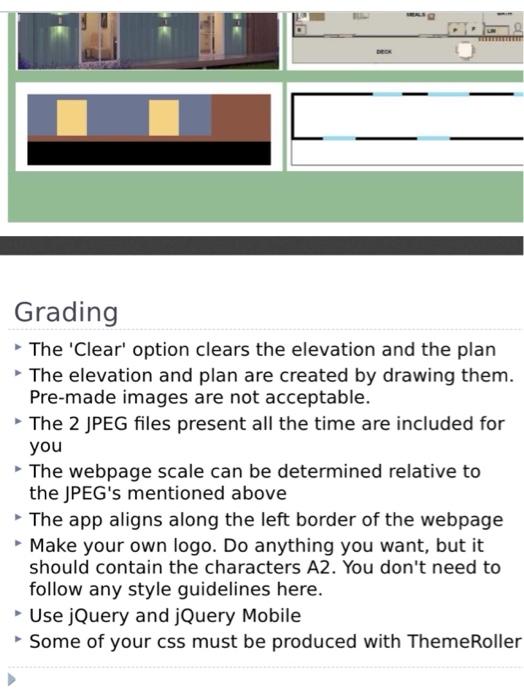
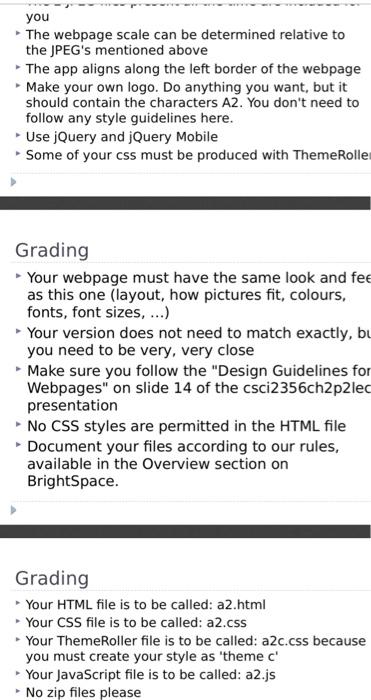
At start ... (Structure/Style/Behaviour) Clear A2 .. Click 'Clear' button (NOT the 'Clear' option) Coro Clear A2 Show Elevation Show Plan Show Both Hover at 'Show Elevation' option ... Clear Clear Show von Show Pin Show Both A2 . Click on 'Show Elevation option ... Show Elevation A2 "C Click on 'Show Plan' option ... Show Plan A2 Click on 'Show Both' option ... Show Both A2 Grading The 'Clear' option clears the elevation and the plan The elevation and plan are created by drawing them. Pre-made images are not acceptable. The 2 JPEG files present all the time are included for you The webpage scale can be determined relative to the JPEG's mentioned above The app aligns along the left border of the webpage - Make your own logo. Do anything you want, but it should contain the characters A2. You don't need to follow any style guidelines here. Use jQuery and jQuery Mobile Some of your css must be produced with Theme Roller you The webpage scale can be determined relative to the JPEG's mentioned above The app aligns along the left border of the webpage Make your own logo. Do anything you want, but it should contain the characters A2. You don't need to follow any style guidelines here. Use jQuery and jQuery Mobile Some of your css must be produced with Theme Rolle Grading Your webpage must have the same look and fee as this one (layout, how pictures fit, colours, fonts, font sizes, ...) Your version does not need to match exactly, bu you need to be very, very close Make sure you follow the "Design Guidelines for Webpages" on slide 14 of the csci2356ch2p2lec presentation No CSS styles are permitted in the HTML file Document your files according to our rules, available in the Overview section on BrightSpace. Grading Your HTML file is to be called: a2.html Your CSS file is to be called: a2.css - Your Theme Roller file is to be called: a2c.css because you must create your style as 'theme c' Your JavaScript file is to be called: a2.js No zip files please
Step by Step Solution
There are 3 Steps involved in it

Get step-by-step solutions from verified subject matter experts
 Study Help