



Question: Please answer it as soon as possible, thank you! The insertion sort, although still O(n), works in a slightly different way. It always maintains a
Please answer it as soon as possible, thank you!
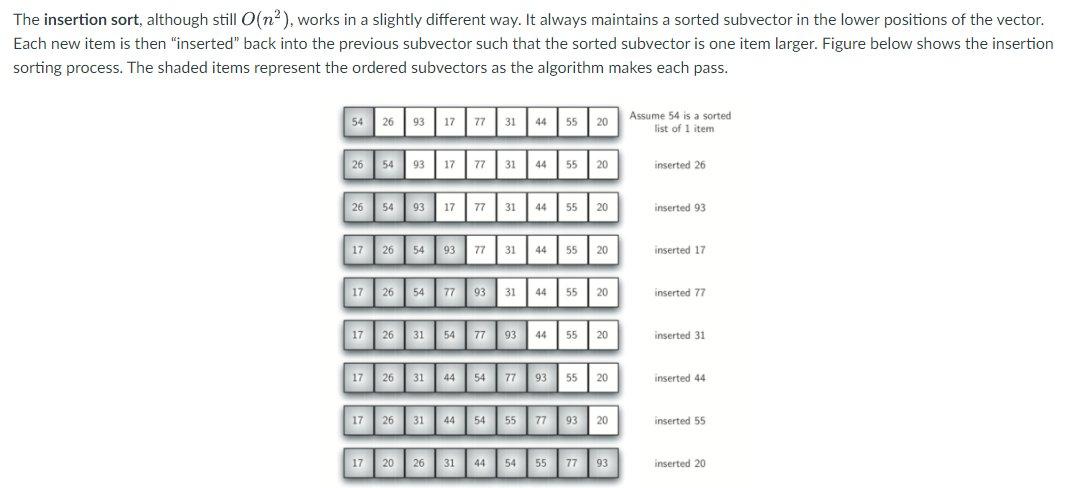
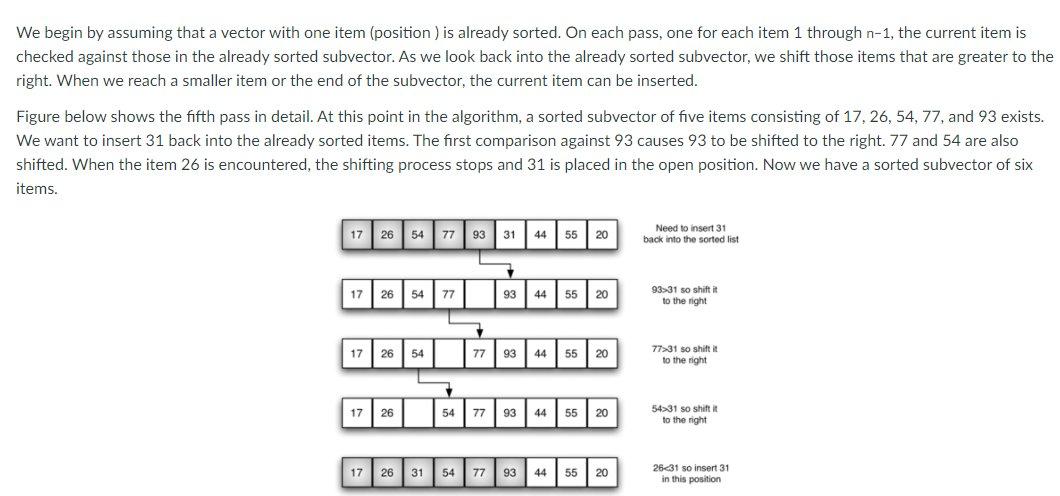
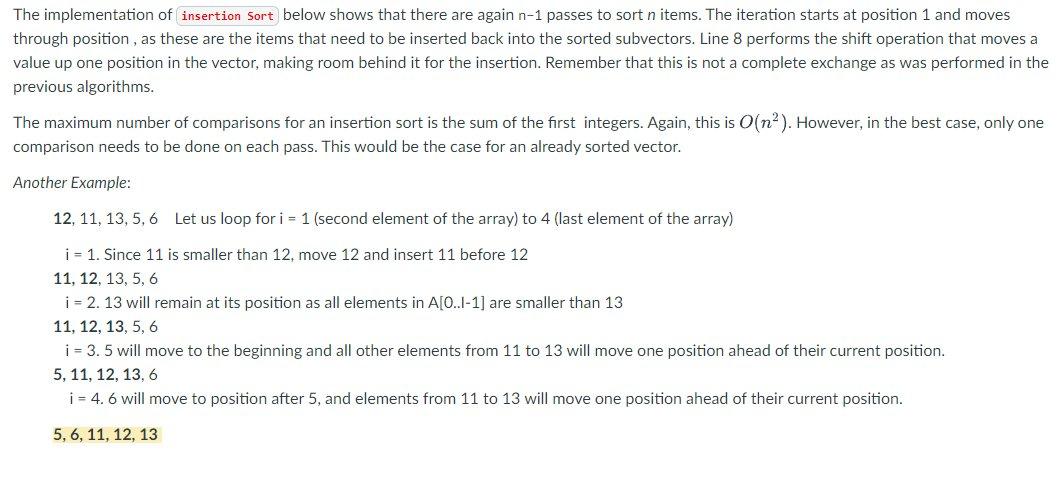
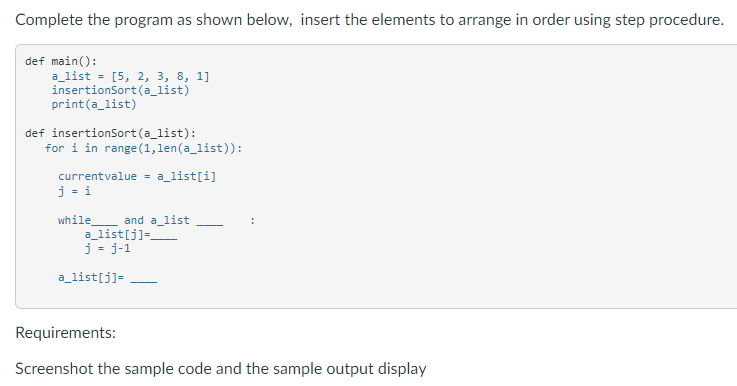
The insertion sort, although still O(n), works in a slightly different way. It always maintains a sorted subvector in the lower positions of the vector. Each new item is then "inserted" back into the previous subvector such that the sorted subvector is one item larger. Figure below shows the insertion sorting process. The shaded items represent the ordered subvectors as the algorithm makes each pass. 54269317 77 31 44 55 20 Assume 54 is a sorted list of 1 item 26 54 93 17 77 31 44 55 20 inserted 26 26 54 93 17 7731 44 55 20 inserted 93 1726 54 93 77 31 44 55 20 inserted 17 17 26 54 77 93 31 44 55 20 inserted 77 BIH PB HHHHH 1726 31 547793 44 55 20 inserted 31 17 26 31 44 54 77 93 55 20 inserted 44 17 26 31 44 54 55 77 93 20 inserted 55 17 20 26 31 44 54 55 77 93 inserted 20 We begin by assuming that a vector with one item (position ) is already sorted. On each pass, one for each item 1 through n-1, the current item is checked against those in the already sorted subvector. As we look back into the already sorted subvector, we shift those items that are greater to the right. When we reach a smaller item or the end of the subvector, the current item can be inserted. Figure below shows the fifth pass in detail. At this point in the algorithm, a sorted subvector of five items consisting of 17, 26, 54, 77, and 93 exists. We want to insert 31 back into the already sorted items. The first comparison against 93 causes 93 to be shifted to the right. 77 and 54 are also shifted. When the item 26 is encountered the shifting process stops and 31 is placed in the open position. Now we have a sorted subvector of six items. 1726 54 7793 31 44 5520 Need to insert 31 back into the sorted list 17265477 93 44 55 5520 9331 so shift i to the right 17 26 54 7 77 93 44 5520 7731 So shiftit to the night 1726 54 77 77 93 44 5520 54>31 So shift it to the right 1726 31 54 77 93 44 55 20 26_31 so insert 31 in this position The implementation of insertion Sort below shows that there are again n-1 passes to sort n items. The iteration starts at position 1 and moves through position, as these are the items that need to be inserted back into the sorted subvectors. Line 8 performs the shift operation that moves a value up one position in the vector, making room behind it for the insertion. Remember that this is not a complete exchange as was performed in the previous algorithms. The maximum number of comparisons for an insertion sort is the sum of the first integers. Again, this is O(na). However, in the best case, only one comparison needs to be done on each pass. This would be the case for an already sorted vector. Another Example: 12, 11, 13, 5, 6 Let us loop for i = 1 (second element of the array) to 4 (last element of the array) i = 1. Since 11 is smaller than 12, move 12 and insert 11 before 12 11, 12, 13, 5, 6 i = 2.13 will remain at its position as all elements in A[O..1-1] are smaller than 13 11, 12, 13, 5, 6 i = 3.5 will move to the beginning and all other elements from 11 to 13 will move one position ahead of their current position. 5, 11, 12, 13,6 i = 4.6 will move to position after 5, and elements from 11 to 13 will move one position ahead of their current position. 5, 6, 11, 12, 13 Complete the program as shown below, insert the elements to arrange in order using step procedure. def main(): a_list = [5, 2, 3, 8, 1] insertionSort(a_list) print(a_list) def insertionsort (a_list): for i in range(1, len(a_list)): currentvalue = a_list[i] j = i while and a_list a_list[j]= j = 3-1 a_list[j] = Requirements: Screenshot the sample code and the sample output display
Step by Step Solution
There are 3 Steps involved in it

Get step-by-step solutions from verified subject matter experts