







Question: please answer my question I need it asap please do it quick opbox/My%20PC%20(LAPTOP-ESHHG3CR)/Downloads/Final-COMM%201103--first%20fridayFall2020%20(2).pdf Write an en X C Sign In or X Settings - P
please answer my question I need it asap
please do it quick
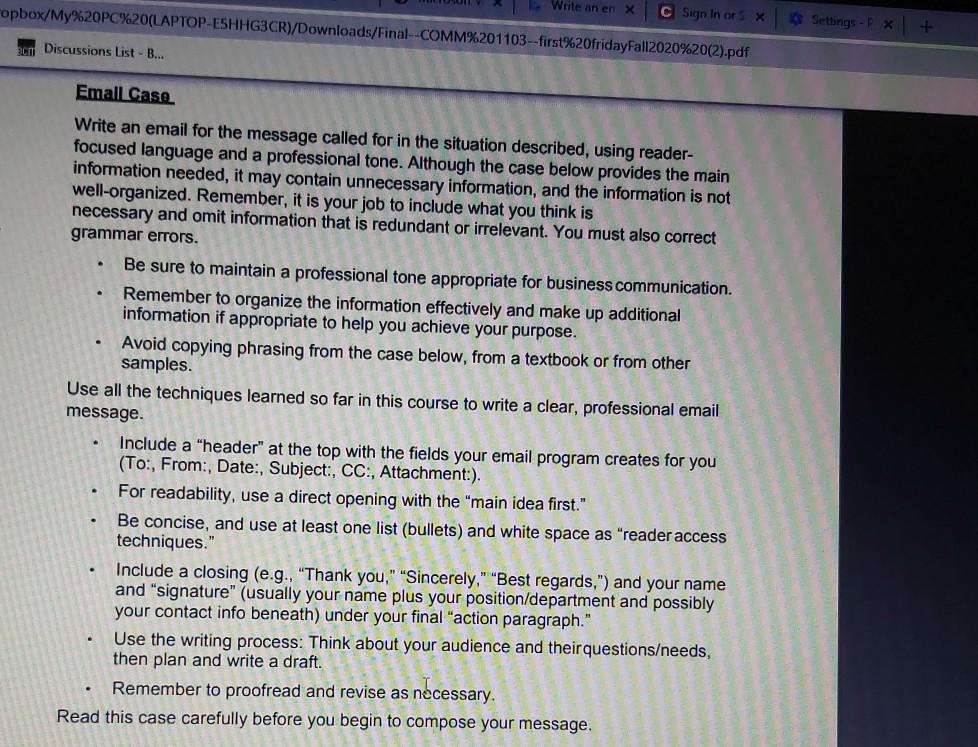
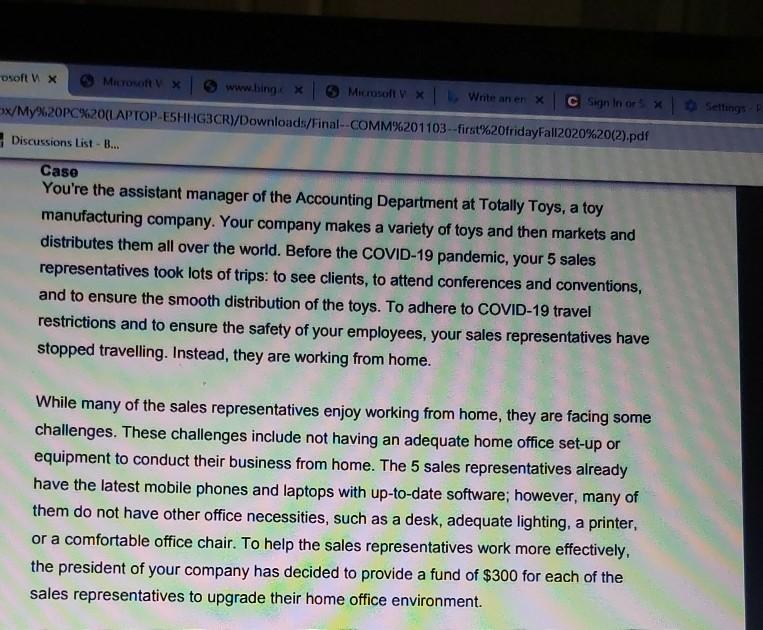
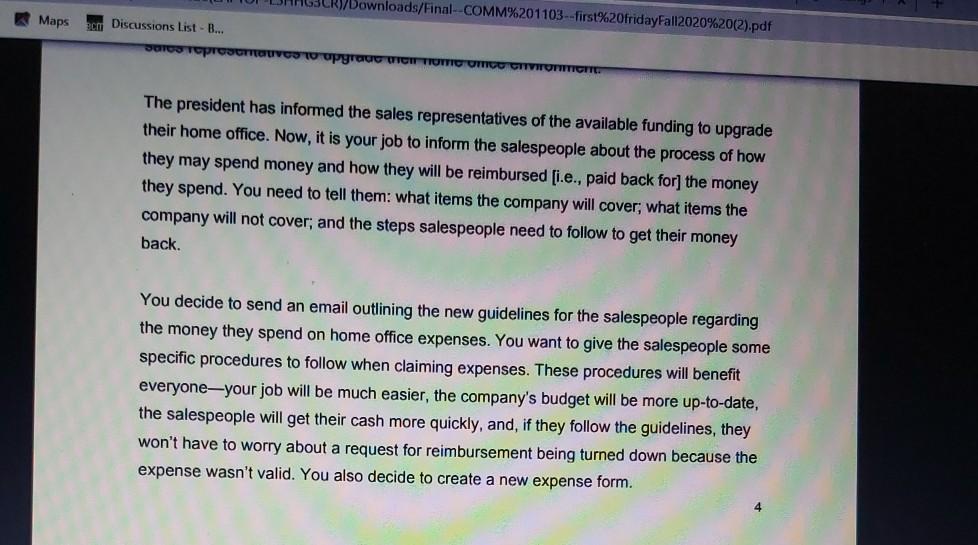
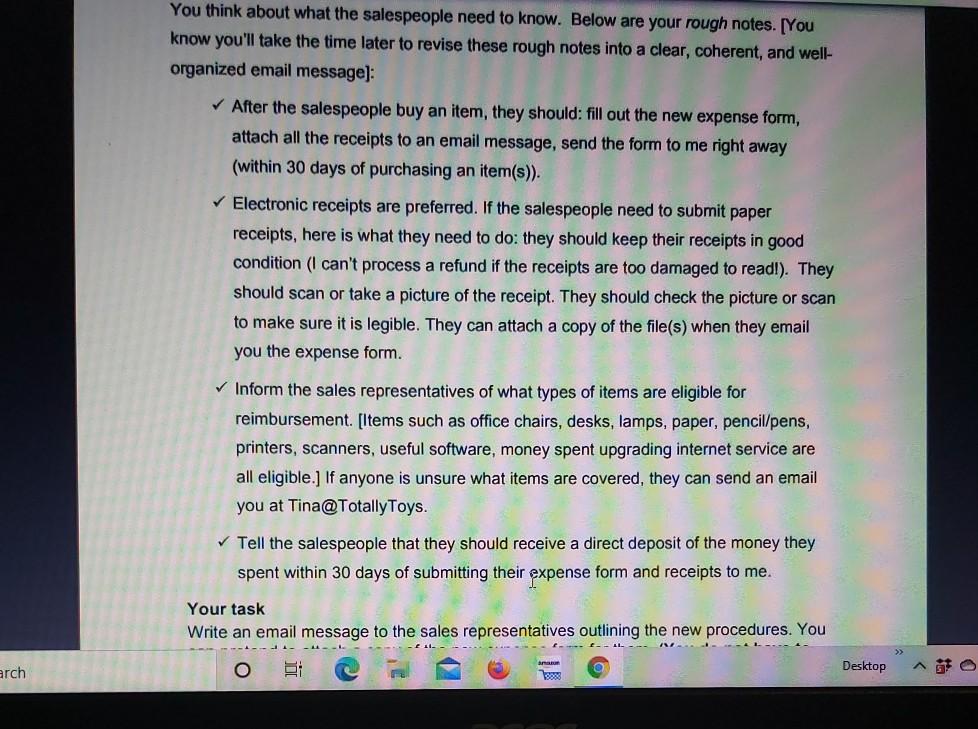
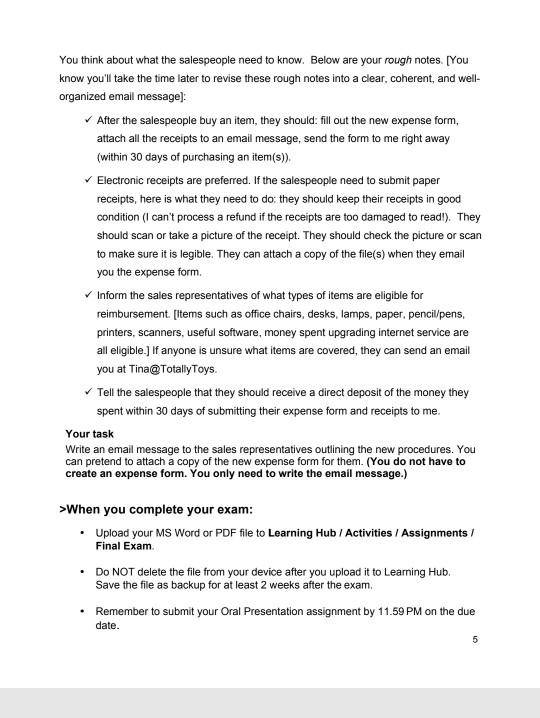
opbox/My%20PC%20(LAPTOP-ESHHG3CR)/Downloads/Final-COMM%201103--first%20fridayFall2020%20(2).pdf Write an en X C Sign In or X Settings - P * --- bcm Discussions List - B... Emall Case Write an email for the message called for in the situation described, using reader- focused language and a professional tone. Although the case below provides the main information needed, it may contain unnecessary information, and the information is not well-organized. Remember, it is your job to include what you think is necessary and omit information that is redundant or irrelevant. You must also correct grammar errors. Be sure to maintain a professional tone appropriate for business communication. Remember to organize the information effectively and make up additional information if appropriate to help you achieve your purpose. Avoid copying phrasing from the case below, from a textbook or from other samples. Use all the techniques learned so far in this course to write a clear, professional email message. Include a "header" at the top with the fields your email program creates for you (To:, From:, Date: Subject:, CC., Attachment:). For readability, use a direct opening with the main idea first." Be concise, and use at least one list (bullets) and white space as "reader access techniques." Include a closing (e.g., "Thank you," "Sincerely," "Best regards,") and your name and "signature" (usually your name plus your position/department and possibly your contact info beneath) under your final "action paragraph." Use the writing process: Think about your audience and their questionseeds, then plan and write a draft. Remember to proofread and revise as necessary. Read this case carefully before you begin to compose your message. . . Sellings Dsoft n x www.hing * Microsoft Write an er x C Sun In or When you complete your exam: Upload your MS Word or PDF file to Learning Hub / Activities / Assignments/ Final Exam DO NOT delete the file from your device after you upload it to Learning Hub Save the file as backup for at least 2 weeks after the exam, Remember to submit your Oral Presentation assignment by 11.59 PM on the due date. . 5 opbox/My%20PC%20(LAPTOP-ESHHG3CR)/Downloads/Final-COMM%201103--first%20fridayFall2020%20(2).pdf Write an en X C Sign In or X Settings - P * --- bcm Discussions List - B... Emall Case Write an email for the message called for in the situation described, using reader- focused language and a professional tone. Although the case below provides the main information needed, it may contain unnecessary information, and the information is not well-organized. Remember, it is your job to include what you think is necessary and omit information that is redundant or irrelevant. You must also correct grammar errors. Be sure to maintain a professional tone appropriate for business communication. Remember to organize the information effectively and make up additional information if appropriate to help you achieve your purpose. Avoid copying phrasing from the case below, from a textbook or from other samples. Use all the techniques learned so far in this course to write a clear, professional email message. Include a "header" at the top with the fields your email program creates for you (To:, From:, Date: Subject:, CC., Attachment:). For readability, use a direct opening with the main idea first." Be concise, and use at least one list (bullets) and white space as "reader access techniques." Include a closing (e.g., "Thank you," "Sincerely," "Best regards,") and your name and "signature" (usually your name plus your position/department and possibly your contact info beneath) under your final "action paragraph." Use the writing process: Think about your audience and their questionseeds, then plan and write a draft. Remember to proofread and revise as necessary. Read this case carefully before you begin to compose your message. . . Sellings Dsoft n x www.hing * Microsoft Write an er x C Sun In or When you complete your exam: Upload your MS Word or PDF file to Learning Hub / Activities / Assignments/ Final Exam DO NOT delete the file from your device after you upload it to Learning Hub Save the file as backup for at least 2 weeks after the exam, Remember to submit your Oral Presentation assignment by 11.59 PM on the due date. . 5Step by Step Solution
There are 3 Steps involved in it
1 Expert Approved Answer
Step: 1 Unlock

Question Has Been Solved by an Expert!
Get step-by-step solutions from verified subject matter experts
Step: 2 Unlock
Step: 3 Unlock
 Study Help