







Question: please answer the following question Use cases for customer Access account (login) , search library materials, access online resources. Library Information System: Consider a software
please answer the following question
Access account (login) , search library materials, access online resources.
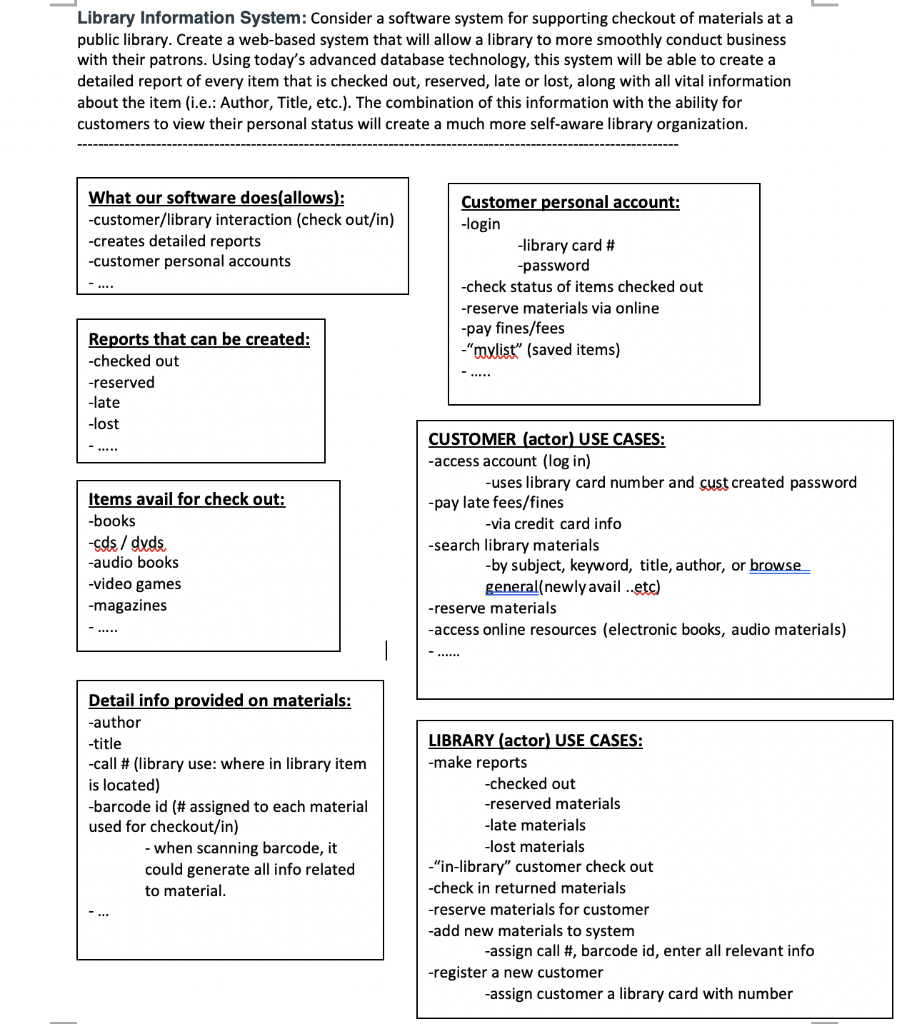
Library Information System: Consider a software system for supporting checkout of materials at a public library. Create a web-based system that will allow a library to more smoothly conduct business with their patrons. Using today's advanced database technology, this system will be able to create a detailed report of every item that is checked out, reserved, late or lost, along with all vital information about the item (i.e.: Author, Title, etc.). The combination of this information with the ability for customers to view their personal status will create a much more self-aware library organization. What our software does(allows): -customer/library interaction (check out/in) -creates detailed reports -customer personal accounts Customer personal account: -login -library card # -password -check status of items checked out -reserve materials via online -pay fines/fees -"mylist" (saved items) Reports that can be created: -checked out -reserved -late -lost Items avail for check out: -books -cds/dvds -audio books -video games -magazines CUSTOMER (actor) USE CASES: -access account (log in) -uses library card number and cust created password -pay late fees/fines -via credit card info -search library materials -by subject, keyword, title, author, or browse general(newly avail ..etc) -reserve materials -access online resources (electronic books, audio materials) Detail info provided on materials: -author -title -call # (library use: where in library item is located) -barcode id (# assigned to each material used for checkout/in) - when scanning barcode, it could generate all info related to material. LIBRARY (actor) USE CASES: -make reports -checked out -reserved materials -late materials -lost materials -"in-library" customer check out -check in returned materials -reserve materials for customer -add new materials to system -assign call #, barcode id, enter all relevant info -register a new customer -assign customer a library card with number Library Information System: Consider a software system for supporting checkout of materials at a public library. Create a web-based system that will allow a library to more smoothly conduct business with their patrons. Using today's advanced database technology, this system will be able to create a detailed report of every item that is checked out, reserved, late or lost, along with all vital information about the item (i.e.: Author, Title, etc.). The combination of this information with the ability for customers to view their personal status will create a much more self-aware library organization. What our software does(allows): -customer/library interaction (check out/in) -creates detailed reports -customer personal accounts Customer personal account: -login -library card # -password -check status of items checked out -reserve materials via online -pay fines/fees -"mylist" (saved items) Reports that can be created: -checked out -reserved -late -lost Items avail for check out: -books -cds/dvds -audio books -video games -magazines CUSTOMER (actor) USE CASES: -access account (log in) -uses library card number and cust created password -pay late fees/fines -via credit card info -search library materials -by subject, keyword, title, author, or browse general(newly avail ..etc) -reserve materials -access online resources (electronic books, audio materials) Detail info provided on materials: -author -title -call # (library use: where in library item is located) -barcode id (# assigned to each material used for checkout/in) - when scanning barcode, it could generate all info related to material. LIBRARY (actor) USE CASES: -make reports -checked out -reserved materials -late materials -lost materials -"in-library" customer check out -check in returned materials -reserve materials for customer -add new materials to system -assign call #, barcode id, enter all relevant info -register a new customer -assign customer a library card with number
Step by Step Solution
There are 3 Steps involved in it

Get step-by-step solutions from verified subject matter experts
 Study Help