







Question: please can you help me with : Create the data (model) and the code (controller) for this Charity Donation application. course: software application and design.
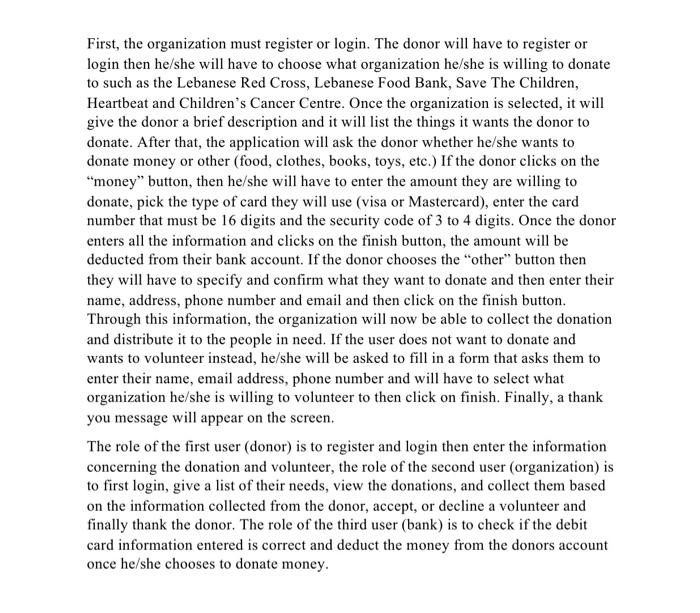
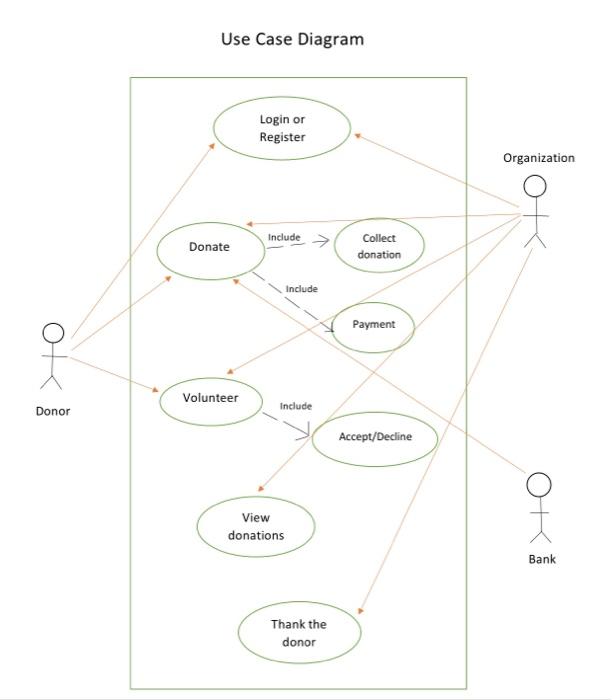
First, the organization must register or login. The donor will have to register or login then he/she will have to choose what organization he/she is willing to donate to such as the Lebanese Red Cross, Lebanese Food Bank, Save The Children, Heartbeat and Children's Cancer Centre. Once the organization is selected, it will give the donor a brief description and it will list the things it wants the donor to donate. After that, the application will ask the donor whether he/she wants to donate money or other (food, clothes, books, toys, etc.) If the donor clicks on the money" button, then he/she will have to enter the amount they are willing to donate, pick the type of card they will use (visa or Mastercard), enter the card number that must be 16 digits and the security code of 3 to 4 digits. Once the donor enters all the information and clicks on the finish button, the amount will be deducted from their bank account. If the donor chooses the "other" button then they will have to specify and confirm what they want to donate and then enter their name, address, phone number and email and then click on the finish button. Through this information, the organization will now be able to collect the donation and distribute it to the people in need. If the user does not want to donate and wants to volunteer instead, he/she will be asked to fill in a form that asks them to enter their name, email address, phone number and will have to select what organization he/she is willing to volunteer to then click on finish. Finally, a thank you message will appear on the screen. The role of the first user (donor) is to register and login then enter the information concerning the donation and volunteer, the role of the second user (organization) is to first login, give a list of their needs, view the donations, and collect them based on the information collected from the donor, accept, or decline a volunteer and finally thank the donor. The role of the third user (bank) is to check if the debit card information entered is correct and deduct the money from the donors account once he/she chooses to donate money. Use Case Diagram Login or Register Organization Include Donate Collect donation Include Payment ok Volunteer Donor Include Accept/Decline OK View donations Bank Thank the donor First, the organization must register or login. The donor will have to register or login then he/she will have to choose what organization he/she is willing to donate to such as the Lebanese Red Cross, Lebanese Food Bank, Save The Children, Heartbeat and Children's Cancer Centre. Once the organization is selected, it will give the donor a brief description and it will list the things it wants the donor to donate. After that, the application will ask the donor whether he/she wants to donate money or other (food, clothes, books, toys, etc.) If the donor clicks on the money" button, then he/she will have to enter the amount they are willing to donate, pick the type of card they will use (visa or Mastercard), enter the card number that must be 16 digits and the security code of 3 to 4 digits. Once the donor enters all the information and clicks on the finish button, the amount will be deducted from their bank account. If the donor chooses the "other" button then they will have to specify and confirm what they want to donate and then enter their name, address, phone number and email and then click on the finish button. Through this information, the organization will now be able to collect the donation and distribute it to the people in need. If the user does not want to donate and wants to volunteer instead, he/she will be asked to fill in a form that asks them to enter their name, email address, phone number and will have to select what organization he/she is willing to volunteer to then click on finish. Finally, a thank you message will appear on the screen. The role of the first user (donor) is to register and login then enter the information concerning the donation and volunteer, the role of the second user (organization) is to first login, give a list of their needs, view the donations, and collect them based on the information collected from the donor, accept, or decline a volunteer and finally thank the donor. The role of the third user (bank) is to check if the debit card information entered is correct and deduct the money from the donors account once he/she chooses to donate money. Use Case Diagram Login or Register Organization Include Donate Collect donation Include Payment ok Volunteer Donor Include Accept/Decline OK View donations Bank Thank the donor
Step by Step Solution
There are 3 Steps involved in it

Get step-by-step solutions from verified subject matter experts
 Study Help