







Question: Please code in assembly language. All I need is number 2 and 3 done. The sample code is here .data # allocating space for both
Please code in assembly language. All I need is number 2 and 3 done. The sample code is here
.data # allocating space for both strings str: .space 128 res: .space 128 .globl main .text main: # load address of strings la s0, str la s1, res # we do not need LA pseudoinstructions from now on # read a string into str addi a0, s0, 0 addi a1, x0, 120 addi a7, x0, 8 ecall # str's addres is already in s0 # copy res's address to a1 addi a1, s1, 0 # TODO # remove spaces in str # print res # your code assumes str's address is in a0 and res's address is in a1 exit: addi a7, x0, 10 ecall
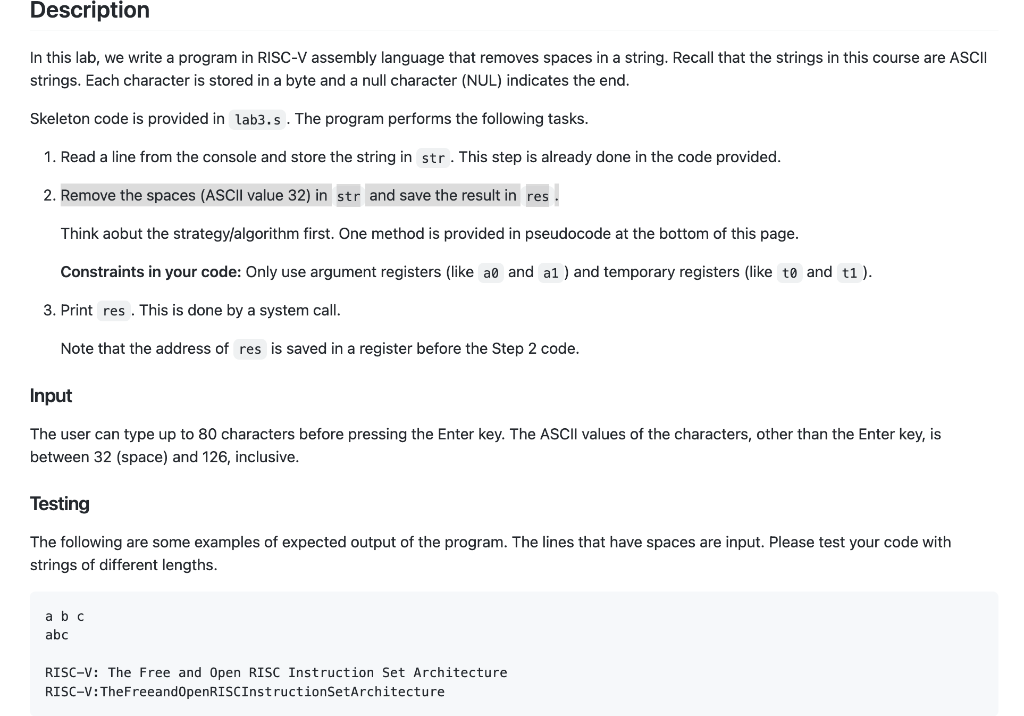
In this lab, we write a program in RISC-V assembly language that removes spaces in a string. Recall that the strings in this course are ASC strings. Each character is stored in a byte and a null character (NUL) indicates the end. Skeleton code is provided in . The program performs the following tasks. 1. Read a line from the console and store the string in . This step is already done in the code provided. 2. Remove the spaces (ASCll value 32 ) in str Think aobut the strategy/algorithm first. One method is provided in pseudocode at the bottom of this page. Constraints in your code: Only use argument registers (like and and temporary registers (like and t1). 3. Print This is done by a system call. Note that the address of is saved in a register before the Step 2 code. Input The user can type up to 80 characters before pressing the Enter key. The ASCll values of the characters, other than the Enter key, is between 32 (space) and 126, inclusive. Testing The following are some examples of expected output of the program. The lines that have spaces are input. Please test your code with strings of different lengths. abc
Step by Step Solution
There are 3 Steps involved in it

Get step-by-step solutions from verified subject matter experts
 Study Help