







Question: Please code in visual basic only. Thanks. Project 2 - Utility Bill SPECIFICATIONS You must use the Decision Solution Starting Point provided to create a
Please code in visual basic only. Thanks.
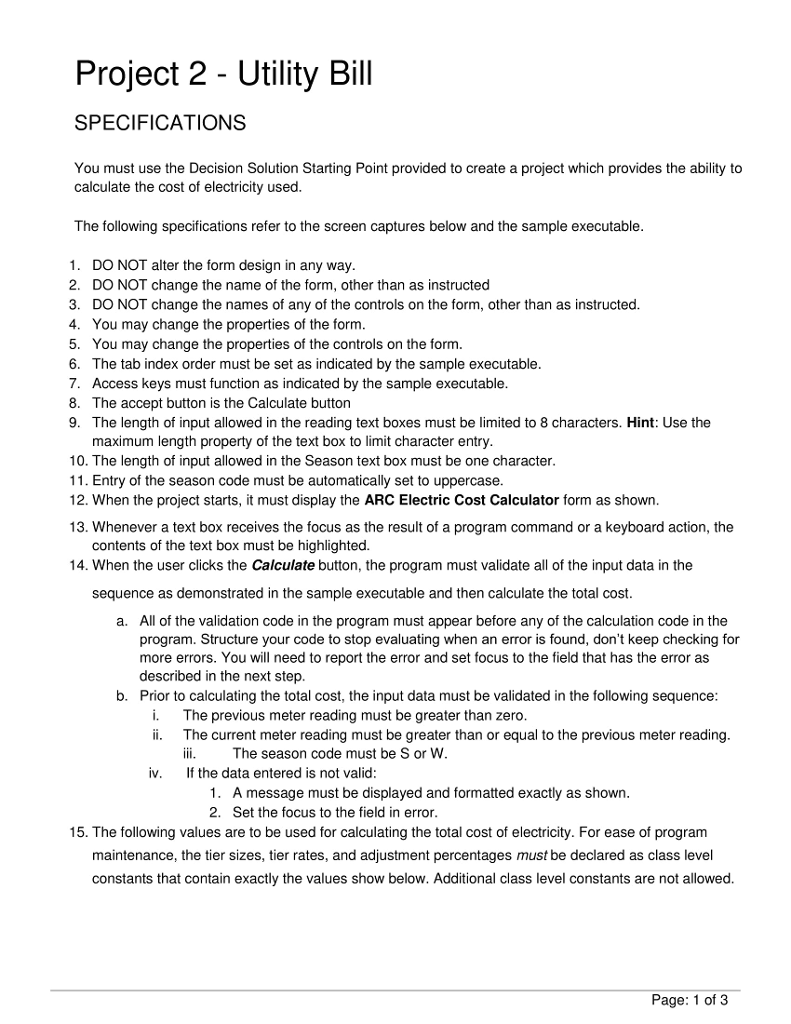
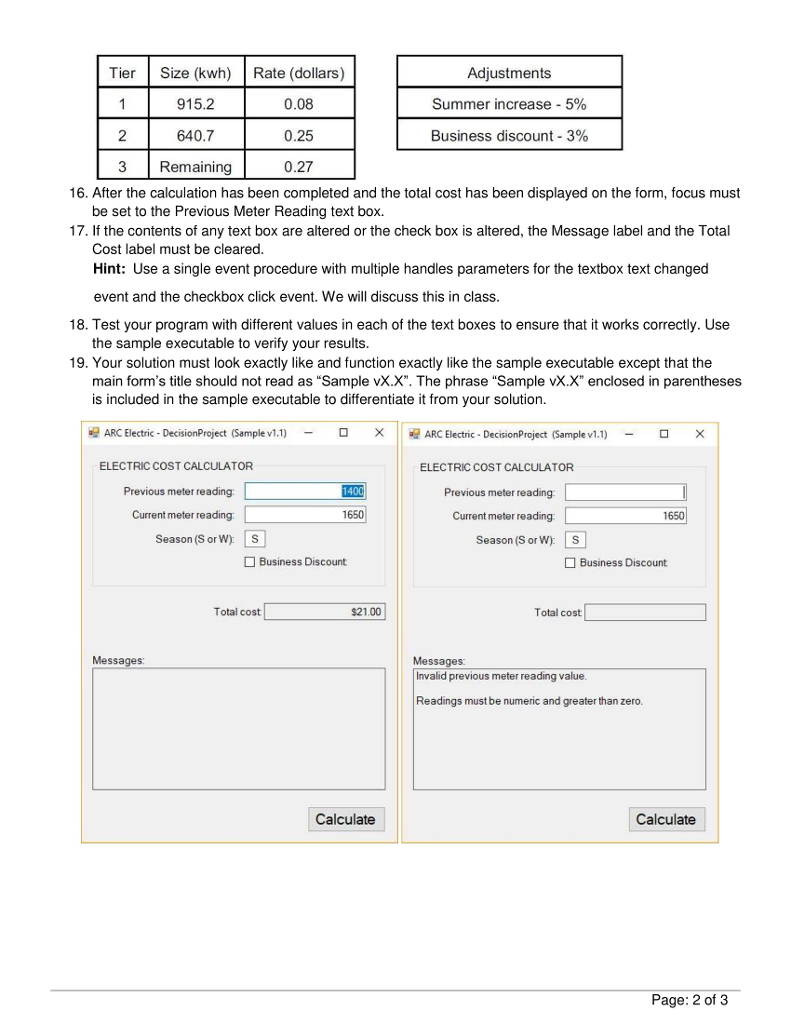
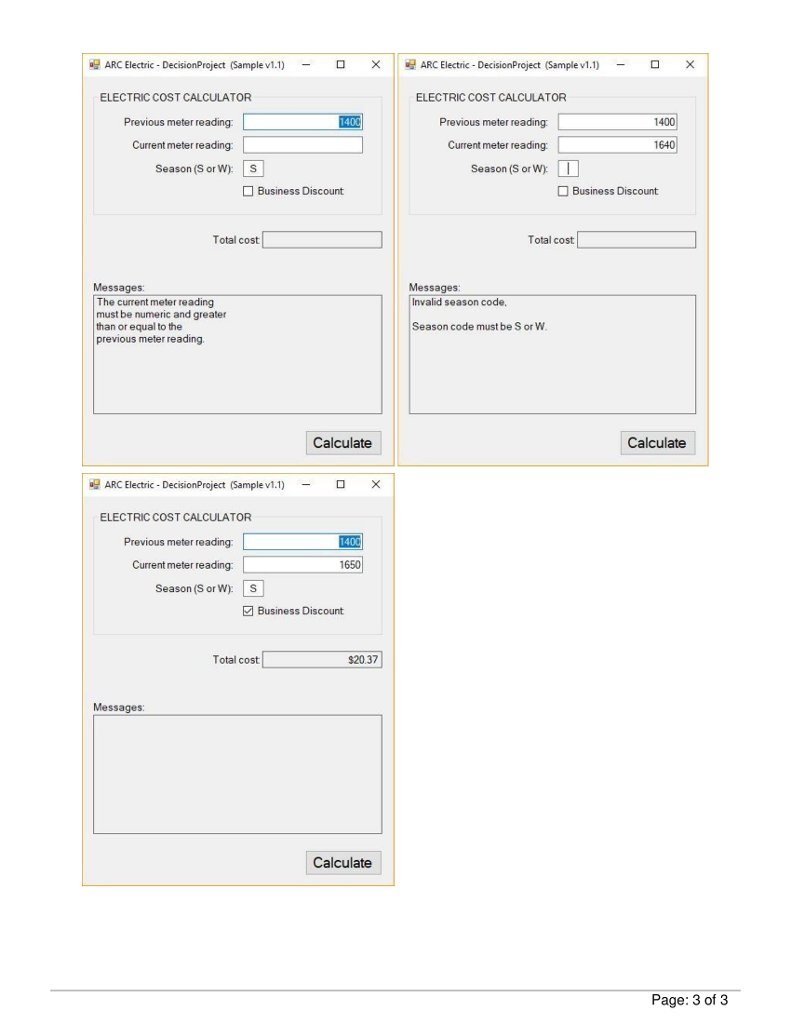
Project 2 - Utility Bill SPECIFICATIONS You must use the Decision Solution Starting Point provided to create a project which provides the ability to calculate the cost of electricity used The following specifications refer to the screen captures below and the sample executable 1. DO NOT alter the form design in any way 2. DO NOT change the name of the form, other than as instructed 3. DO NOT change the names of any of the controls on the form, other than as instructed 4. You may change the properties of the form 5. You may change the properties of the controls on the form. 6. The tab index order must be set as indicated by the sample executable 7. Access keys must function as indicated by the sample executable 8. The accept button is the Calculate button 9. The length of input allowed in the reading text boxes must be limited to 8 characters. Hint: Use the maximum length property of the text box to limit character entry 10. The length of input allowed in the Season text box must be one character 11. Entry of the season code must be automatically set to uppercase 12. When the project starts, it must display the ARC Electric Cost Calculator form as shown 13. Whenever a text box receives the focus as the result of a program command or a keyboard action, the contents of the text box must be highlighted 14. When the user clicks the Calculate button, the program must validate all of the input data in the sequence as demonstrated in the sample executable and then calculate the total cost All of the validation code in the program must appear before any of the calculation code in the program. Structure your code to stop evaluating when an error is found, don't keep checking for more errors. You will need to report the error and set focus to the field that has the error as described in the next step Prior to calculating the total cost, the input data must be validated in the following sequence a. b. i. The previous meter reading must be greater than zero ii. The current meter reading must be greater than or equal to the previous meter reading The season code must be S or W iv. If the data entered is not valid: A message must be displayed and formatted exactly as shown 2. 1. Set the focus to the field in error 15. The following values are to be used for calculating the total cost of electricity. For ease of program maintenance, the tier sizes, tier rates, and adjustment percentages must be declared as class level constants that contain exactly the values show below. Additional class level constants are not allowed. Page: 1 of 3
Step by Step Solution
There are 3 Steps involved in it

Get step-by-step solutions from verified subject matter experts
 Study Help