







Question: Please complete Part 2. The code is below as well: #include #include using namespace std; void *routineName(void *arg) { // TODO: Add code that implements
Please complete Part 2. The code is below as well: 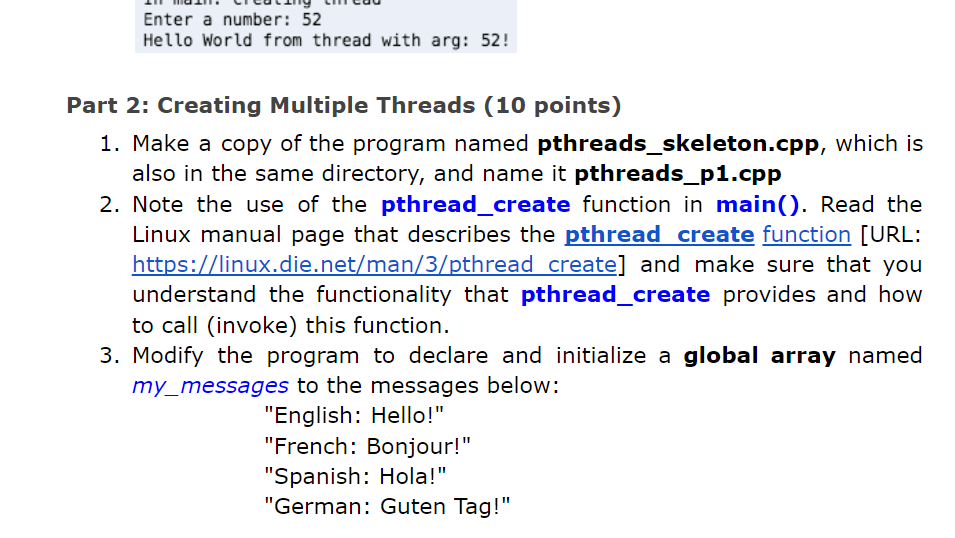
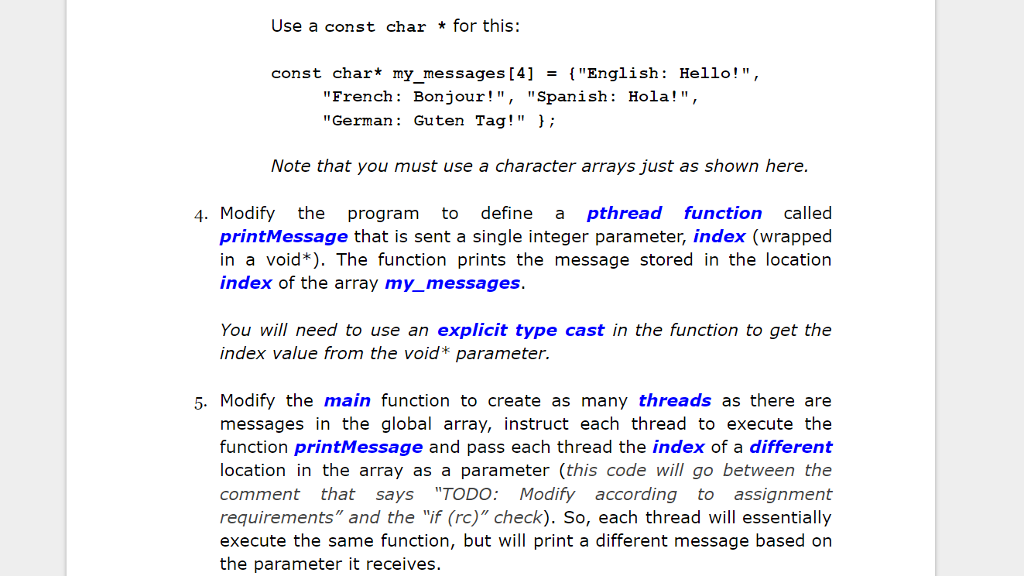
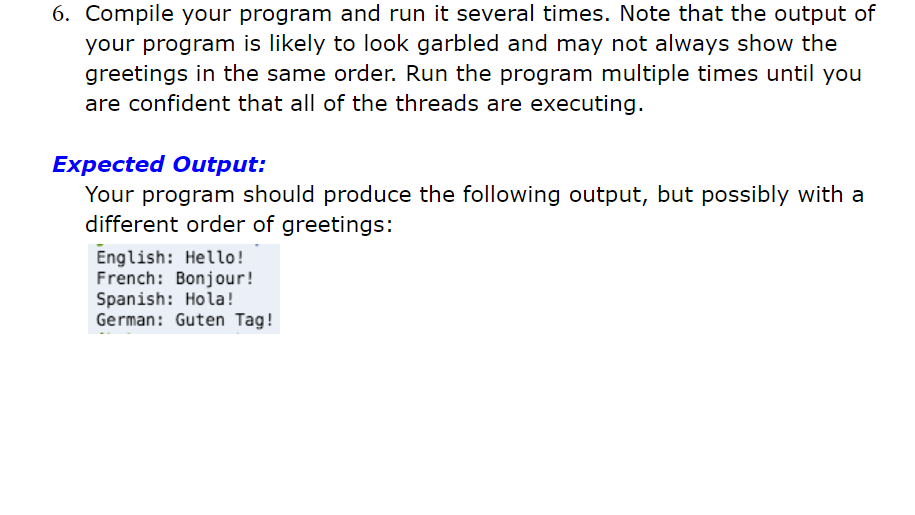
#include
using namespace std;
void *routineName(void *arg) { // TODO: Add code that implements // the thread's functionality cout
int main() { // id is used to store a unique thread identifier, // returned by the call to create a new POSIX thread pthread_t id; // rc is used to store the code returned by the // call to create a new POSIX thread. The value is // zero (0) if the call succeeds. int rc; // TODO: Add code to perform any needed initialization // or to process user input
// Create thread(s) // TODO: Modify according to assignment requirements rc = pthread_create(&id, NULL, routineName, NULL);
if (rc){ cout
// NOTE: Using exit here will immediately end execution of all threads pthread_exit(0); }
Enter a number: 52 Hello World from thread with arg: 52! Part 2: Creating Multiple Threads (10 points) 1. Make a copy of the program named pthreads_skeleton.cpp, which is also in the same directory, and name it pthreads_p1.cpp 2. Note the use of the pthread_create function in main(). Read the Linux manual page that describes the pthread create function [URL: https:/linux.die.net/man/3/pthread create] and make sure that you understand the functionality that pthread_create provides and how to call (invoke) this function. uneR htsidinet/man/3/pthread create) and 3. Modify the program to declare and initialize a global array named my_messages to the messages below: "English: Hello!" "French: Bonjour!" "Spanish: Hola!" "German: Guten Tag
Step by Step Solution
There are 3 Steps involved in it

Get step-by-step solutions from verified subject matter experts
 Study Help