







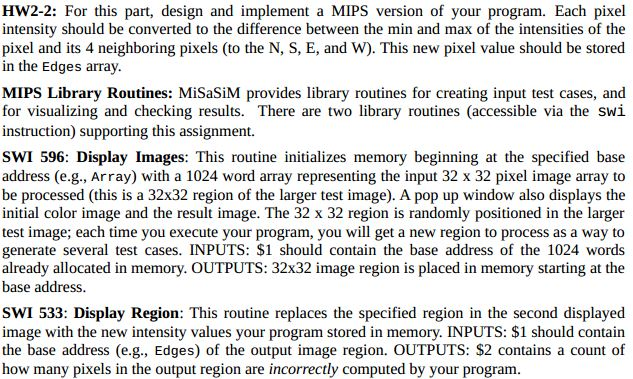
Question: Please complete the following MIPS program. A shell code is pasted below to use as a template and starting point. # This program detects edges
Please complete the following MIPS program. A shell code is pasted below to use as a template and starting point.
# This program detects edges in a 32X32 image array by comparing the
# intensity of each pixel and its 4 immediate neighbors (North, South,
# East, and West), computing the difference of the Max and Min intensity
# values, and setting the corresponding output pixel to the computed
# Max-Min difference in intensity. The program handles pixels on the
# boundaries of the image specially to prevent trying to access
# neighboring pixels that do not exist (i.e., no image wraparound is
# allowed).
.data
Array: .alloc 1024 # allocate image data space
Edges: .alloc 1024 # allocate output data space
.text
Detect: addi $1, $0, Array # set memory base
swi 596 # create and display image pair
addi $1, $0, 0
addi $6, $0, 4096 # set limit
# your code goes here
# TEMPORARY: The following loop is used to show how the display
# swi 533 works and a typical function call. You should remove
# this loop (all lines with the comment TEMPORARY) when you write
# your own code.
addi $9, $0, 0 # TEMPORARY (init running count)
TempLoop: lw $7, Array($1) # TEMPORARY
addi $20, $31, 0 # TEMPORARY (preserve return address)
jal CountHi # TEMPORARY (example function call)
addi $31, $20, 0 # TEMPORARY (restore return address)
sw $7, Edges($1) # TEMPORARY
addi $1, $1, 4 # TEMPORARY
bne $1, $6, TempLoop # TEMPORARY
addi $1, $0, Edges # set memory base
swi 533 # display new output image
jr $31 # return to operating system
# TEMPORARY: Sample helper function definition (remove this)
CountHi: slti $8, $7, 200 # is pixel intensity low? TEMPORARY
bne $8, $0, End # if so, do nothing (End) TEMPORARY
addi $9, $9, 1 # else, inc running count TEMPORARY
End: jr $31 # return TEMPORARY
Step by Step Solution
There are 3 Steps involved in it

Get step-by-step solutions from verified subject matter experts
 Study Help