







Question: Please complete the MIPS Assignment posted below. Use the code template provided below. Please begin your portion of the code where it says /* your
Please complete the MIPS Assignment posted below. Use the code template provided below. Please begin your portion of the code where it says /* your code goes here */
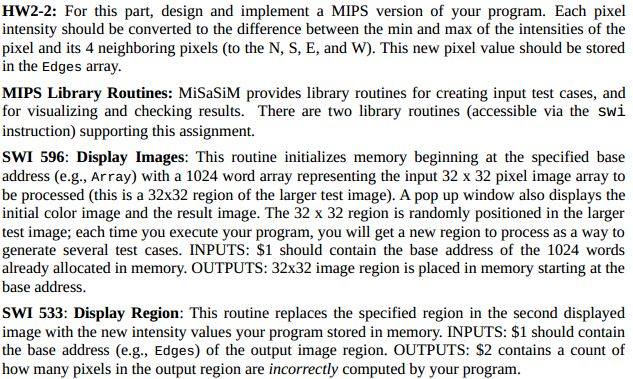
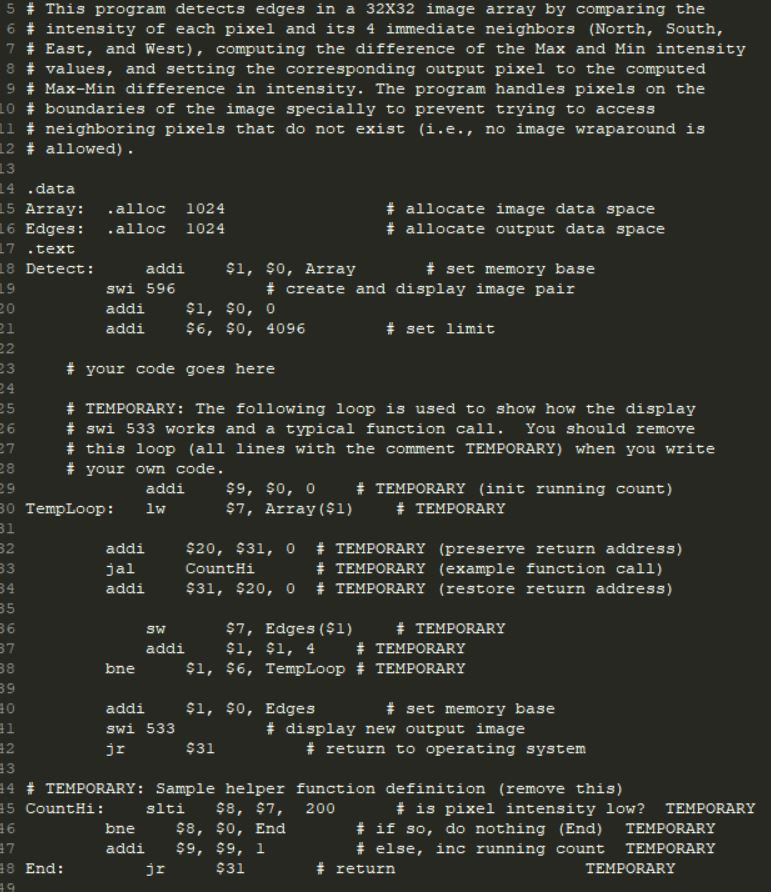
HW2-2: For this part, design and implement a MIPS version of your program. Each pixel intensity should be converted to the difference between the min and max of the intensities of the pixel and its 4 neighboring pixels (to the N, S, E, and W). This new pixel value should be stored in the Edges array. MIPS Library Routines: MiSaSiM provides library routines for creating input test cases, and for visualizing and checking results. There are two library routines (accessible via the swi instruction) supporting this assignment. SWI 596: Display Images: This routine initializes memory beginning at the specified base address (e.g., Array) with a 1024 word array representing the input 32 x 32 pixel image array to be processed (this is a 32x32 region of the larger test image). A pop up window also displays the initial color image and the result image. The 32 x 32 region is randomly positioned in the larger test image; each time you execute your program, you will get a new region to process as a way to generate several test cases. INPUTS: $1 should contain the base address of the 1024 words already allocated in memory. OUTPUTS: 32x32 image region is placed in memory starting at the base address. SWI 533: Display Region: This routine replaces the specified region in the second displayed image with the new intensity values your program stored in memory. INPUTS: $1 should contain the base address (e.g., Edges) of the output image region. OUTPUTS: $2 contains a count of how many pixels in the output region are incorrectly computed by your program. HW2-2: For this part, design and implement a MIPS version of your program. Each pixel intensity should be converted to the difference between the min and max of the intensities of the pixel and its 4 neighboring pixels (to the N, S, E, and W). This new pixel value should be stored in the Edges array. MIPS Library Routines: MiSaSiM provides library routines for creating input test cases, and for visualizing and checking results. There are two library routines (accessible via the swi instruction) supporting this assignment. SWI 596: Display Images: This routine initializes memory beginning at the specified base address (e.g., Array) with a 1024 word array representing the input 32 x 32 pixel image array to be processed (this is a 32x32 region of the larger test image). A pop up window also displays the initial color image and the result image. The 32 x 32 region is randomly positioned in the larger test image; each time you execute your program, you will get a new region to process as a way to generate several test cases. INPUTS: $1 should contain the base address of the 1024 words already allocated in memory. OUTPUTS: 32x32 image region is placed in memory starting at the base address. SWI 533: Display Region: This routine replaces the specified region in the second displayed image with the new intensity values your program stored in memory. INPUTS: $1 should contain the base address (e.g., Edges) of the output image region. OUTPUTS: $2 contains a count of how many pixels in the output region are incorrectly computed by your program
Step by Step Solution
There are 3 Steps involved in it

Get step-by-step solutions from verified subject matter experts
 Study Help