







Question: Please do in MATLAB. 4. Open a binary file for writing, then write the double-precision number 1.125 to this file Close the file. Use the
Please do in MATLAB.
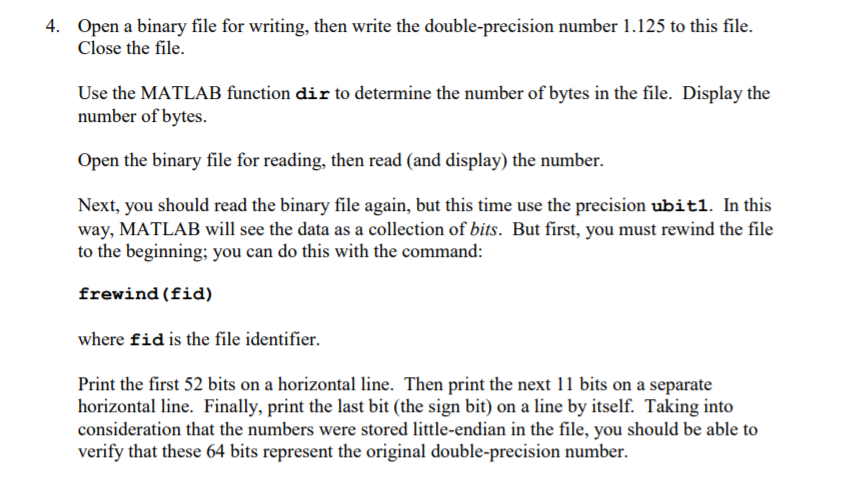
4. Open a binary file for writing, then write the double-precision number 1.125 to this file Close the file. Use the MATLAB function dir to determine the number of bytes in the file. Display the number of bytes Open the binary file for reading, then read (and display) the number. Next, you should read the binary file again, but this time use the precision ubitl. In this way, MATLAB will see the data as a collection of bits. But first, you must rewind the file to the beginning; you can do this with the command: frewind (fid) where fid is the file identifier. Print the first 52 bits on a horizontal line. Then print the next 11 bits on a separate horizontal line. Finally, print the last bit (the sign bit) on a line by itself. Taking into consideration that the numbers were stored little-endian in the file, you should be able to verify that these 64 bits represent the original double-precision number. 4. Open a binary file for writing, then write the double-precision number 1.125 to this file Close the file. Use the MATLAB function dir to determine the number of bytes in the file. Display the number of bytes Open the binary file for reading, then read (and display) the number. Next, you should read the binary file again, but this time use the precision ubitl. In this way, MATLAB will see the data as a collection of bits. But first, you must rewind the file to the beginning; you can do this with the command: frewind (fid) where fid is the file identifier. Print the first 52 bits on a horizontal line. Then print the next 11 bits on a separate horizontal line. Finally, print the last bit (the sign bit) on a line by itself. Taking into consideration that the numbers were stored little-endian in the file, you should be able to verify that these 64 bits represent the original double-precision number
Step by Step Solution
There are 3 Steps involved in it

Get step-by-step solutions from verified subject matter experts
 Study Help