







Question: PLEASE DO NOT COPY PASTE FROM CHEGG/OTHERWISE I'LL REPORT YOU 1st Assignment: Image Enhancement 1st Assignment: Image Enhancement 1st Assignment: Image Enhancement 1st Assignment: Image
PLEASE DO NOT COPY PASTE FROM CHEGG/OTHERWISE I'LL REPORT YOU
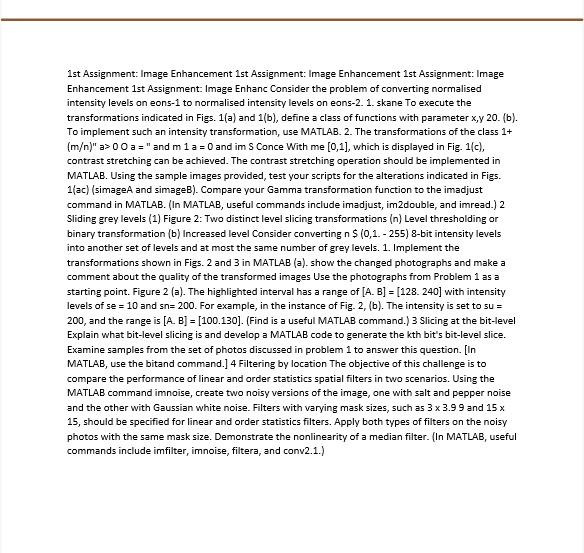
1st Assignment: Image Enhancement 1st Assignment: Image Enhancement 1st Assignment: Image Enhancement 1st Assignment: Image Enhanc Consider the problem of converting normalised intensity levels on eons-i to normalised intensity levels on eons-2. 1. skane To execute the transformations indicated in Figs. 1(a) and 1(b), define a class of functions with parameter x,y 20. (b). To implement such an intensity transformation, use MATLAB. 2. The transformations of the class 1+ (m)" => 00 a =" and m1 a = 0 and im S Conce With me (0,1), which is displayed in Fig. 1(c), contrast stretching can be achieved. The contrast stretching operation should be implemented in MATLAB. Using the sample images provided, test your scripts for the alterations indicated in Figs. 1ac) (simage and simageB). Compare your Gamma transformation function to the imadjust command in MATLAB. (In MATLAB, useful commands include imadjust, im2double, and imread.) 2 Sliding grey levels (1) Figure 2: Two distinct level slicing transformations (n) Level thresholding or binary transformation (b) Increased level Consider converting n $ (0,1.-255) 8-bit intensity levels into another set of levels and at most the same number of grey levels. 1. Implement the transformations shown in Figs. 2 and 3 in MATLAB (a). show the changed photographs and make a comment about the quality of the transformed images Use the photographs from Problem 1 as a starting point. Figure 2 (a). The highlighted interval has a range of [A. B] = [128. 240] with intensity levels of se = 10 and sn= 200. For example, in the instance of Fig. 2, (b). The intensity is set to su = 200, and the range is [A. B] = [100.130]. (Find is a useful MATLAB command.) 3 Slicing at the bit-level Explain what bit-level slicing is and develop a MATLAB code to generate the kth bit's bit-level slice. Examine samples from the set of photos discussed in problem 1 to answer this question. [In MATLAB, use the bitand command.] 4 Filtering by location The objective of this challenge is to compare the performance of linear and order statistics spatial filters in two scenarios. Using the MATLAB command innoise, create two noisy versions of the image, one with salt and pepper noise and the other with Gaussian white noise. Filters with varying mask sizes, such as 3 x 3.99 and 15 x 15, should be specified for linear and order statistics filters. Apply both types of filters on the noisy hotos with the same mask size. Demonstrate the nonlinearity of a median filter. MATLAB, useful commands include imfilter, imnoise, filtera, and conv2.1.) = 1st Assignment: Image Enhancement 1st Assignment: Image Enhancement 1st Assignment: Image Enhancement 1st Assignment: Image Enhanc Consider the problem of converting normalised intensity levels on eons-i to normalised intensity levels on eons-2. 1. skane To execute the transformations indicated in Figs. 1(a) and 1(b), define a class of functions with parameter x,y 20. (b). To implement such an intensity transformation, use MATLAB. 2. The transformations of the class 1+ (m)" => 00 a =" and m1 a = 0 and im S Conce With me (0,1), which is displayed in Fig. 1(c), contrast stretching can be achieved. The contrast stretching operation should be implemented in MATLAB. Using the sample images provided, test your scripts for the alterations indicated in Figs. 1ac) (simage and simageB). Compare your Gamma transformation function to the imadjust command in MATLAB. (In MATLAB, useful commands include imadjust, im2double, and imread.) 2 Sliding grey levels (1) Figure 2: Two distinct level slicing transformations (n) Level thresholding or binary transformation (b) Increased level Consider converting n $ (0,1.-255) 8-bit intensity levels into another set of levels and at most the same number of grey levels. 1. Implement the transformations shown in Figs. 2 and 3 in MATLAB (a). show the changed photographs and make a comment about the quality of the transformed images Use the photographs from Problem 1 as a starting point. Figure 2 (a). The highlighted interval has a range of [A. B] = [128. 240] with intensity levels of se = 10 and sn= 200. For example, in the instance of Fig. 2, (b). The intensity is set to su = 200, and the range is [A. B] = [100.130]. (Find is a useful MATLAB command.) 3 Slicing at the bit-level Explain what bit-level slicing is and develop a MATLAB code to generate the kth bit's bit-level slice. Examine samples from the set of photos discussed in problem 1 to answer this question. [In MATLAB, use the bitand command.] 4 Filtering by location The objective of this challenge is to compare the performance of linear and order statistics spatial filters in two scenarios. Using the MATLAB command innoise, create two noisy versions of the image, one with salt and pepper noise and the other with Gaussian white noise. Filters with varying mask sizes, such as 3 x 3.99 and 15 x 15, should be specified for linear and order statistics filters. Apply both types of filters on the noisy hotos with the same mask size. Demonstrate the nonlinearity of a median filter. MATLAB, useful commands include imfilter, imnoise, filtera, and conv2.1.) =
Step by Step Solution
There are 3 Steps involved in it

Get step-by-step solutions from verified subject matter experts
 Study Help