







Question: PLEASE DO NOT USE PSEUDO CODE! This assignment is designed to introduce you to the standard instructions in the MIPS assembly language, using registers and
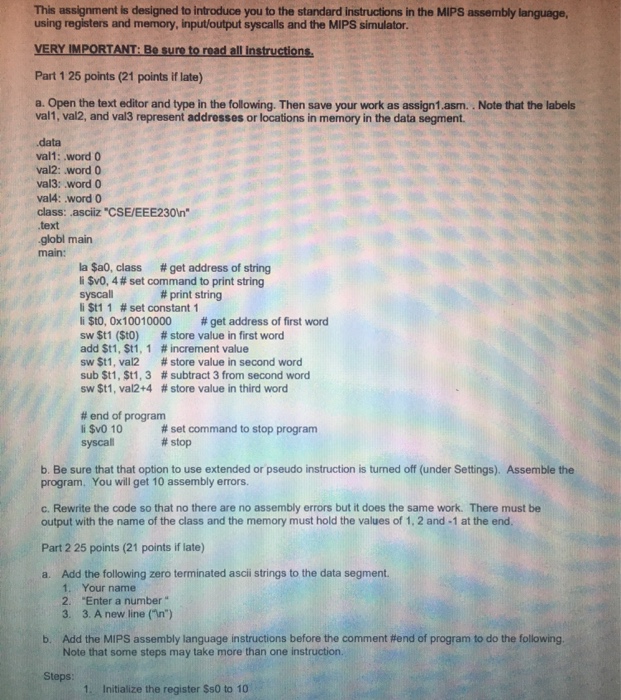
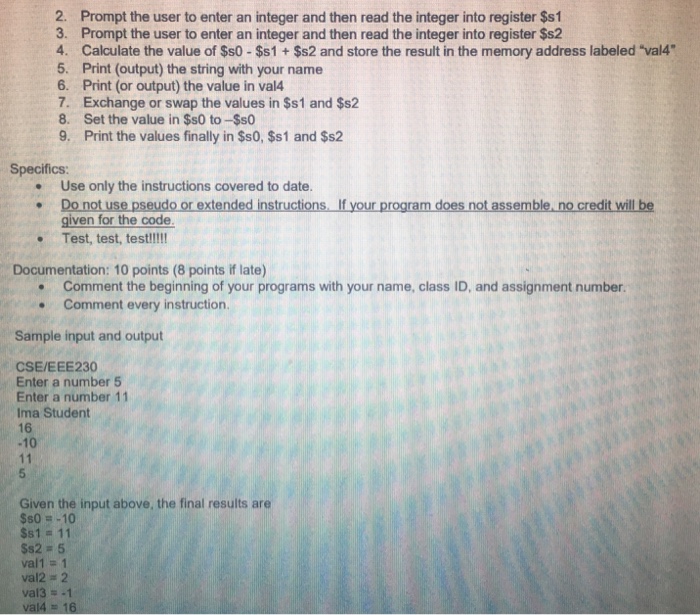
This assignment is designed to introduce you to the standard instructions in the MIPS assembly language, using registers and memory, input/output syscalls and the MIPS simulator VERY IMPORTANT: Be sure to read all instructions Part 1 25 points (21 points if late) a. Open the text editor and type in the following. Then save your work as assign1.asm.. Note that the labels val1, val2, and val3 represent addresses or locations in memory in the data segment. data val1: .word 0 val2: word O val3: word 0 val4: word 0 class: .asciiz "CSE/EEE2301n" globl main main: la $a0, class # get address of string v0.4 # set command to print string syscall li St1 1 # set constant 1 li $10, 0x100 10000 # get address of first word sw St1 (SO) # store value in first word add St 1, $11, 1 # increment value sw St 1, val2 # store value in second word sub St 1, St1, 3 # subtract 3 from second word Sw St 1, val2 +4 # store value in third word # print string # end of program li SvO 10 syscall # set command to stop program # stop b. Be sure that that option to use extended or pseudo instruction is turned off (under Settings). Assemble the program, You will get 10 assembly errors. c. Rewrite the code so that no there are no assembly errors but it does the same work. There must be output with the name of the class and the memory must hold the values of 1, 2 and-1 at the end Part 2 25 points (21 points if late) a. Add the following zero terminated ascii strings to the data segment. 1. Your name 2. "Enter a number " 3. 3. A new line (In) Add the MIPS assembly language instructions before the comment #end of program to do the following. Note that some steps may take more than one instruction b. Steps 1. Initialize the register $s0 to 10
Step by Step Solution
There are 3 Steps involved in it

Get step-by-step solutions from verified subject matter experts
 Study Help