







Question: please do proper...i saw some but not as required.pls. do as instruction thanks JavaScript, Sixth Edition Sasha Vodnik and Don Gosselin DOM Modify the chapter
 please do proper...i saw some but not as required.pls. do as instruction thanks
JavaScript, Sixth Edition Sasha Vodnik and Don Gosselin
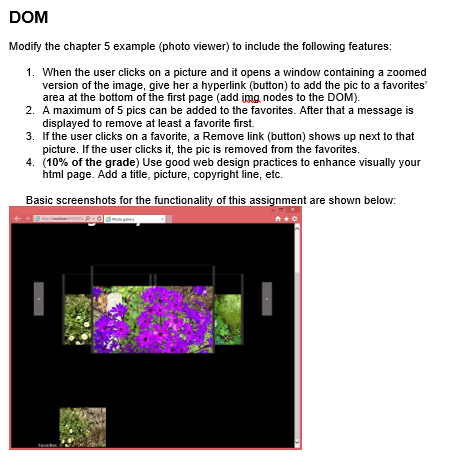
DOM Modify the chapter 5 example (photo viewer) to include the following features: 1. When the user clicks on a picture and it opens a window containing a zoomed version of the image, give her a hyperlink (button) to add the pic to a favorites area at the bottom of the first page (add img nodes to the DOM). 2. A maximum of 5 pics can be added to the favorites. After that a message is displayed to remove at least a favorite first. 3. If the user clicks on a favorite, a Remove link (button) shows up next to that picture. If the user clicks it, the pic is removed from the favorites. 4. (10% of the grade) Use good web design practices to enhance visually your html page. Add a title, picture, copyright line, etc. Basic screenshots for the functionality of this assignment are shown below: DOM Modify the chapter 5 example (photo viewer) to include the following features: 1. When the user clicks on a picture and it opens a window containing a zoomed version of the image, give her a hyperlink (button) to add the pic to a favorites area at the bottom of the first page (add img nodes to the DOM). 2. A maximum of 5 pics can be added to the favorites. After that a message is displayed to remove at least a favorite first. 3. If the user clicks on a favorite, a Remove link (button) shows up next to that picture. If the user clicks it, the pic is removed from the favorites. 4. (10% of the grade) Use good web design practices to enhance visually your html page. Add a title, picture, copyright line, etc. Basic screenshots for the functionality of this assignment are shown below
Step by Step Solution
There are 3 Steps involved in it

Get step-by-step solutions from verified subject matter experts
 Study Help