







Question: Please do step by step with screenshots. On your machine running Server 2019, perform the following tasks using Group Policy: Part I - Implement folder
Please do step by step with screenshots.
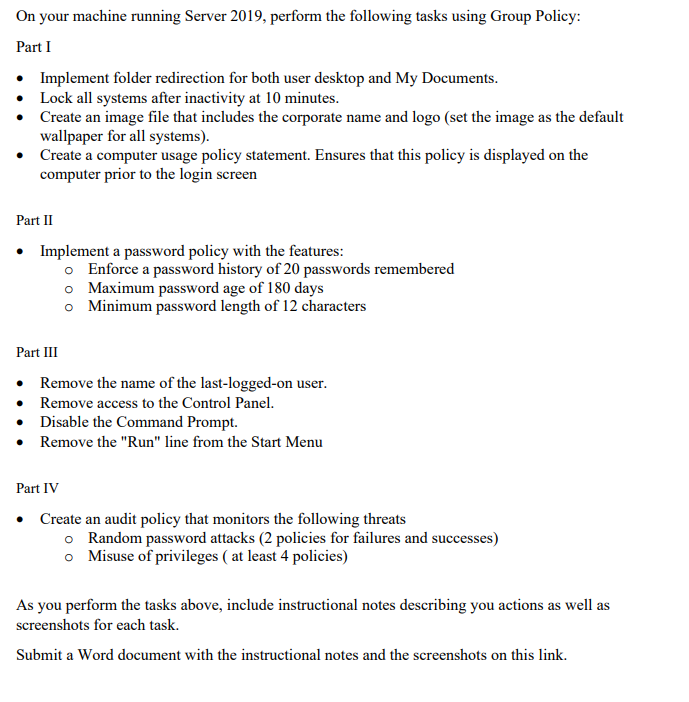
On your machine running Server 2019, perform the following tasks using Group Policy: Part I - Implement folder redirection for both user desktop and My Documents. - Lock all systems after inactivity at 10 minutes. - Create an image file that includes the corporate name and logo (set the image as the default wallpaper for all systems). - Create a computer usage policy statement. Ensures that this policy is displayed on the computer prior to the login screen Part II - Implement a password policy with the features: Enforce a password history of 20 passwords remembered Maximum password age of 180 days Minimum password length of 12 characters Part III - Remove the name of the last-logged-on user. - Remove access to the Control Panel. - Disable the Command Prompt. - Remove the "Run" line from the Start Menu Part IV - Create an audit policy that monitors the following threats Random password attacks ( 2 policies for failures and successes) Misuse of privileges ( at least 4 policies) As you perform the tasks above, include instructional notes describing you actions as well as screenshots for each task. Submit a Word document with the instructional notes and the screenshots on this link
Step by Step Solution
There are 3 Steps involved in it

Get step-by-step solutions from verified subject matter experts
 Study Help