







Question: Please explain how you got your answer as I am struggling to understand how to solve this problem. Please note that the answer I put
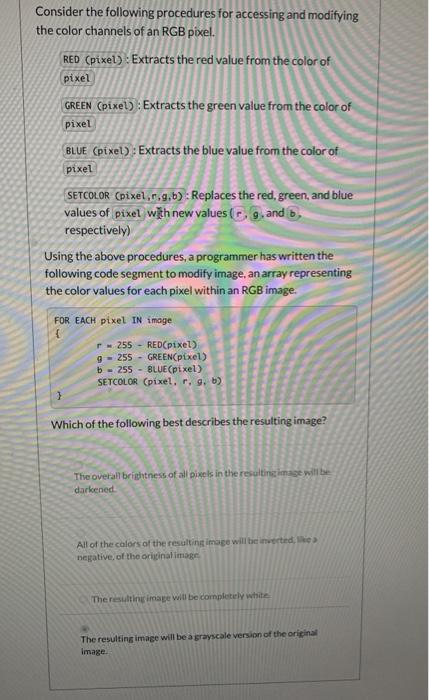
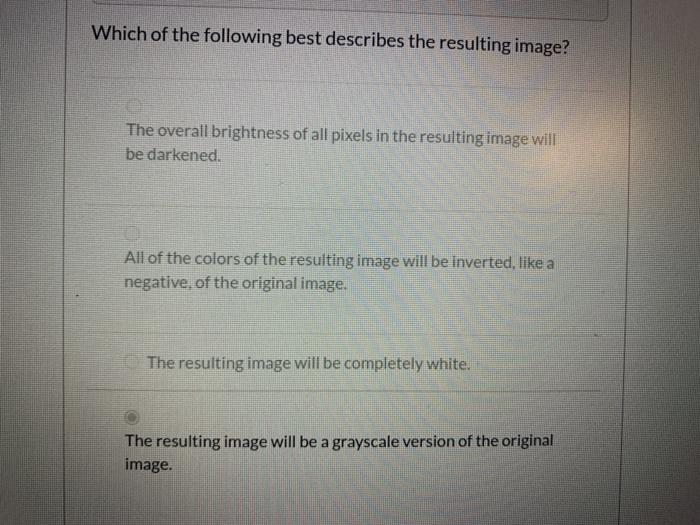
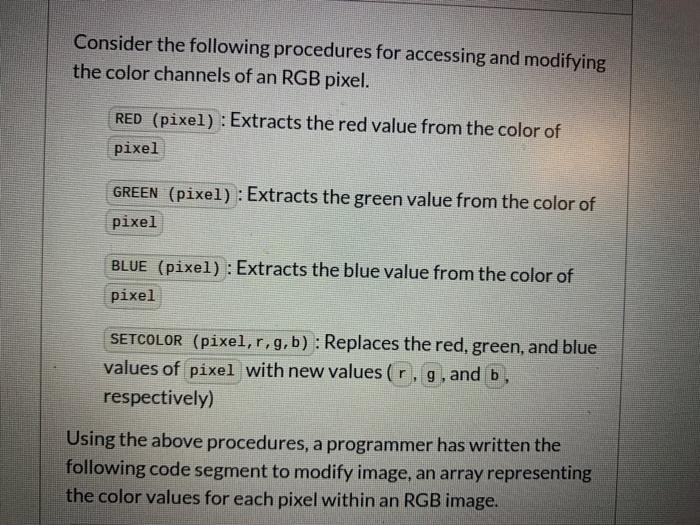
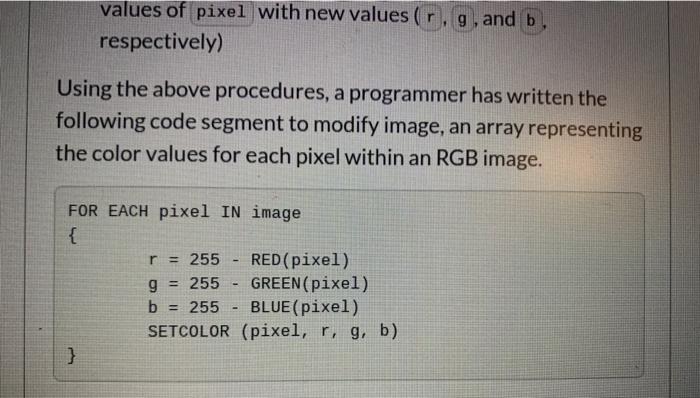
Consider the following procedures for accessing and modifying the color channels of an RGB pixel. RED (pixel) : Extracts the red value from the color of pixel GREEN (pixel) : Extracts the green value from the color of pixel BLUE (pixel) : Extracts the blue value from the color of pixel SETCOLOR (pixel,8,9,b) : Replaces the red, green, and blue values of pixel with new values (g, and . respectively) Using the above procedures, a programmer has written the following code segment to modify image, an array representing the color values for each pixel within an RGB image. FOR EACH pixel IN image 255 - RED(pixel) 9 - 255 - GREEN(pixel) b - 255 - BLUE(pixel) SETCOLOR (pixel, r. g. b) Which of the following best describes the resulting image? The overall brightness of all pixels in the resulting image will be darkened All of the colors of the resulting image will be inverted, negative of the original image The resulting image will be completely white The resulting image will be a grayscale version of the original image Which of the following best describes the resulting image? The overall brightness of all pixels in the resulting image will be darkened. All of the colors of the resulting image will be Inverted, like a negative of the original image. The resulting image will be completely white. The resulting image will be a grayscale version of the original image. Consider the following procedures for accessing and modifying the color channels of an RGB pixel. RED (pixel) : Extracts the red value from the color of pixel GREEN (pixel) : Extracts the green value from the color of pixel BLUE (pixel) : Extracts the blue value from the color of pixel SETCOLOR (pixel,r,g, b) : Replaces the red, green, and blue values of pixel with new values (r, g, and b, respectively) Using the above procedures, a programmer has written the following code segment to modify image, an array representing the color values for each pixel within an RGB image. values of pixel with new values (r. g, and b respectively) Using the above procedures, a programmer has written the following code segment to modify image, an array representing the color values for each pixel within an RGB image. FOR EACH pixel IN image { r = 255 RED(pixel) GREEN(pixel) b = 255 - BLUE (pixel) SETCOLOR (pixel, r, g, b) } g = 255
Step by Step Solution
There are 3 Steps involved in it

Get step-by-step solutions from verified subject matter experts
 Study Help