







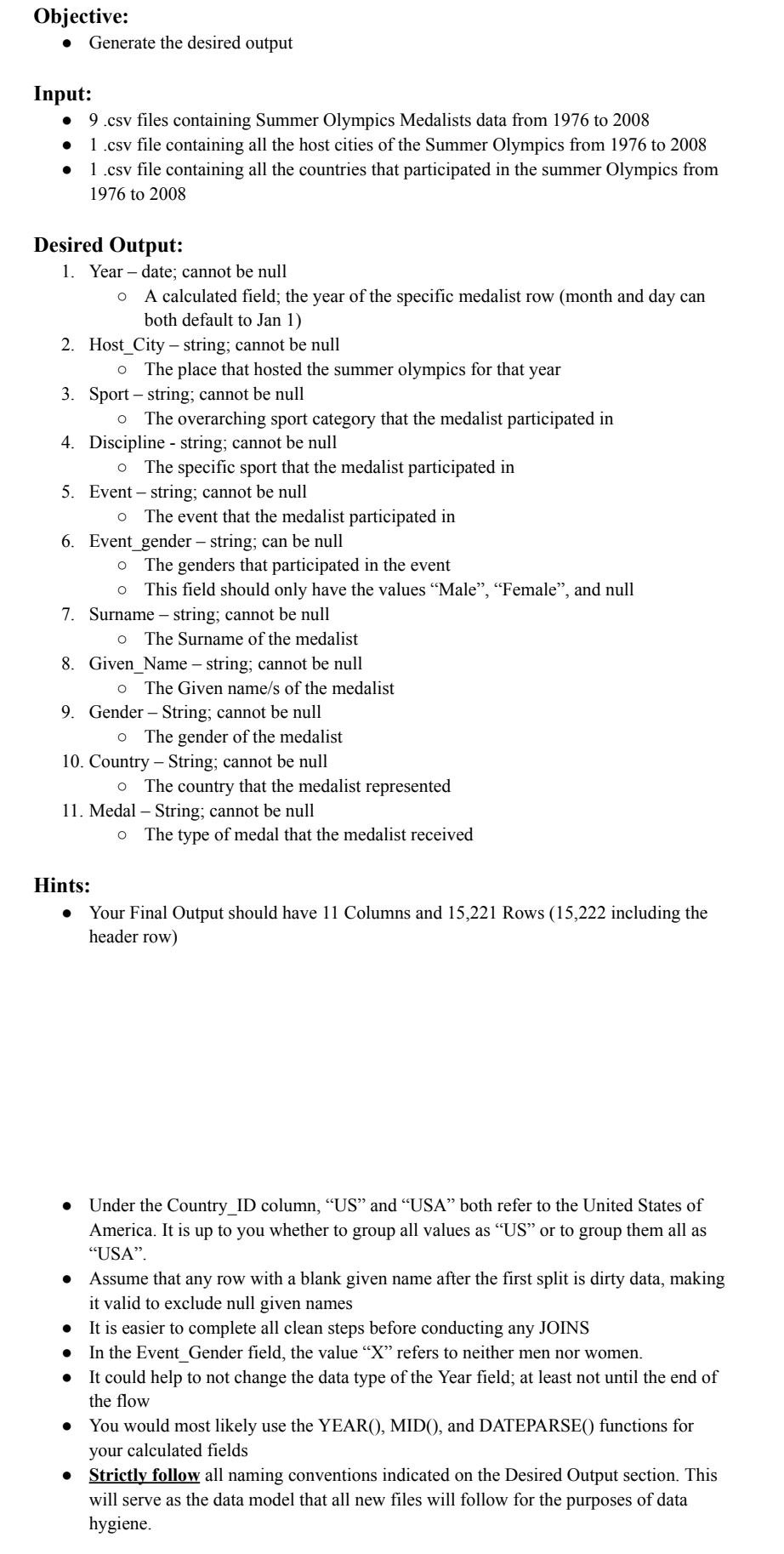
Question: please explain step by step on how to do the following with Tableau Prep. Objective: Generate the desired output Input: 9 . csv files containing
please explain step by step on how to do the following with Tableau Prep.
Objective:
Generate the desired output
Input:
csv files containing Summer Olympics Medalists data from to
csv file containing all the host cities of the Summer Olympics from to
csv file containing all the countries that participated in the summer Olympics from
to
Desired Output:
Yeardate; cannot be null
A calculated field; the year of the specific medalist row month and day can
both default to Jan
HostCity string; cannot be null
The place that hosted the summer olympics for that year
Sport string; cannot be null
The overarching sport category that the medalist participated in
Discipline string; cannot be null
The specific sport that the medalist participated in
Event string; cannot be null
The event that the medalist participated in
Eventgender string; can be null
The genders that participated in the event
This field should only have the values "Male", "Female", and null
Surname string; cannot be null
The Surname of the medalist
GivenName string; cannot be null
The Given names of the medalist
Gender String; cannot be null
The gender of the medalist
Country String; cannot be null
The country that the medalist represented
Medal String; cannot be null
The type of medal that the medalist received
Hints:
Your Final Output should have Columns and Rows including the
header row
Under the CountryID column, US and "USA" both refer to the United States of
America. It is up to you whether to group all values as US or to group them all as
"USA".
Assume that any row with a blank given name after the first split is dirty data, making
it valid to exclude null given names
It is easier to complete all clean steps before conducting any JOINS
In the EventGender field, the value refers to neither men nor women.
It could help to not change the data type of the Year field; at least not until the end of
the flow
You would most likely use the YEARMID and DATEPARSE functions for
your calculated fields
Strictly follow all naming conventions indicated on the Desired Output section. This
will serve as the data model that all new files will follow for the purposes of data
hygiene.
Step by Step Solution
There are 3 Steps involved in it
1 Expert Approved Answer
Step: 1 Unlock

Question Has Been Solved by an Expert!
Get step-by-step solutions from verified subject matter experts
Step: 2 Unlock
Step: 3 Unlock
 Study Help