







Question: Please fill in the blank spaces with correct VBA code to make the table reference shown at end of question. Thank you. Between the Public
Please fill in the blank spaces with correct VBA code to make the table reference shown at end of question. Thank you.
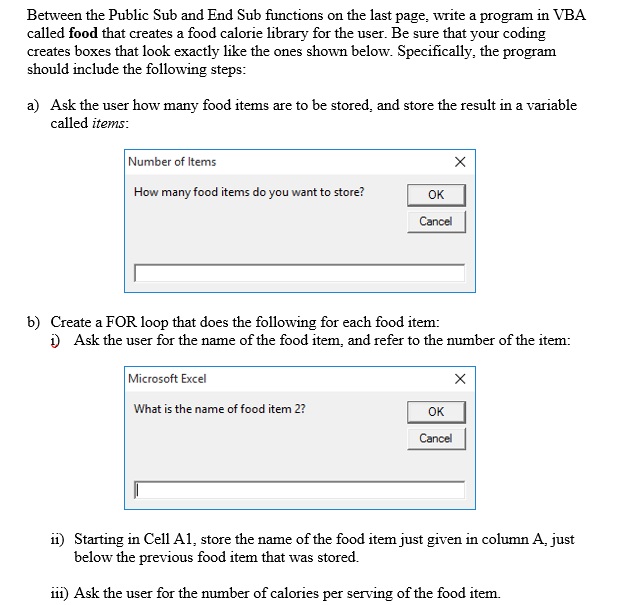
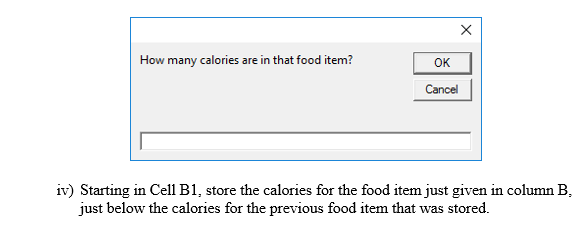
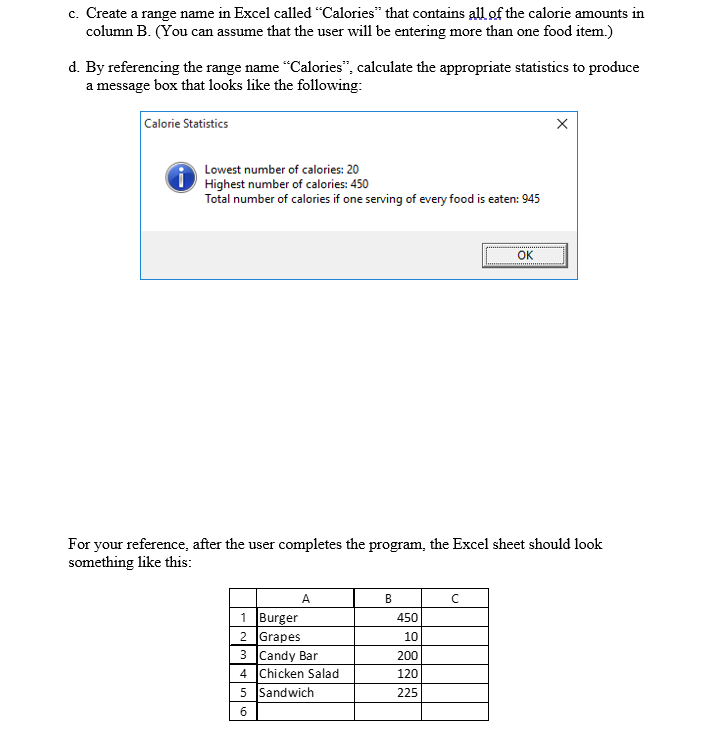
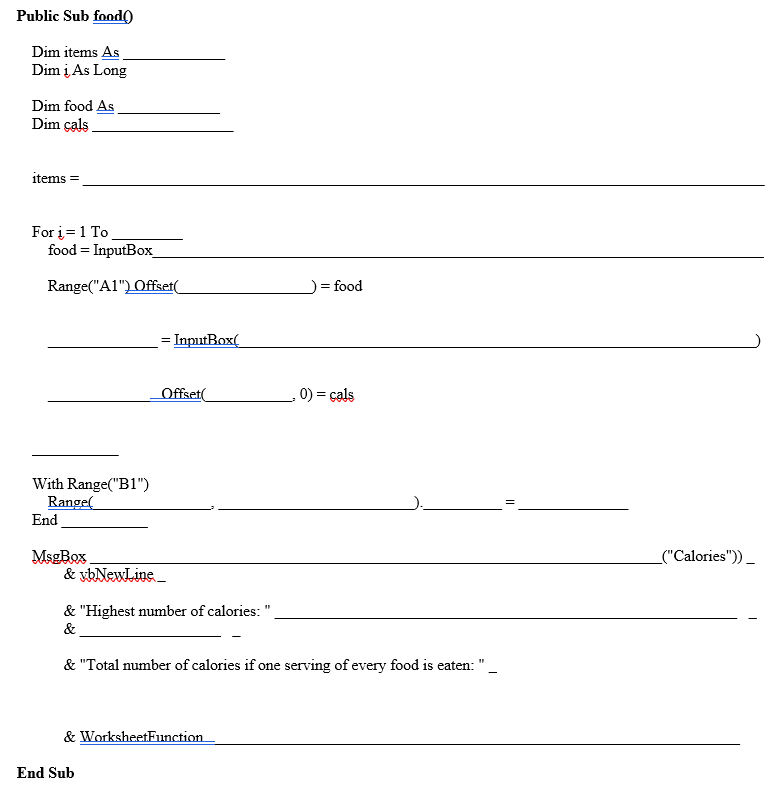
Between the Public Sub and End Sub functions on the last page, write a program in VBA called food that creates a food calorie library for the user. Be sure that your coding creates boxes that look exactly like the ones shown below. Specifically, the program should include the following steps: a) Ask the user how many food items are to be stored, and store the result in a variable called items: Number of Items How many food items do you want to store? OK Cancel b) Create a FOR loop that does the following for each food item: 1) Ask the user for the name of the food item, and refer to the number of the item: Microsoft Excel What is the name of food item 2? OK Cancel ii) Starting in Cell A1, store the name of the food item just given in column A, just below the previous food item that was stored. 111) Ask the user for the number of calories per serving of the food item How many calories are in that food item? OK Cancel iv) Starting in Cell B1, store the calories for the food item just given in column B. just below the calories for the previous food item that was stored. c. Create a range name in Excel called Calories" that contains all of the calorie amounts in column B. (You can assume that the user will be entering more than one food item.) d. By referencing the range name "Calories, calculate the appropriate statistics to produce a message box that looks like the following: Calorie Statistics X Lowest number of calories: 20 Total number of calories if one serving of every food is eaten: 945 OK For your reference, after the user completes the program, the Excel sheet should look something like this: C 1 Burger 2 Grapes 3 Candy Bar 4 Chicken Salad 5 Sandwich 6 B 450 10 200 120 225 6 Public Sub food! Dim items As Dim i As Long Dim food As Dim cals items = For i = 1 To food = InputBox Range("A1") Offset = food = InputBox[ Offset 0)=cals = With Range("B1") Rangel End = MsgBox & vbNewLine _("Calories")) & "Highest number of calories: & & "Total number of calories if one serving of every food is eaten:", & WorksheetFunction End SubStep by Step Solution
There are 3 Steps involved in it
1 Expert Approved Answer
Step: 1 Unlock

Question Has Been Solved by an Expert!
Get step-by-step solutions from verified subject matter experts
Step: 2 Unlock
Step: 3 Unlock
 Study Help