



Question: Please fill in the light blue and check the work that is already there please show the excel functions used (especially in the first row
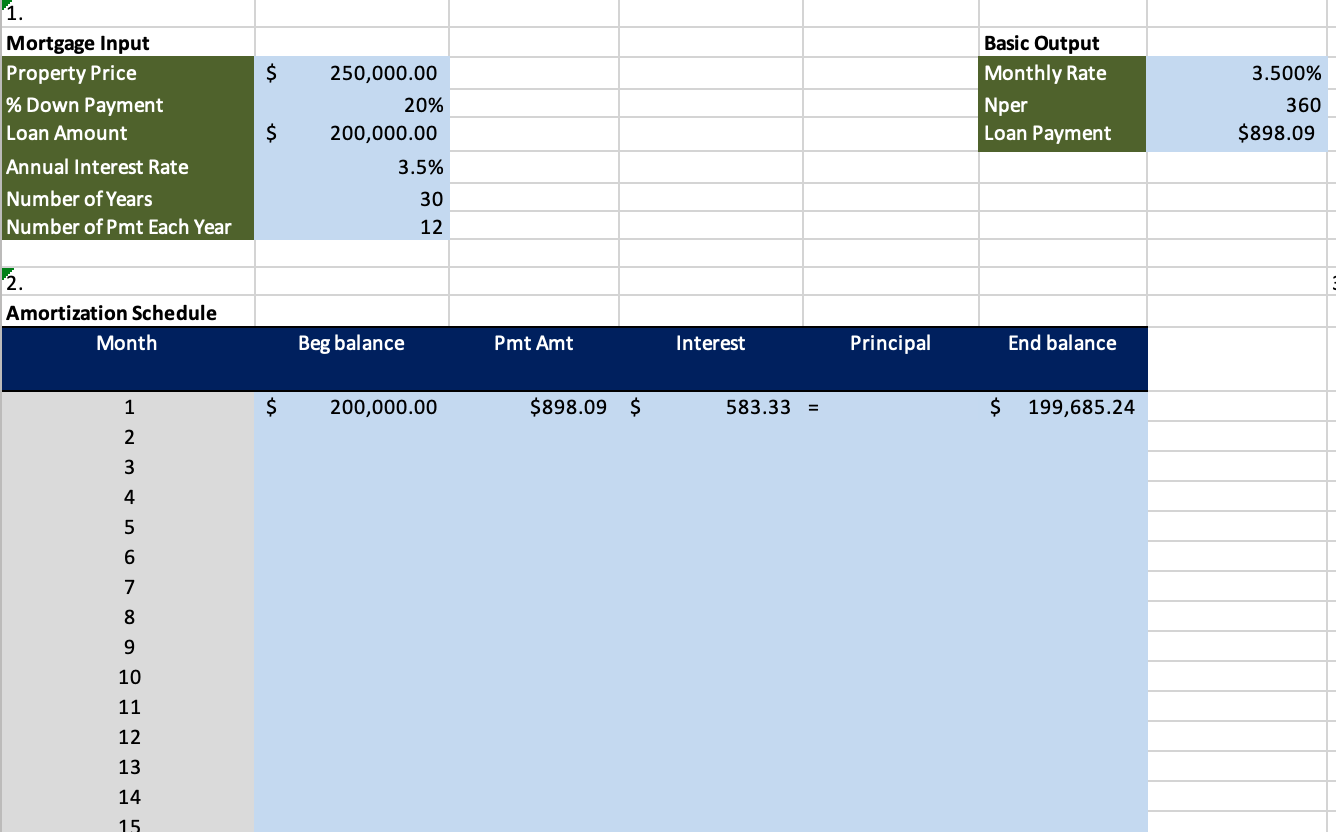 Please fill in the light blue and check the work that is already there please show the excel functions used (especially in the first row of the amortization schedule so I can just drag the corner down for the rest. I think that payment may be wrong. please provide functions for the 1sr row i am struggling
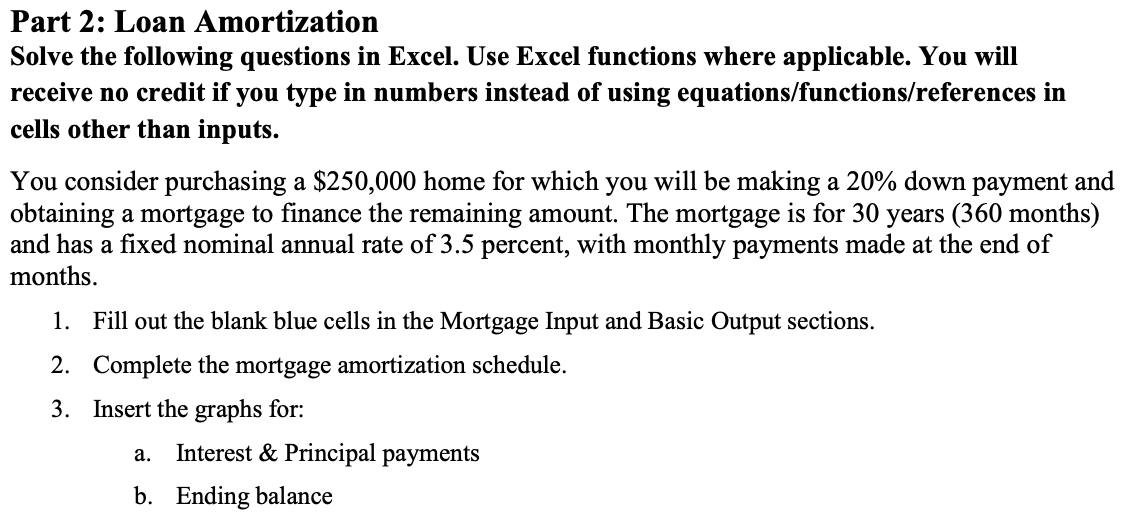
Part 2: Loan Amortization Solve the following questions in Excel. Use Excel functions where applicable. You will receive no credit if you type in numbers instead of using equations/functions/references in cells other than inputs. You consider purchasing a $250,000 home for which you will be making a 20% down payment and obtaining a mortgage to finance the remaining amount. The mortgage is for 30 years ( 360 months) and has a fixed nominal annual rate of 3.5 percent, with monthly payments made at the end of months. 1. Fill out the blank blue cells in the Mortgage Input and Basic Output sections. 2. Complete the mortgage amortization schedule. 3. Insert the graphs for: a. Interest \& Principal payments b. Ending balance 1. \begin{tabular}{l|r|r|l|l|} \hline Mortgage Input & & Basic Output \\ \hline Property Price & $ & 250,000.00 & Monthly Rate \\ \% Down Payment & 20% & Nper \\ \hline Loan Amount & $ & 200,000.00 & Loan Payment \\ \hline Annual Interest Rate & 3.5% & \\ \hline Number of Years & 30 & & \\ \hline Number of Pmt Each Year & 12 & & \\ \hline \end{tabular} 2. Amortization Schedule
Step by Step Solution
There are 3 Steps involved in it

Get step-by-step solutions from verified subject matter experts