



Question: Please fill out a spreadsheet that satisfies the condition above. As a restaurant owner, you want to create an Excel spreadsheet to visualize the inventory
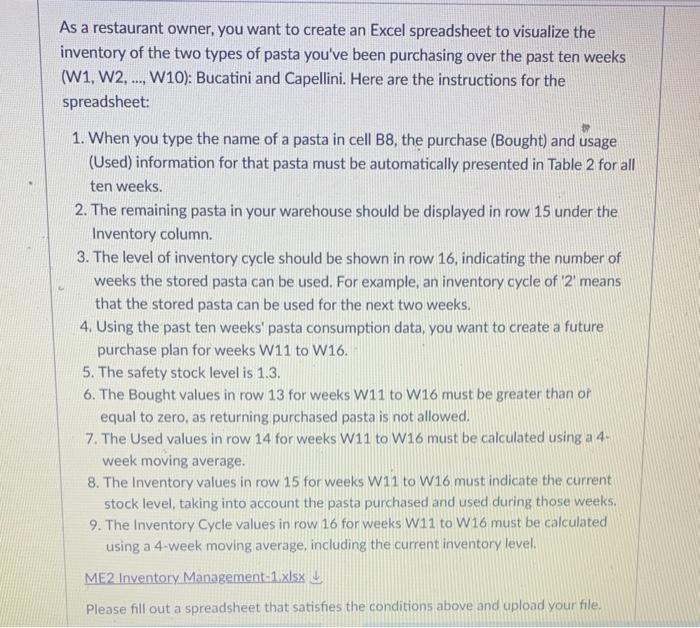
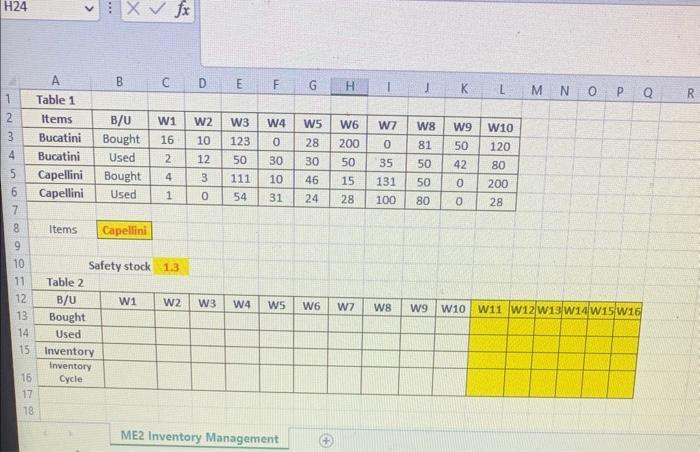
As a restaurant owner, you want to create an Excel spreadsheet to visualize the inventory of the two types of pasta you've been purchasing over the past ten weeks (W1, W2, .., W10): Bucatini and Capellini. Here are the instructions for the spreadsheet: 1. When you type the name of a pasta in cell B8, the purchase (Bought) and usage (Used) information for that pasta must be automatically presented in Table 2 for all ten weeks. 2. The remaining pasta in your warehouse should be displayed in row 15 under the Inventory column. 3. The level of inventory cycle should be shown in row 16 , indicating the number of weeks the stored pasta can be used. For example, an inventory cycle of ' 2 ' means that the stored pasta can be used for the next two weeks. 4. Using the past ten weeks' pasta consumption data, you want to create a future purchase plan for weeks W11 to W16. 5. The safety stock level is 1.3. 6. The Bought values in row 13 for weeks W11 to W16 must be greater than or equal to zero, as returning purchased pasta is not allowed. 7. The Used values in row 14 for weeks W11 to W16 must be calculated using a 4. week moving average. 8. The Inventory values in row 15 for weeks W11 to W16 must indicate the current stock level, taking into account the pasta purchased and used during those weeks. 9. The Inventory Cycle values in row 16 for weeks W11 to W16 must be calculated using a 4 -week moving average, including the current inventory level. ME2 Inventory Management-1xlsx Please fill out a spreadsheet that satisfies the conditions above and upload your file. ME2 Inventory Management As a restaurant owner, you want to create an Excel spreadsheet to visualize the inventory of the two types of pasta you've been purchasing over the past ten weeks (W1, W2, .., W10): Bucatini and Capellini. Here are the instructions for the spreadsheet: 1. When you type the name of a pasta in cell B8, the purchase (Bought) and usage (Used) information for that pasta must be automatically presented in Table 2 for all ten weeks. 2. The remaining pasta in your warehouse should be displayed in row 15 under the Inventory column. 3. The level of inventory cycle should be shown in row 16 , indicating the number of weeks the stored pasta can be used. For example, an inventory cycle of ' 2 ' means that the stored pasta can be used for the next two weeks. 4. Using the past ten weeks' pasta consumption data, you want to create a future purchase plan for weeks W11 to W16. 5. The safety stock level is 1.3. 6. The Bought values in row 13 for weeks W11 to W16 must be greater than or equal to zero, as returning purchased pasta is not allowed. 7. The Used values in row 14 for weeks W11 to W16 must be calculated using a 4. week moving average. 8. The Inventory values in row 15 for weeks W11 to W16 must indicate the current stock level, taking into account the pasta purchased and used during those weeks. 9. The Inventory Cycle values in row 16 for weeks W11 to W16 must be calculated using a 4 -week moving average, including the current inventory level. ME2 Inventory Management-1xlsx Please fill out a spreadsheet that satisfies the conditions above and upload your file. ME2 Inventory Management
Step by Step Solution
There are 3 Steps involved in it

Get step-by-step solutions from verified subject matter experts