







Question: please help (1) Project Part B: One (1) Microsoft Excel Macro-Enabled file containing worksheets and VBA code that would simulate (over a peak 15 minute
please help (1) Project Part B: One (1) Microsoft Excel Macro-Enabled file containing worksheets and VBA code
that would simulate (over a peak 15 minute period of a working day) the movement of vehicles
arriving at one of the City's major intersections.
Structure of VBA code
Use of comments
Innovative and user-friendly
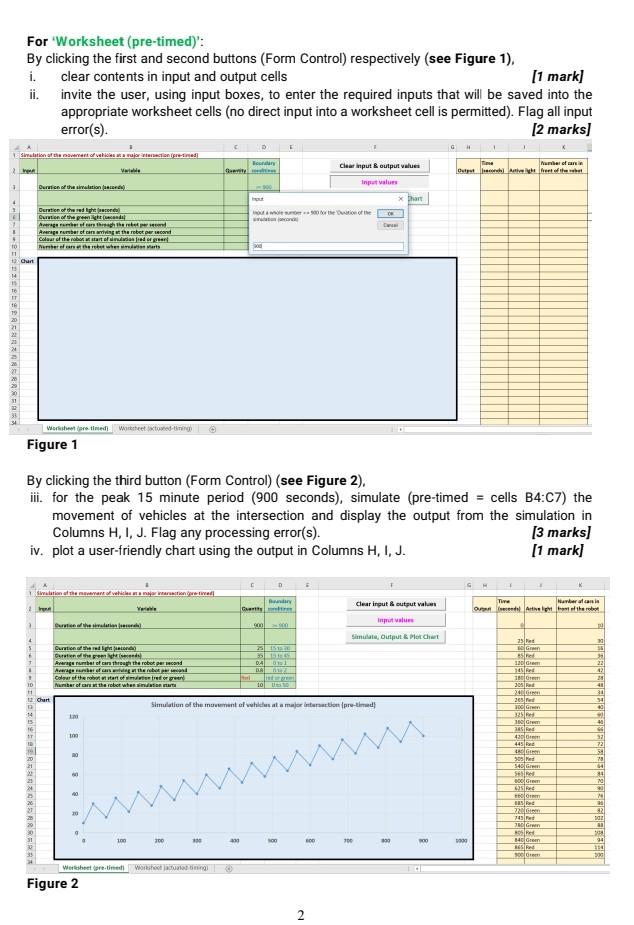
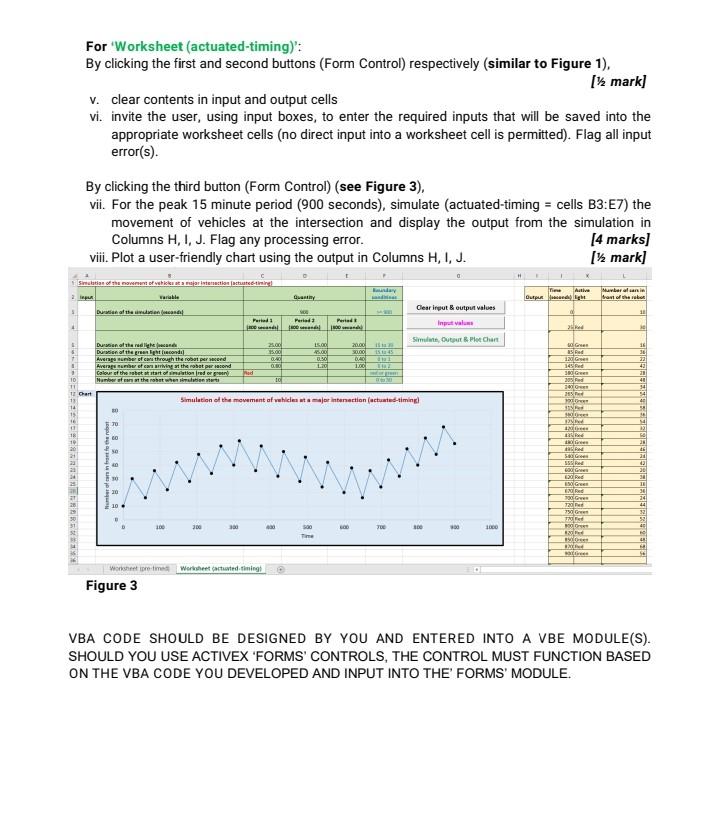
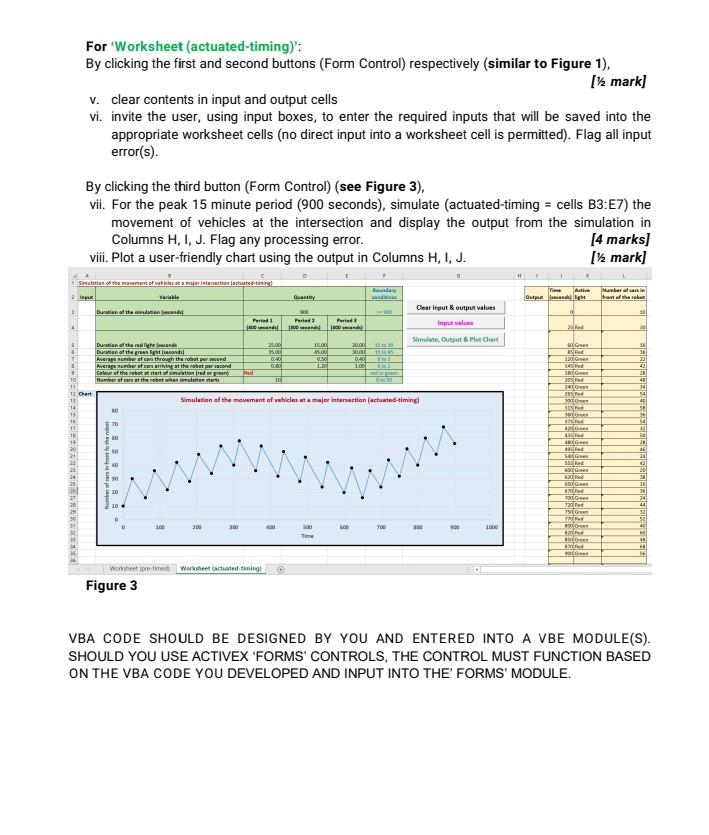
For 'Worksheet (actuated-timing)': By clicking the first and second buttons (Form Control) respectively (similar to Figure 1). [1 mark] v. clear contents in input and output cells vi. invite the user, using input boxes, to enter the required inputs that will be saved into the appropriate worksheet cells (no direct input into a worksheet cell is permitted). Flag all input error(s). By clicking the third button (Form Control) (see Figure 3). vii. For the peak 15 minute period (900 seconds), simulate (actuated-timing = cells B3:E7) the movement of vehicles at the intersection and display the output from the simulation in Columns H, I, J. Flag any processing error. [4 marks) viii. Plot a user-friendly chart using the output in Columns H, I, J. [1 mark] Simulation of the movement of a reactionate-tiring! day Active Quant Output Mumber alan Son of the root Clear input & output values Duratithaa unnan face 11 Periods Period Pested Sim Outlet Chant 15.00 200 SOT Green 0132 Duration of the red light Duration of the great condi Averses through the robot per cond Average number of cars arriving at the robot per acond Colour of the watet start of multion red organ Number of the most when 2000 30000 DAC 1.00 10 Goes Red 16 36 22 43 20 40 41 54 4 100 G 205 Red 100 10 10 T! 1 Chart 13 14 15 TE Simulation of the movement of vehicles interaction (actuated timing 30 TU INO 2 28 18 10 20 21 w 52. Gre SERE LOG Red 21 2 30 IT ER 990-G 720 750G 36 24 44 2 53 4 300 300 30 OD TU 350 1000 13 Time B. Worst premes Worksheet cartested timing Figure 3 VBA CODE SHOULD BE DESIGNED BY YOU AND ENTERED INTO A VBE MODULE(S). SHOULD YOU USE ACTIVEX 'FORMS' CONTROLS, THE CONTROL MUST FUNCTION BASED ON THE VBA CODE YOU DEVELOPED AND INPUT INTO THE' FORMS' MODULE. For 'Worksheet (actuated-timing)': By clicking the first and second buttons (Form Control) respectively (similar to Figure 1). [1 mark] v. clear contents in input and output cells vi. invite the user, using input boxes, to enter the required inputs that will be saved into the appropriate worksheet cells (no direct input into a worksheet cell is permitted). Flag all input error(s). By clicking the third button (Form Control) (see Figure 3). vii. For the peak 15 minute period (900 seconds), simulate (actuated-timing = cells B3:E7) the movement of vehicles at the intersection and display the output from the simulation in Columns H, I, J. Flag any processing error. [4 marks) viii. Plot a user-friendly chart using the output in Columns H, I, J. [1 mark] Simulation of the movement of a reactionate-tiring! day Active Quant Output Mumber alan Son of the root Clear input & output values Duratithaa unnan face 11 Periods Period Pested Sim Outlet Chant 15.00 200 SOT Green 0132 Duration of the red light Duration of the great condi Averses through the robot per cond Average number of cars arriving at the robot per acond Colour of the watet start of multion red organ Number of the most when 2000 30000 DAC 1.00 10 Goes Red 16 36 22 43 20 40 41 54 4 100 G 205 Red 100 10 10 T! 1 Chart 13 14 15 TE Simulation of the movement of vehicles interaction (actuated timing 30 TU INO 2 28 18 10 20 21 w 52. Gre SERE LOG Red 21 2 30 IT ER 990-G 720 750G 36 24 44 2 53 4 300 300 30 OD TU 350 1000 13 Time B. Worst premes Worksheet cartested timing Figure 3 VBA CODE SHOULD BE DESIGNED BY YOU AND ENTERED INTO A VBE MODULE(S). SHOULD YOU USE ACTIVEX 'FORMS' CONTROLS, THE CONTROL MUST FUNCTION BASED ON THE VBA CODE YOU DEVELOPED AND INPUT INTO THE' FORMS' MODULE. For 'Worksheet (pre-timed)': By clicking the first and second buttons (Form Control) respectively (see Figure 1). i. clear contents in input and output cells [1 mark] ii. invite the user, using input boxes, to enter the required inputs that will be saved into the appropriate worksheet cells (no direct input into a worksheet cell is permitted). Flag all input error(s). [2 marks] G Siradation of the names of vehicles a major reaction pretired Town 2 Clear input & output values Input Time Number of an in Du vet of the 1 Duration of the vallation face x hart 4 Duration of the red phone Curtion of the pretendil Agershether Arber of the repere Colour of the robot started trader New arts 1 10 11 Curt 14 15 to Worksheet are the wore med Figure 1 By clicking the third button (Form Control) (see Figure 2). ii. for the peak 15 minute period (900 seconds), simulate (pre-timed = cells B4:07) the movement of vehicles at the intersection and display the output from the simulation in Columns H, 1, J. Flag any processing error(s). [3 marks) iv. plot a user-friendly chart using the output in Columns H, I, J. [1 mark) Silation of the art of vehicles are contre-wall Yle Haberalai Clear input & output value Tune Ord Ant 2 time latter heari 00 000 Sunita, Outputs hat dhar 25 LG 39 DA BA 130 G Duration thered Drenthe Average restere en through the robopeed Arrigorrars were the board Coler of the root van de ore Number of the robot wherson 22 28 40 10 TO 305 PA 10 12 Chart Simulation of the movement of whicles at a mujer interaction pre-timed 30 40 40 100 G 325 100 G 15 4300 445 100 M 20 50 Med 540 G SEBE BOG 12 2 54 78 14 26 70 20 22 74 20 2 101 Gram CRRRRRRR 100 10 400 390 w Green 94 194 300 sel Wertsheet pretined Wars Figure 2 2
Step by Step Solution
There are 3 Steps involved in it

Get step-by-step solutions from verified subject matter experts
 Study Help