







Question: Please help Before performing any calculations, Hwan asks you to correct the errors in the worksheet. In cell L16, use the Error Checking command to
Please help
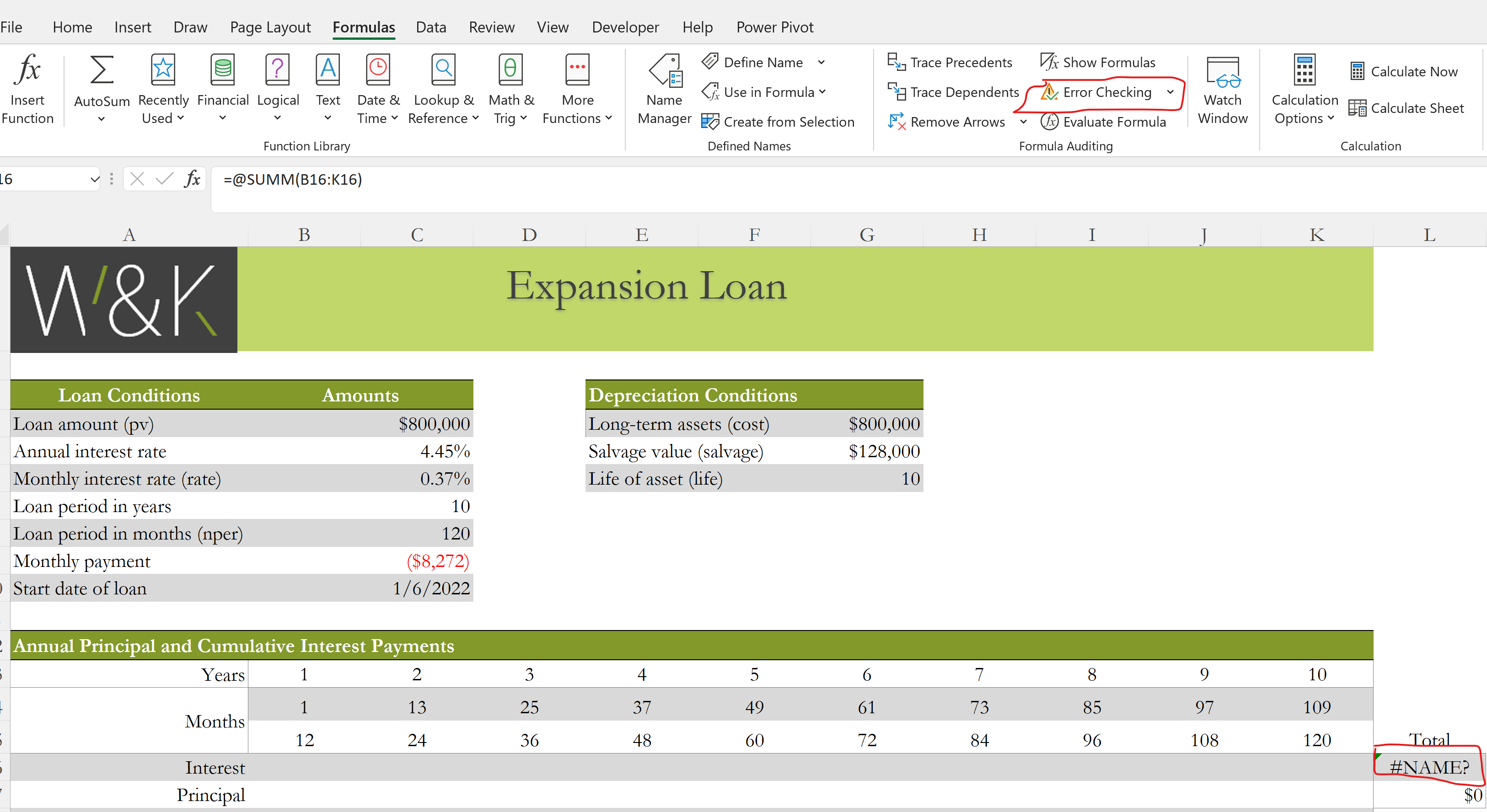
- Before performing any calculations, Hwan asks you to correct the errors in the worksheet.
- In cell L16, use the Error Checkingcommand to identify the error in the cell.
- Correct the error to total the values in the range B16:K16.
- Use Trace Precedents arrows to find the source of the #DIV/0! error in cell B19.
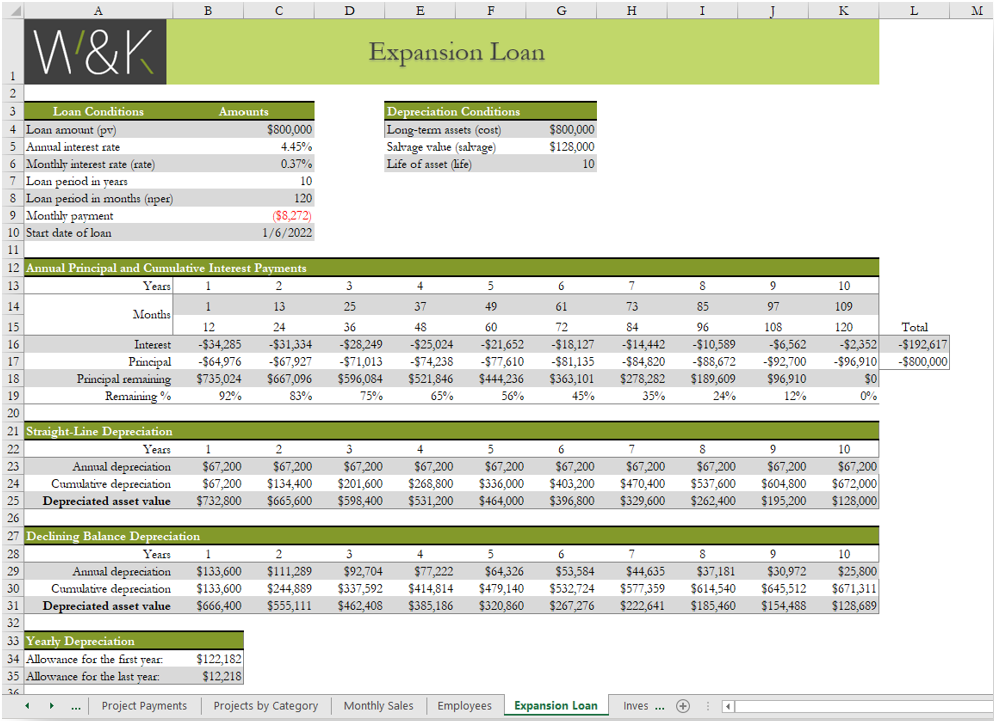
- Correct the formula in cell B19, which should divide the remaining principal (cell B18) by the loan amount (cell C4) to find the percentage of the remaining principal.
- Fill the range C19:K19 with the formula in cell B19 without formatting to correct the remaining #DIV/0! errors.
- Remove any remaining trace arrows.
The first pic is the first pic and the second pic is the final product and what it should look like.
File Home Insert Draw Page Layout Formulas Data Review View Developer Help Power Pivot fox e A Define Name Ey Trace Precedents fx Show Formulas Calculate Now Insert AutoSum Recently Financial Logical Text Date & Lookup & Math & More Name
Step by Step Solution
There are 3 Steps involved in it
1 Expert Approved Answer
Step: 1 Unlock

Question Has Been Solved by an Expert!
Get step-by-step solutions from verified subject matter experts
Step: 2 Unlock
Step: 3 Unlock
 Study Help