







Question: PLEASE HELP FIX ERROR CODE IN PHOTO BELOW: You were just hired as a new junior Oracle database administrator (DBA) to assist a team of
PLEASE HELP FIX ERROR CODE IN PHOTO BELOW:
You were just hired as a new junior Oracle database administrator (DBA) to assist a team of five senior database administrators. In your first week, you were handed the task of writing a script for creating database users(using SQL Developer or SQL Plus). The script will perform the following tasks and conform to the following specifications:
1. Create the following two (2) users with their respective passwords. Please use the exact spelling.
| User Name | Password |
| DBSEC | Tec5363%1 |
| VPD_CLERK1 | Jessie#22 |
The following parameters apply to the above two (2) users.
2. The default table space is USERS.
3. The temporary table space is TEMP.
4. The user has to change his/her password the first time when he/she log in the database.
5. The user account will be assigned to the DEFAULT profile.
6. The USERS table space has a 30MB quota.
7. At the end of the creation, list the user information that shows a successful creation of the above user account.
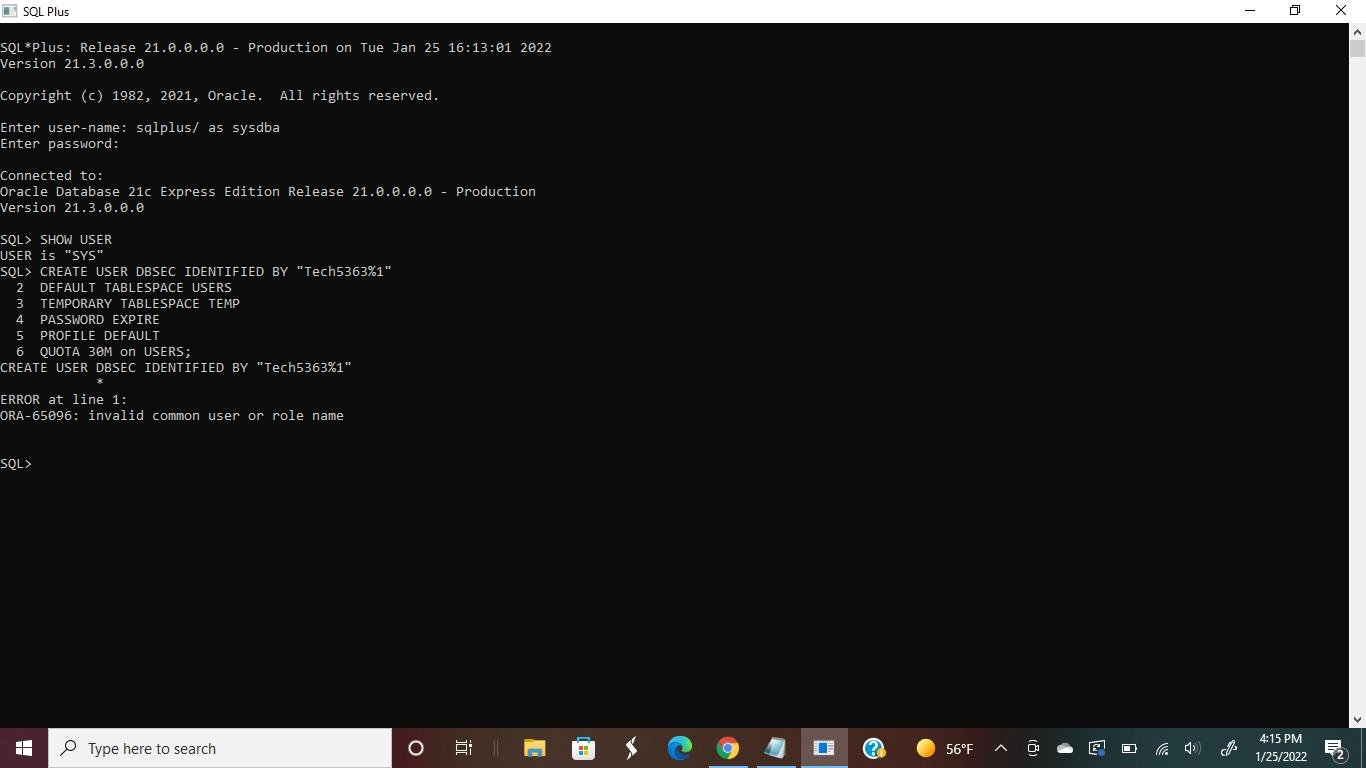
SQL Plus SQL*Plus: Release 21.0.0.0.0 Version 21.3.0.0.0 Production on Tue Jan 25 16:13:01 2022 Copyright (c) 1982, 2021, Oracle. All rights reserved. Enter user-name: sqlplus/ as sysdba Enter password: Connected to: Oracle Database 21c Express Edition Release 21.0.0.0.0 Production Version 21.3.0.0.0 SQL> SHOW USER USER is "SYS" SQL> CREATE USER DBSEC IDENTIFIED BY "Tech5363% 1" 2 DEFAULT TABLESPACE USERS TEMPORARY TABLESPACE TEMP 3 4 PASSWORD EXPIRE 5 PROFILE DEFAULT 6 QUOTA 30M on USERS; CREATE USER DBSEC IDENTIFIED BY "Tech5363%1" ERROR at line 1: ORA-65096: invalid common user or role name SQL> H Type here to search 0 I C 56F 4:15 PM 1/25/2022
Step by Step Solution
There are 3 Steps involved in it

Get step-by-step solutions from verified subject matter experts
 Study Help