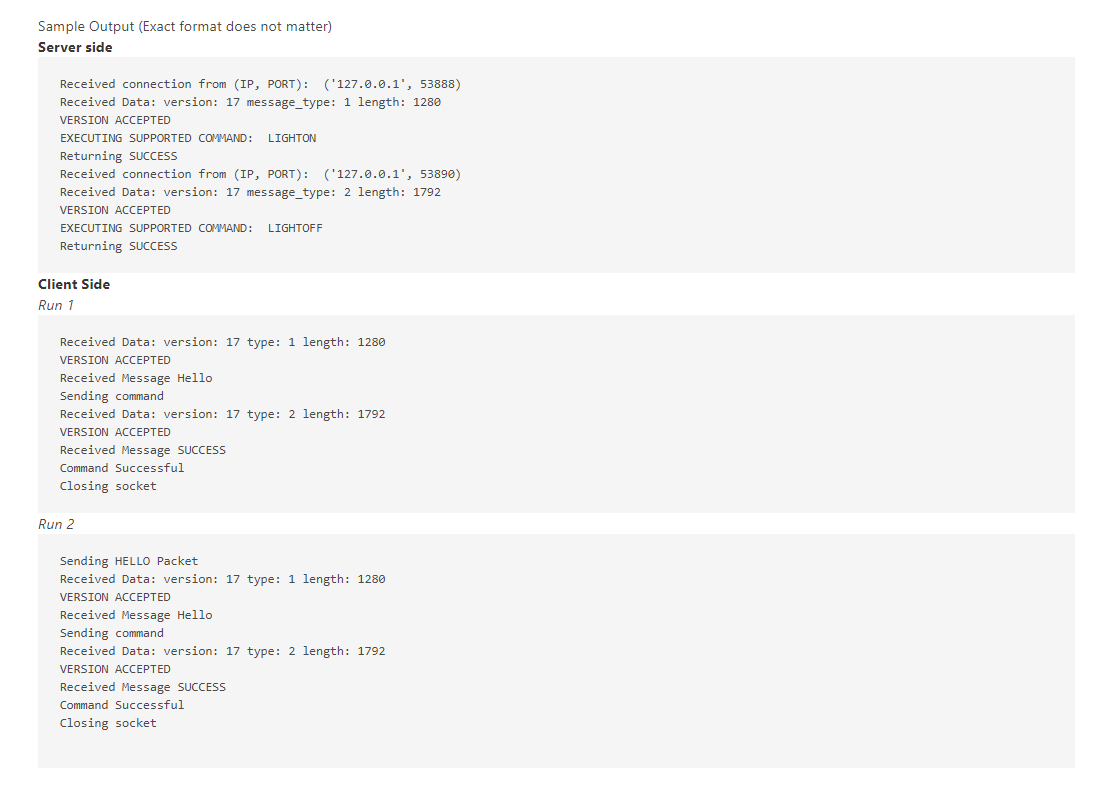
Question: PLEASE HELP IN PYTHON!!!!!!!!! SERVER.PY CLIENT.PY Deliverables (each worth 5 points) 1. Write a server that listens for incoming connections on the specified port. 2.

PLEASE HELP IN PYTHON!!!!!!!!!

SERVER.PYPLEASE HELP IN PYTHON!!!!!!!!! SERVER.PY CLIENT.PY Deliverables (each worth 5 points) 1.
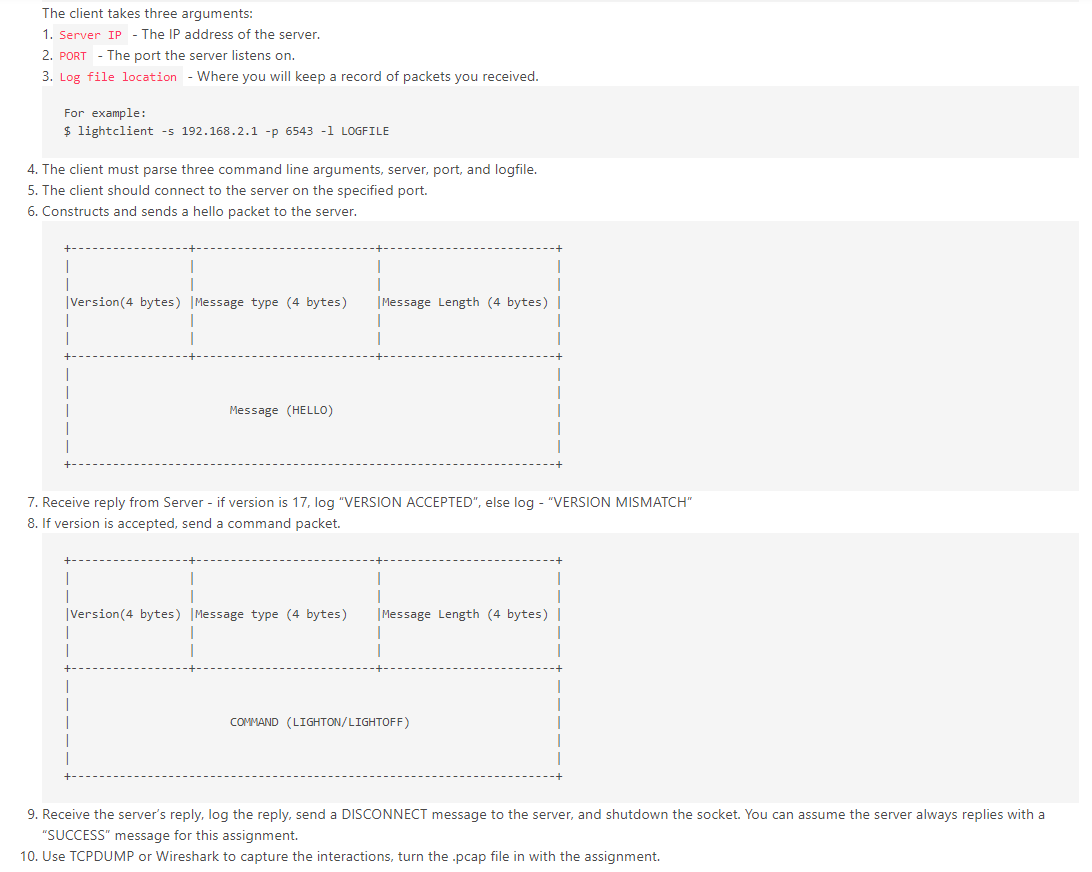
CLIENT.PY

Write a server that listens for incoming connections on the specified port.

2. Server must parse two command line arguments, port and log locations.

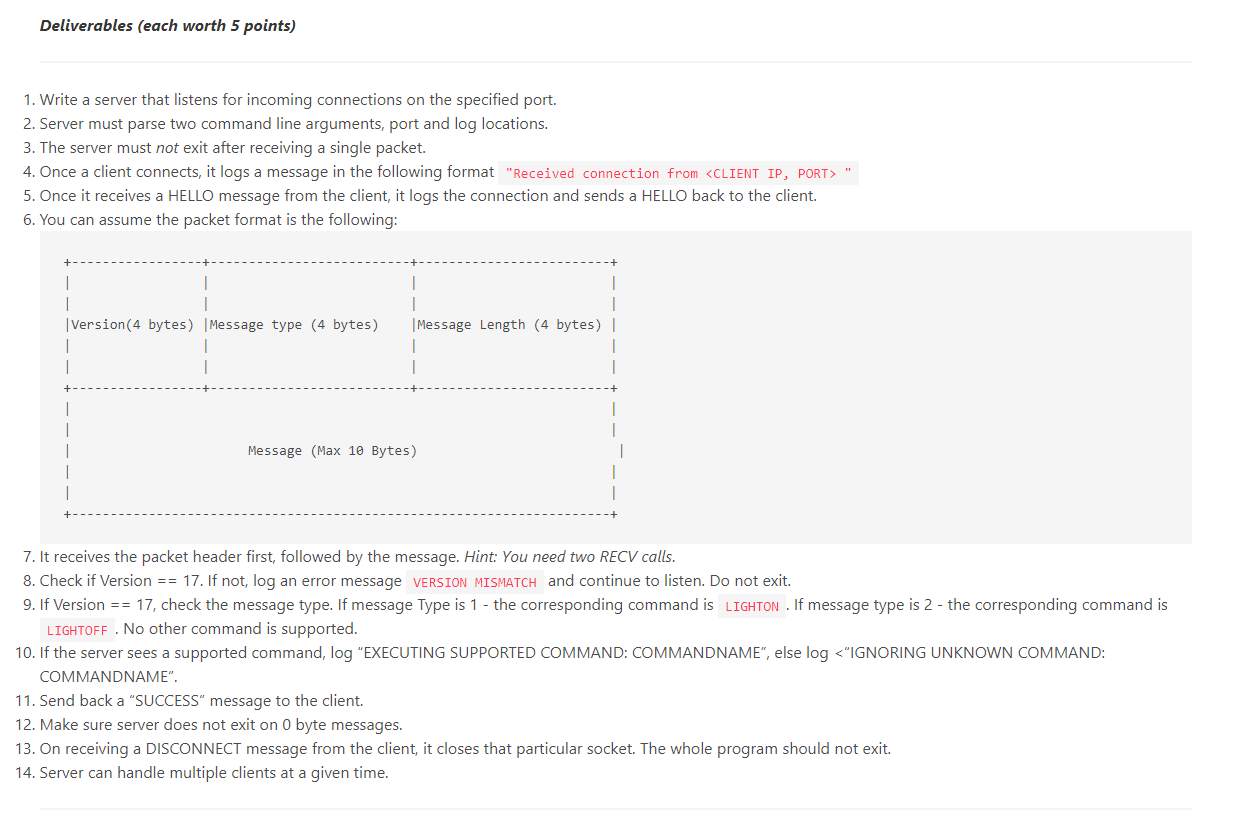
Deliverables (each worth 5 points) 1. Write a server that listens for incoming connections on the specified port. 2. Server must parse two command line arguments, port and log locations. 3. The server must not exit after receiving a single packet. 4. Once a client connects, it logs a message in the following format "Received connection from ". 5. Once it receives a HELLO message from the client, it logs the connection and sends a HELLO back to the client. 6. You can assume the packet format is the following: 1 Message Length (4 bytes) || | Version (4 bytes) Message type (4 bytes) 1 1 T Message (Max 10 Bytes) 7. It receives the packet header first, followed by the message. Hint: You need two RECV calls. 8. Check if Version == 17. If not, log an error message VERSION MISMATCH and continue to listen. Do not exit. 9. If Version == 17, check the message type. If message Type is 1 - the corresponding command is LIGHTON . If message type is 2 - the corresponding command is LIGHTOFF . No other command is supported. 10. If the server sees a supported command, log "EXECUTING SUPPORTED COMMAND: COMMANDNAME", else log ". 5. Once it receives a HELLO message from the client, it logs the connection and sends a HELLO back to the client. 6. You can assume the packet format is the following: 1 Message Length (4 bytes) || | Version (4 bytes) Message type (4 bytes) 1 1 T Message (Max 10 Bytes) 7. It receives the packet header first, followed by the message. Hint: You need two RECV calls. 8. Check if Version == 17. If not, log an error message VERSION MISMATCH and continue to listen. Do not exit. 9. If Version == 17, check the message type. If message Type is 1 - the corresponding command is LIGHTON . If message type is 2 - the corresponding command is LIGHTOFF . No other command is supported. 10. If the server sees a supported command, log "EXECUTING SUPPORTED COMMAND: COMMANDNAME", else log

Step by Step Solution

There are 3 Steps involved in it

1 Expert Approved Answer
Step: 1 Unlock blur-text-image
Question Has Been Solved by an Expert!

Get step-by-step solutions from verified subject matter experts

Step: 2 Unlock
Step: 3 Unlock

Students Have Also Explored These Related Databases Questions!