







Question: Please help me ASAP Solve the following problems using MongoDB {save the text of the query and related output with the answer). You queries should
Please help me ASAP
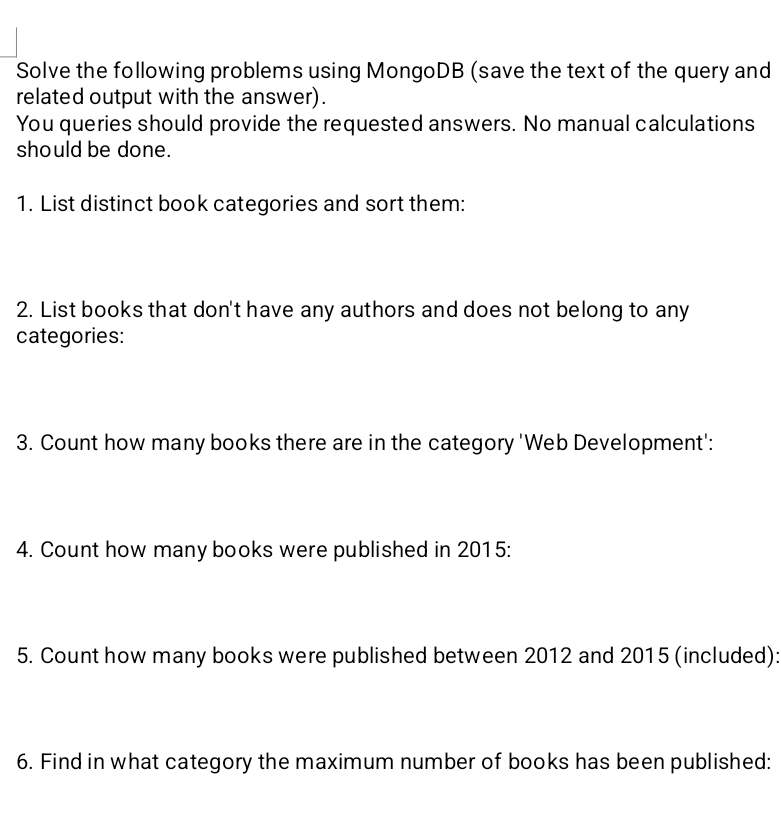
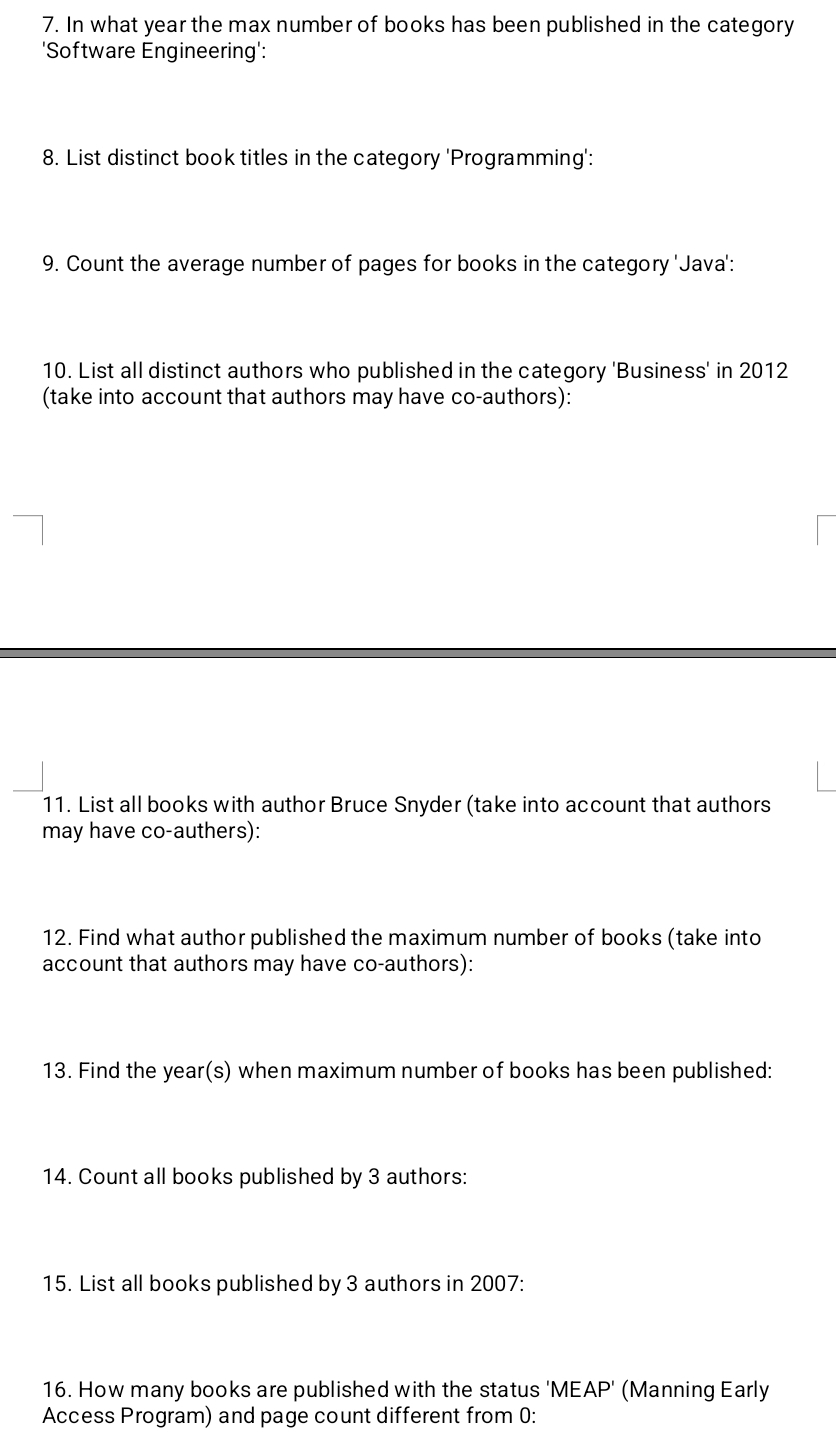
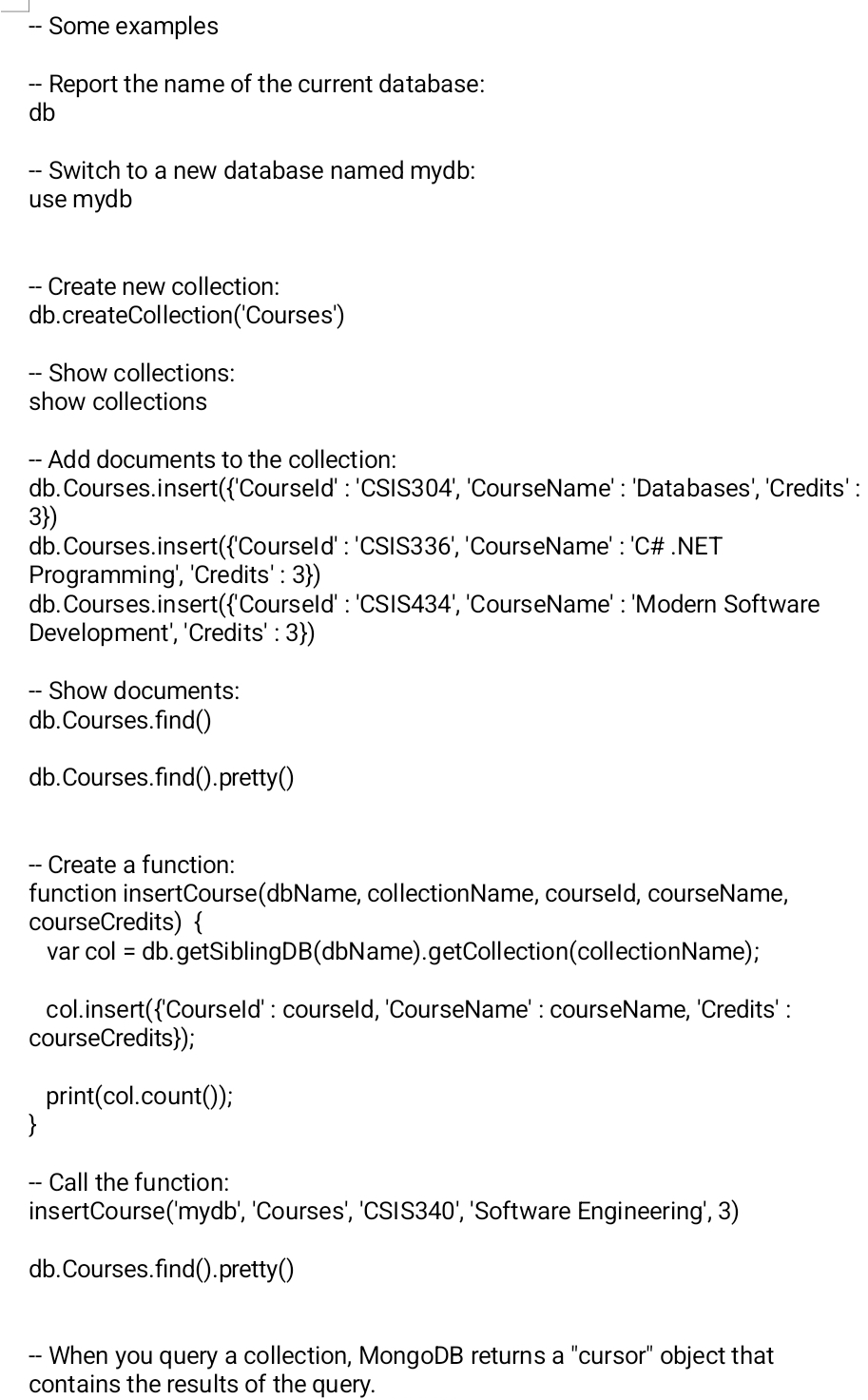
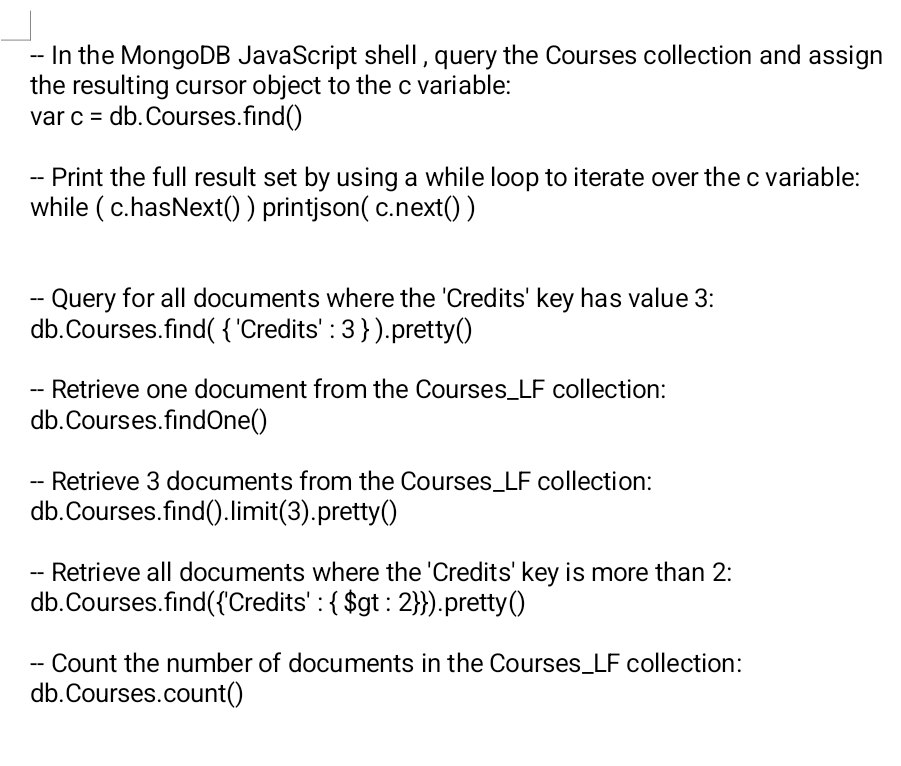
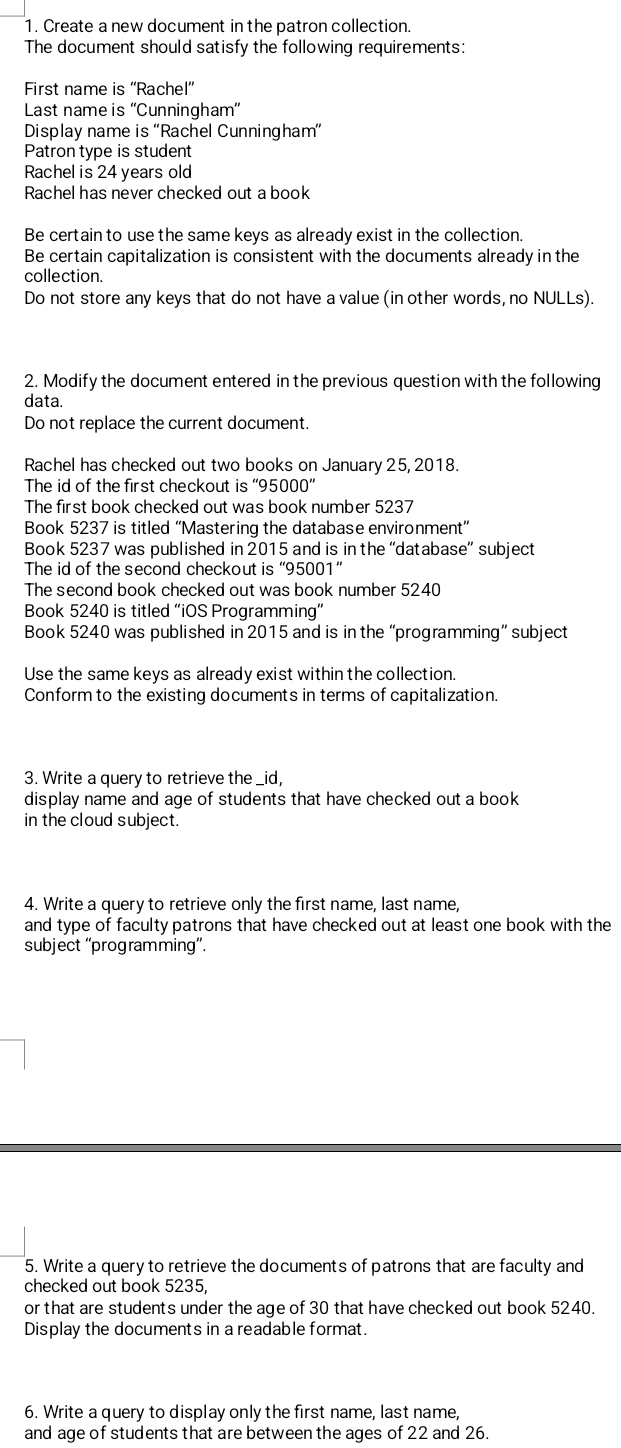
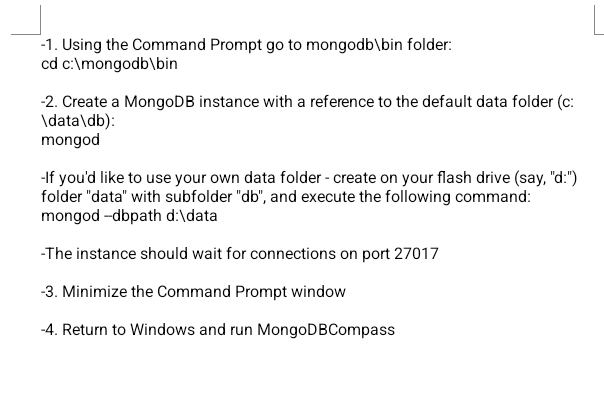
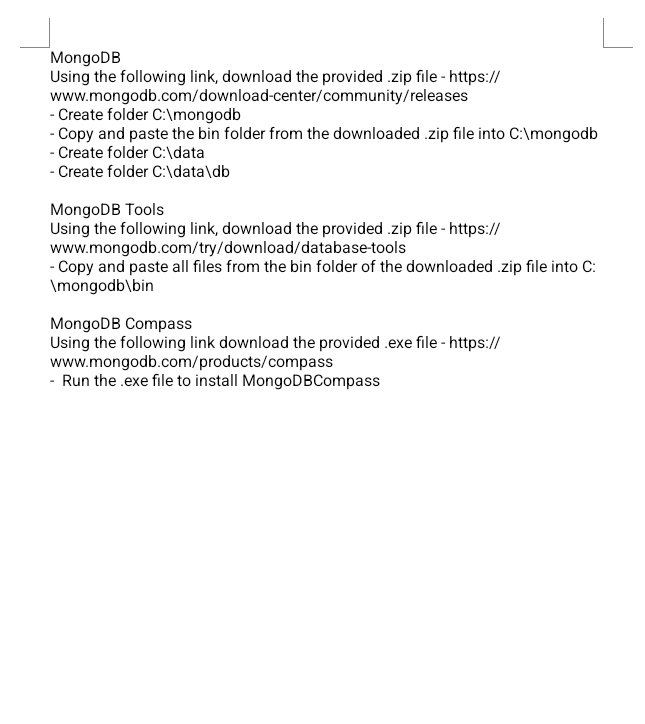
Solve the following problems using MongoDB {save the text of the query and related output with the answer). You queries should provide the requested answers. No manual calculations should be done. 1. List distinct book categories and sort them: 2. List books that don't have any authors and does not belong to any categories: 3. Count how many books there are in the category 'Web Development\": 4. Count how many books were published in 2015: 5. Count how many books were published between 2012 and 201 5 (included): 6. Find in what categorythe maximum number of books has been published: 7. In what yearthe max number of books has been published in the category 'Software Engineering': 8. List distinct book titles in the category 'Programming': 9. Count the average number of pages for books in the category 'Java': 10. List all distinct authors who published in the category 'Business' in 2012 {take into account that authors may have co-authors): 7 11. List all books with author Bruce Snyder (take into account that authors may have co-authers): 12. Find what author published the maximum number of books {take into account that authors may have coauthors): 13. Find the year(s) when maximum number of books has been published: 14. Count all books published by 3 authors: 15. List all books published by 3 authors in 2007: 16. How many books are published with the status 'MEAP' (Manning Early Access Program) and page count different from 0: - Some examples - Report the name of the current database: db - Switch to a new database named mydb: use mydb -- Create new collection: db.createCollection('Courses') - Show collections: show collections - Add documents to the collection: db. Courses.insert({'Courseld' : 'CSIS304', 'CourseName': 'Databases', 'Credits' : 3}) db. Courses.insert({'Courseld' : 'CSIS336', 'CourseName' : 'C# .NET Programming', 'Credits' : 3}) db. Courses.insert({'Courseld' : 'CSIS434', 'CourseName' : 'Modern Software Development', 'Credits' : 3}) - Show documents: db. Courses.find() db. Courses.find().pretty() -- Create a function: function insertCourse(dbName, collectionName, courseld, courseName, courseCredits) { var col = db. getSiblingDB(dbName).getCollection(collectionName); col.insert({'Courseld' : courseld, 'CourseName' : courseName, 'Credits' : courseCredits}); print(col.count()); - Call the function: insertCourse('mydb', 'Courses', 'CSIS340', 'Software Engineering', 3) db.Courses.find().pretty() -- When you query a collection, MongoDB returns a "cursor" object that contains the results of the query.- In the MongoDB JavaScript shell , query the Courses collection and assign the resulting cursor object to the c variable: var c = db. Courses.find() -- Print the full result set by using a while loop to iterate over the c variable: while ( c.hasNext() ) printjson( c.next() ) - Query for all documents where the 'Credits' key has value 3: db. Courses. find( { 'Credits' : 3 } ).pretty() -- Retrieve one document from the Courses_LF collection: db. Courses.findOne() - Retrieve 3 documents from the Courses_LF collection: db. Courses.find().limit(3).pretty() -- Retrieve all documents where the 'Credits' key is more than 2: db. Courses. find({'Credits' : { $gt : 2}}).pretty() Count the number of documents in the Courses_LF collection: db. Courses.count()1. Create a new document in the patron collection. The document should satisfy the following requirements: First name is "Rachel" Last name is "Cunningham\" Display name is "Rachel Cunningham" Patrontype is student Rachel is 24 years old Rachel has never checked out a book Be certain to use the same keys as already exist in the collection. Be certain capitalization is consistent with the documents already inthe collection. Do not store any keys that do not have a value (in other words, no NULLs). 2. Modify the document entered in the previous question with the following data. Do not replace the current document. Rachel has checked out two books on January 25, 2018. The id of the rst checkout is "95000" The rst book checked out was book number 5237 Book 5237 is titled "Mastering the database environment" Book 5237 was published in 2015 and is in the "database" subject The id of the second checkout is "95001" The second book checked out was book number 5240 Book 5240 is titled "iDS Programming" Book 5240 was published in 2015 and is in the "programming" subject Use the same keys as already exist withinthe collection. Conform to the existing documents in terms of capitalization. 3. Write a query to retrieve the _id, display name and age of students that have checked out a book in the cloud subject. 4. Write a query to retrieve only the rst name, last name, and type of faculty patrons that have checked out at least one book with the subject "programming". 5. Write a query to retrieve the documents of patrons that are faculty and checked out book 5235, orthat are students under the age of 30 that have checked out book 5240. Display the documents in a readable format. 6. Write a query to display only the rst name, last name, and age of students that are between the ages of 22 and 26. -1. Using the Command Prompt go to mongodb\\bin folder: cd c:\\mongodb\\bin -2. Create a MongoDB instance with a reference to the default data folder (c: \\data \\db): mongod If you'd like to use your own data folder - create on your flash drive (say, "d:") folder "data" with subfolder "db", and execute the following command: mongod -dbpath d:\\data -The instance should wait for connections on port 27017 -3. Minimize the Command Prompt window -4. Return to Windows and run MongoDBCompassMongoDB Using the following link, download the provided .zip file - https:// www.mongodb.com/download-center/community/releases - Create folder C:\\mongodb -Copy and paste the bin folder from the downloaded .zip file into C:\\mongodb - Create folder C:\\data - Create folder C:\\data\\db MongoDB Tools Using the following link, download the provided .zip file - https:// www.mongodb.com/try/download/database-tools - Copy and paste all files from the bin folder of the downloaded .zip file into C: \\mongodb\\bin MongoDB Compass Using the following link download the provided .exe file - https:// www.mongodb.com/products/compass - Run the .exe file to install MongoDBCompass
Step by Step Solution
There are 3 Steps involved in it

Get step-by-step solutions from verified subject matter experts
 Study Help