







Question: Please help me code the following in JAVA AssertDemo class: 1. Download the AssertDemo.java driver and run it 2. It should run with no problems,
Please help me code the following in JAVA
 AssertDemo class: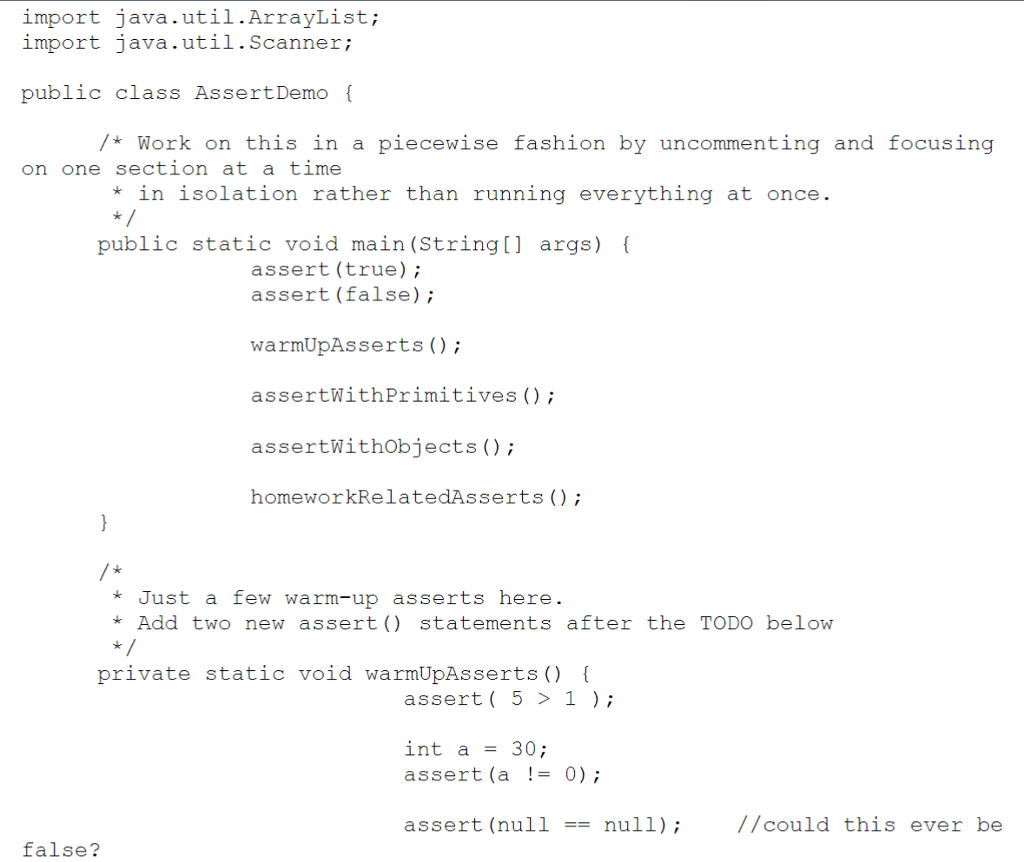
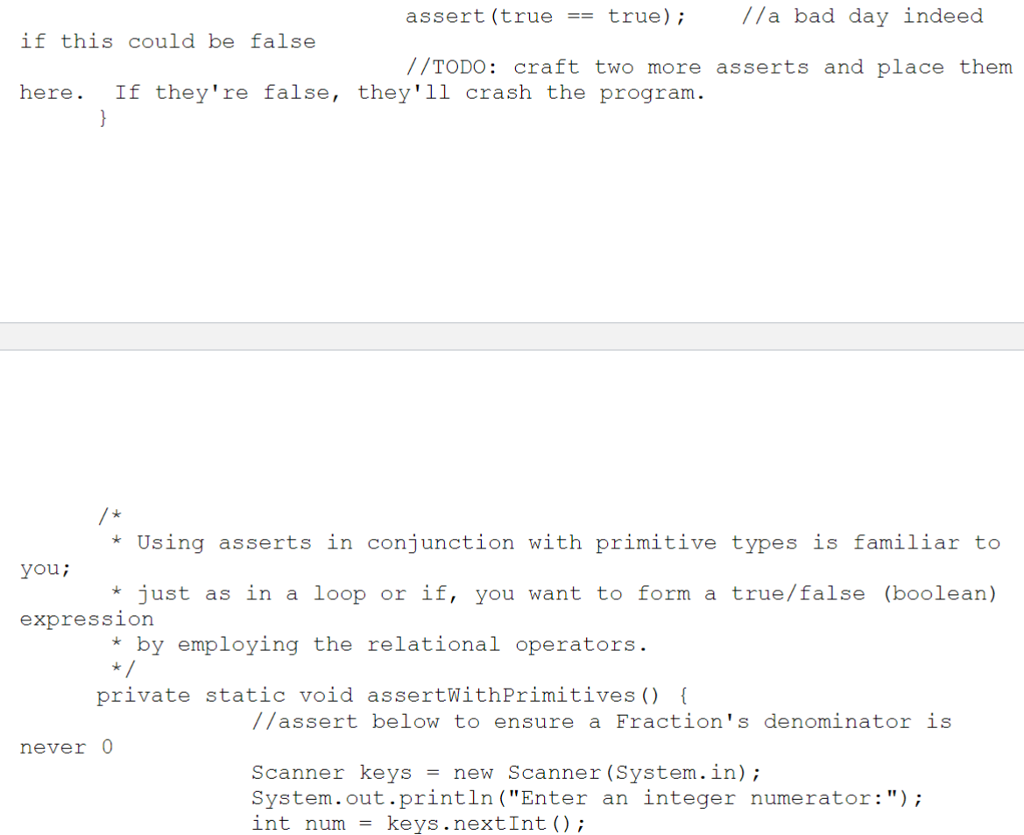
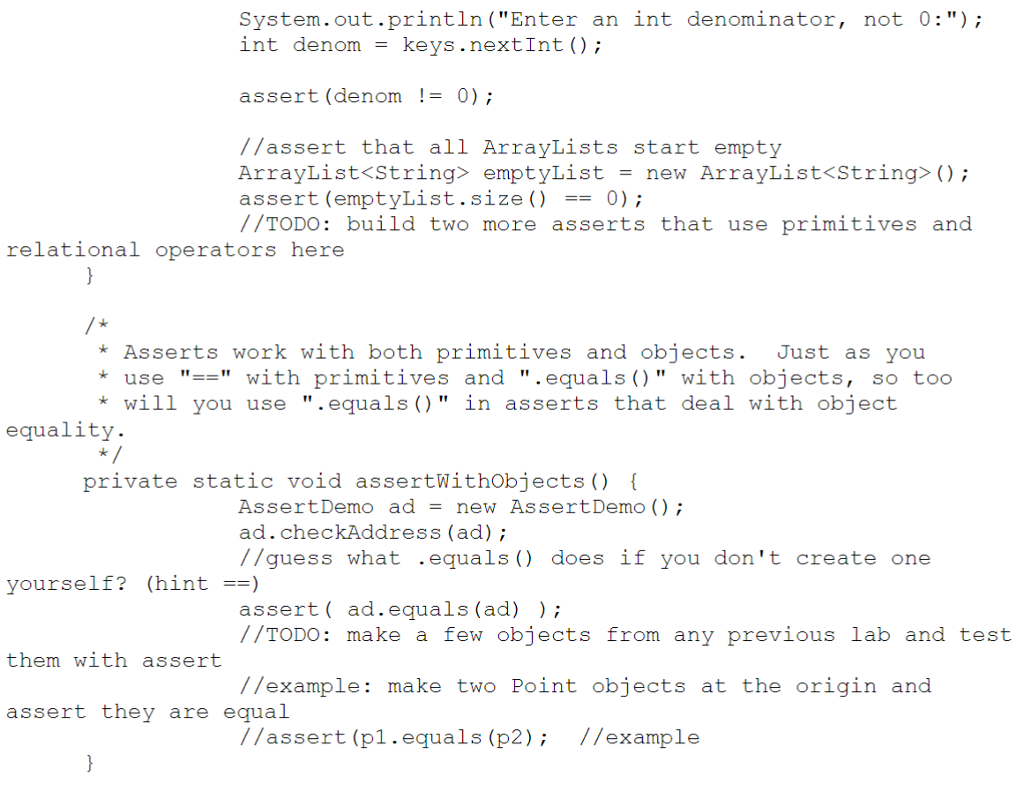
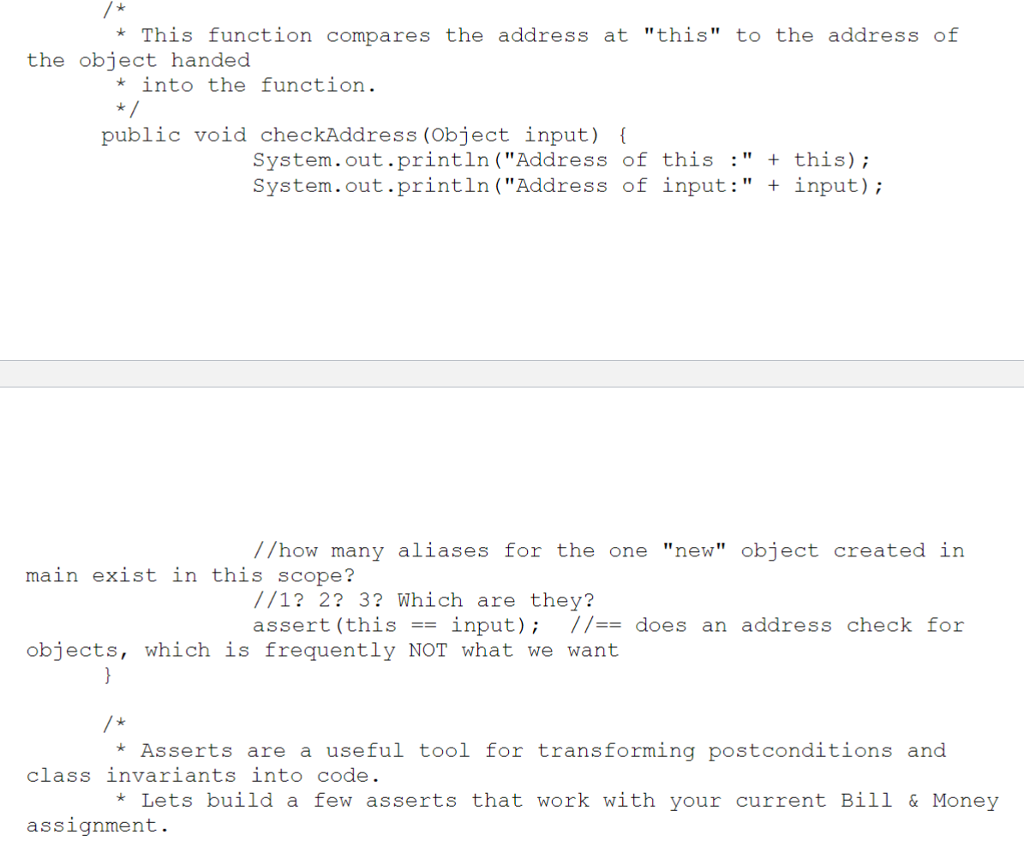
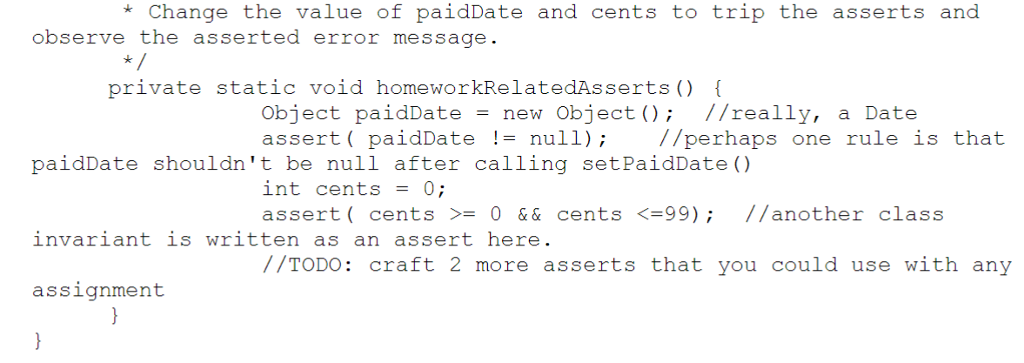
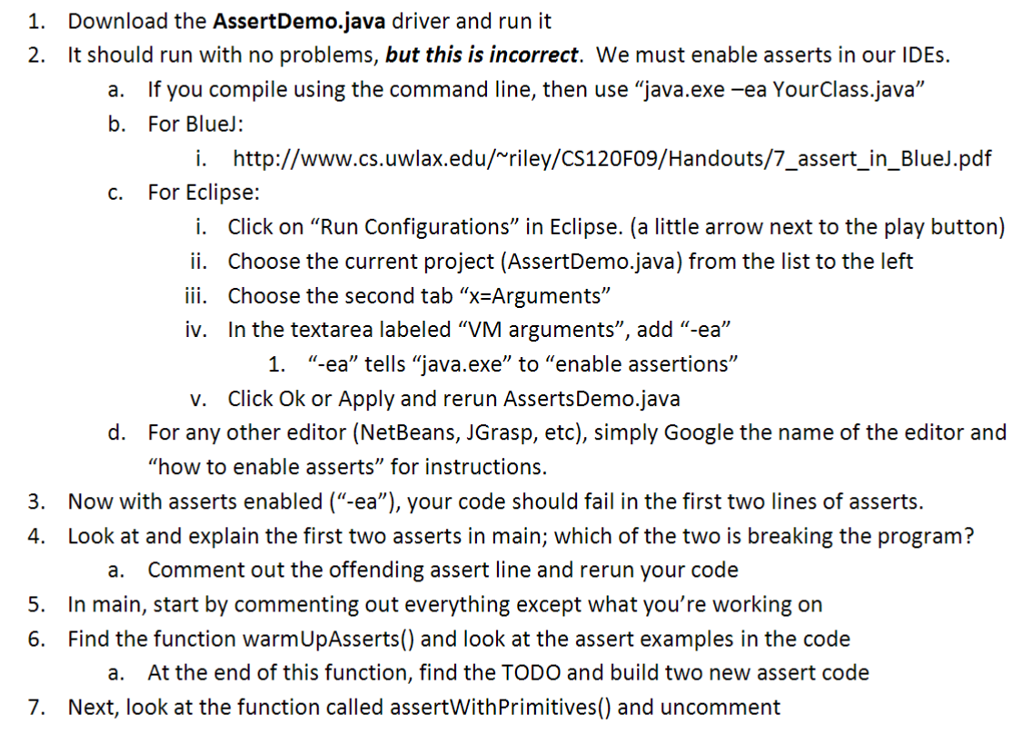
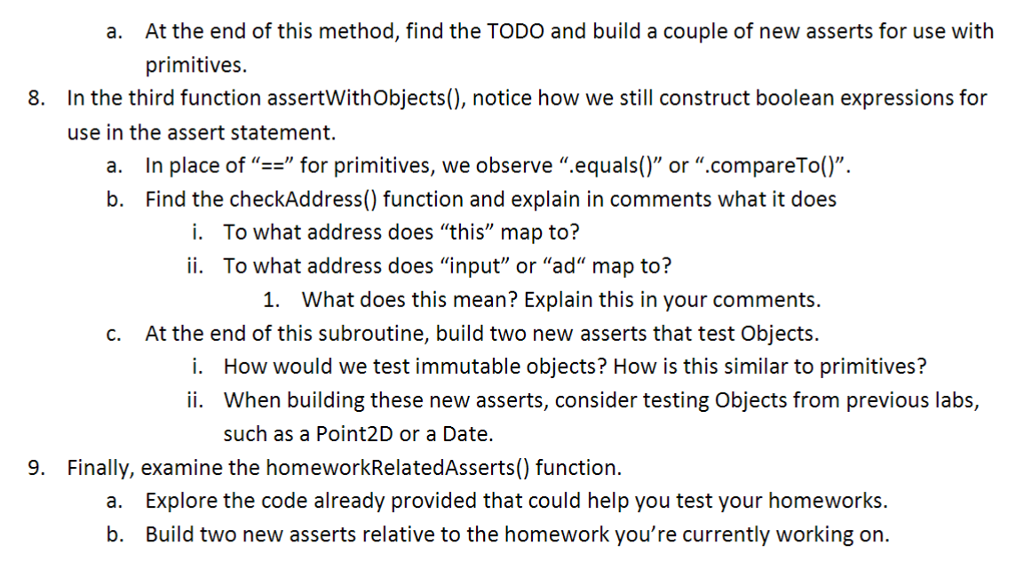
1. Download the AssertDemo.java driver and run it 2. It should run with no problems, but this is incorrect. We must enable asserts in our IDEs. If you compile using the command line, then use "java.exe-ea YourClass.java" For BlueJ: a. b. i. http://www.cs.uwlax.edu/riley/CS120F09/Handouts/7 assert in BlueJ.pdf c. For Eclipse: i. Click on "Run Configurations" in Eclipse. (a little arrow next to the play button) ii. Choose the current project (AssertDemo.java) from the list to the left iii. Choose the second tab "X-Arguments" iv. In the textarea labeled "VM arguments", add "-ea" 1. "ea" tells "java.exe" to "enable assertions" v. Click Ok or Apply and rerun AssertsDemo.java For any other editor (NetBeans, JGrasp, etc), simply Google the name of the editor and "how to enable asserts" for instructions. d. . Now with asserts enabled ("-ea"), your code should fail in the first two lines of asserts. 4. Look at and explain the first two asserts in main; which of the two is breaking the program? a. Comment out the offending assert line and rerun your code 5 In main, start by commenting out everything except what you're working on 6. Find the function warmUpAsserts() and look at the assert examples in the code a. At the end of this function, find the TODO and build two new assert code 7. Next, look at the function called assertWithPrimitives() and uncomment
Step by Step Solution
There are 3 Steps involved in it

Get step-by-step solutions from verified subject matter experts
 Study Help